
Yahoo Mail IMAP settings: connect Yahoo with an app password
Yahoo won't take your normal password in other mail apps. Instead you make an app password once, from your account's Security page, and that takes about two minutes. AOL works the same way.
Facts and prices checked 28 September 2026
Yahoo stopped letting other mail apps sign in with your plain password years ago. What you get instead is an app password: a code you generate for one app, paste once, and can delete whenever you like.
The flow itself is short. The catch is that Yahoo has moved the page that makes one around over the years, so what's below is what we recorded on 26 September 2026. If your screens look a little different, that's why.
How to set up Yahoo Mail IMAP in MorningZero
Start in MorningZero
-
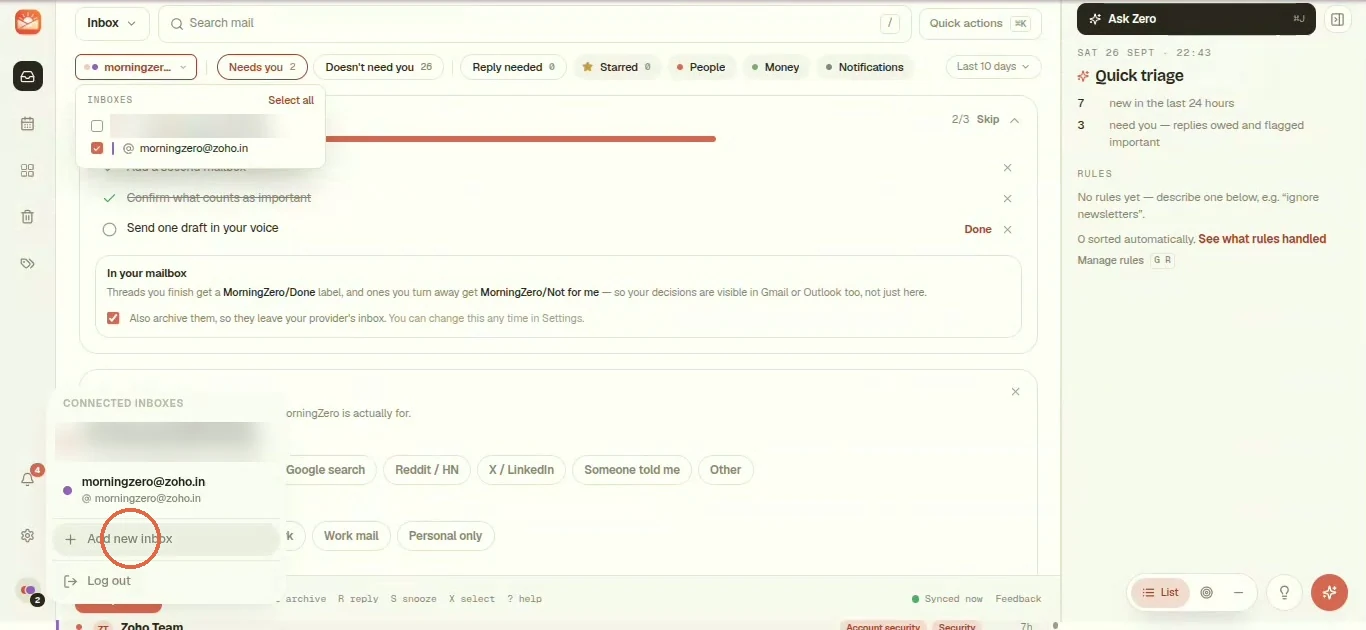
Open the inbox switcher at the bottom left. Under Connected inboxes, click + Add new inbox, or use Settings, Add account, which gets you to the same place.
-
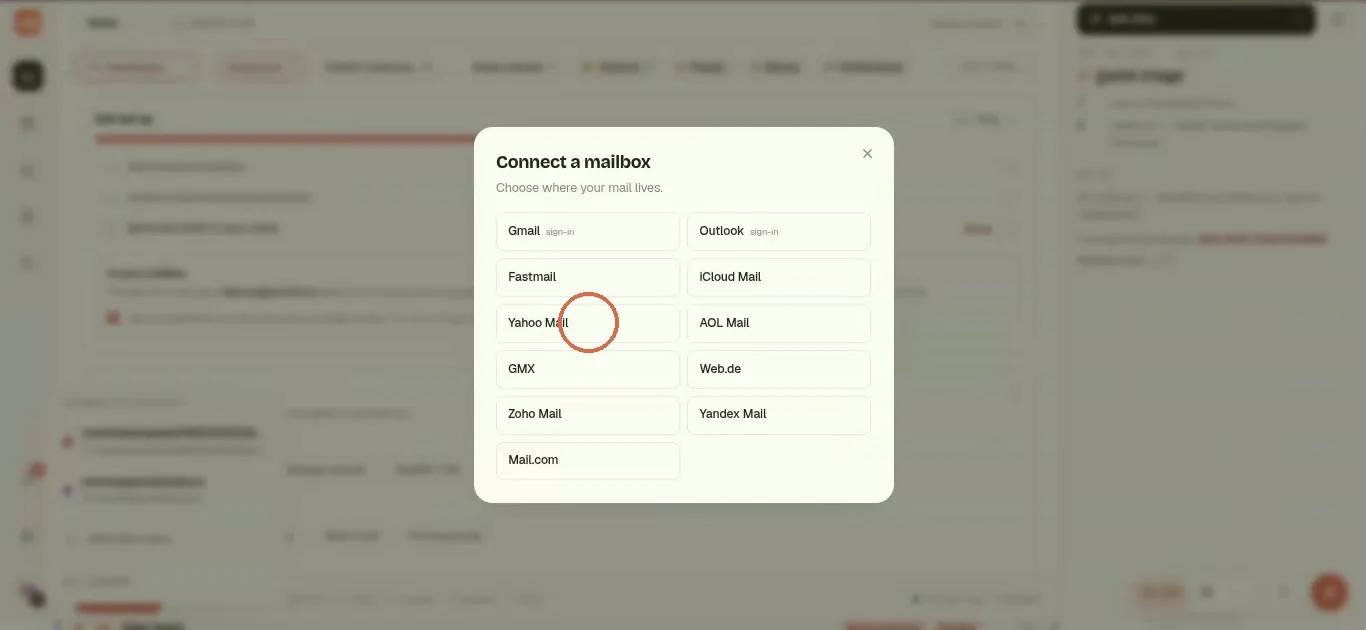
The Connect a mailbox picker lists every provider. Choose Yahoo Mail.
-
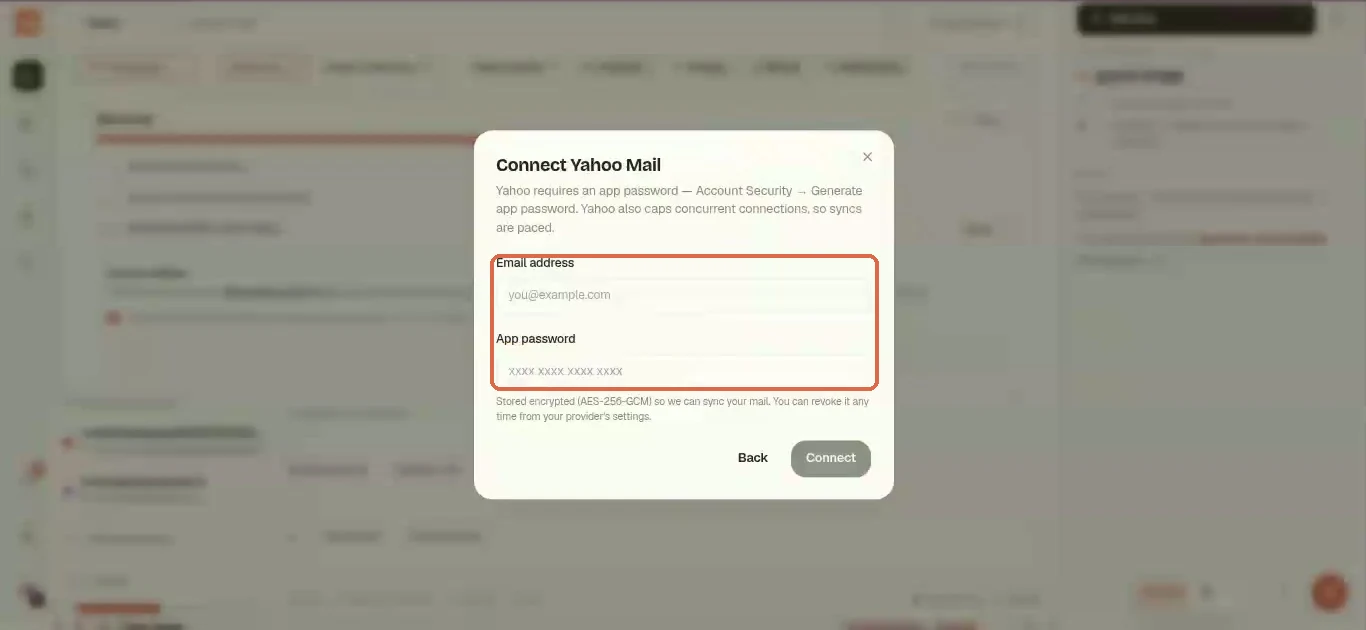
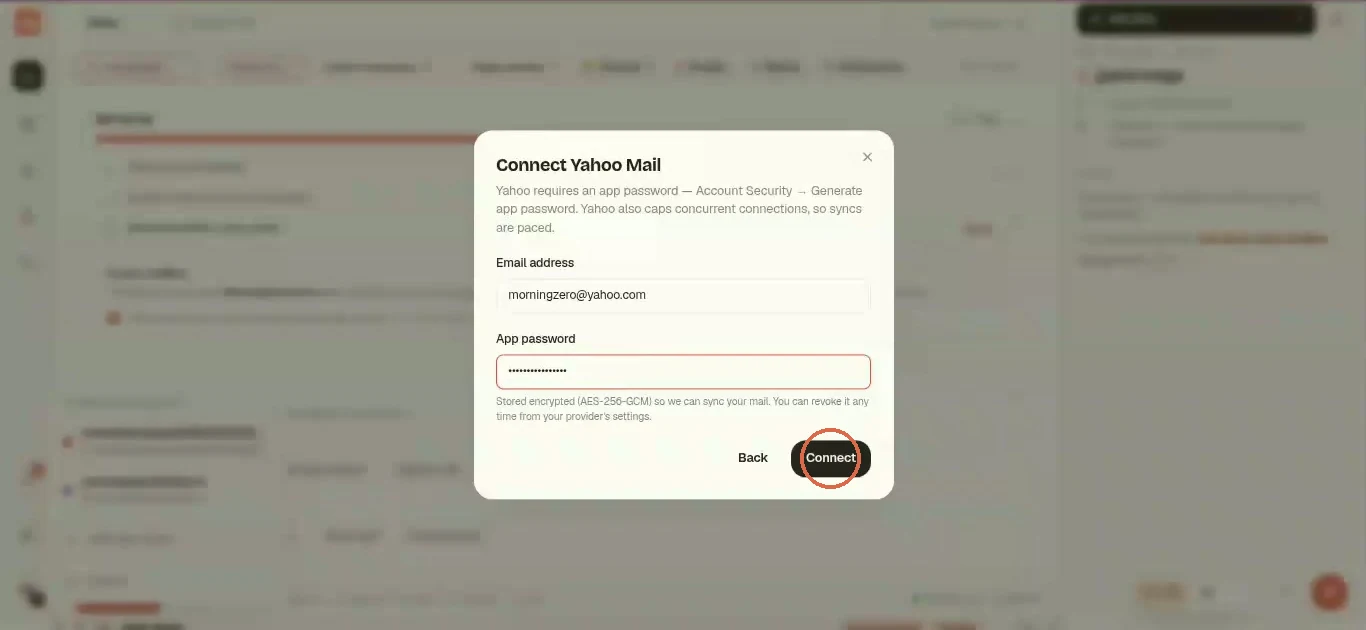
The Connect Yahoo Mail form only wants two things, Email address and App password. Fill in your address, then go and get the password.
Create the app password in Yahoo
-
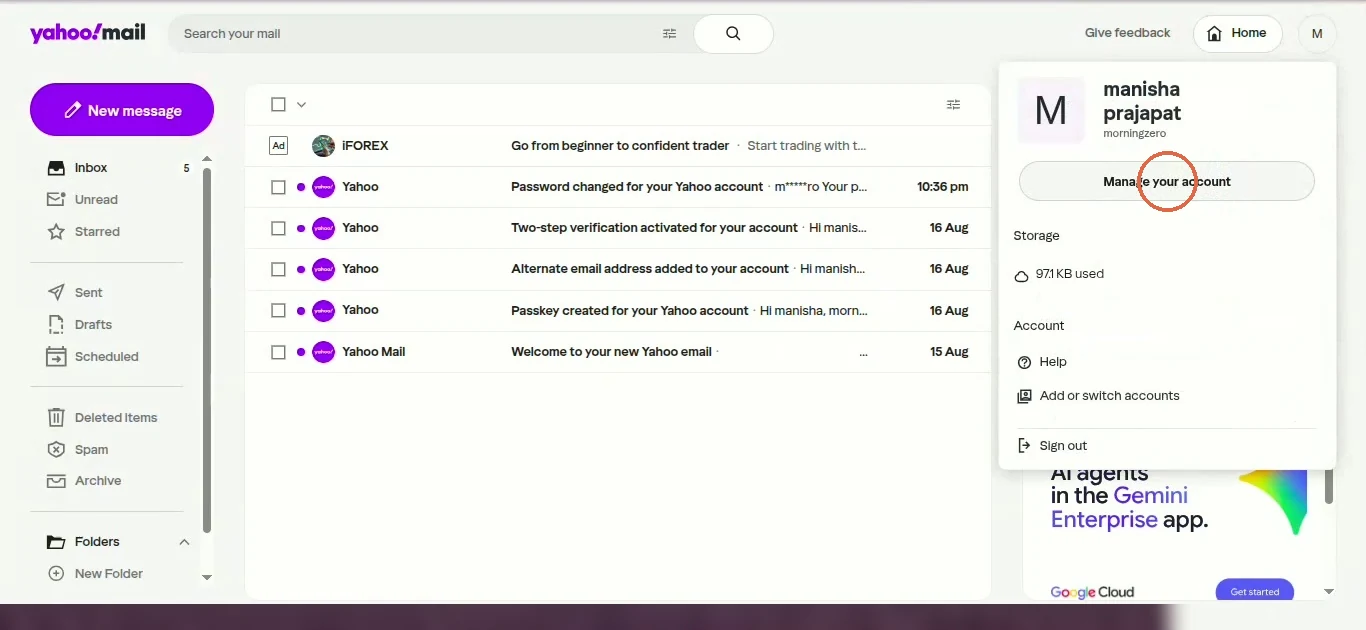
Over in Yahoo Mail, click your profile picture at the top right, then Manage your account.
-
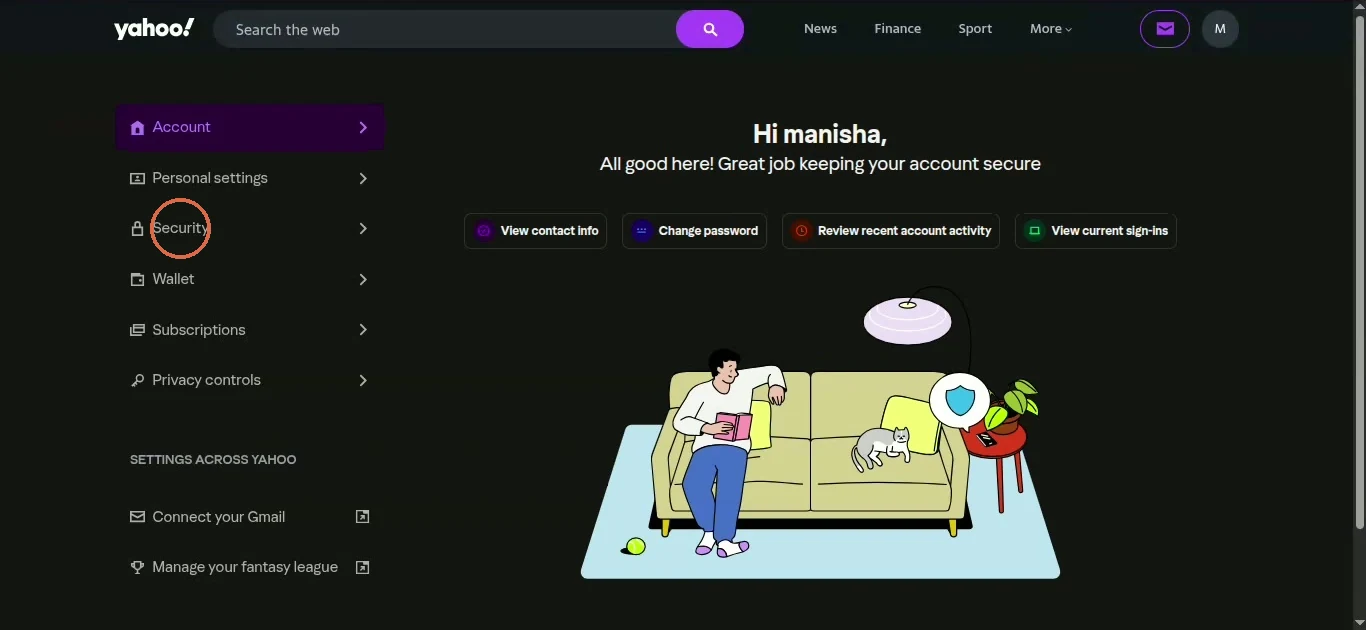
Click Security in the left menu.
-
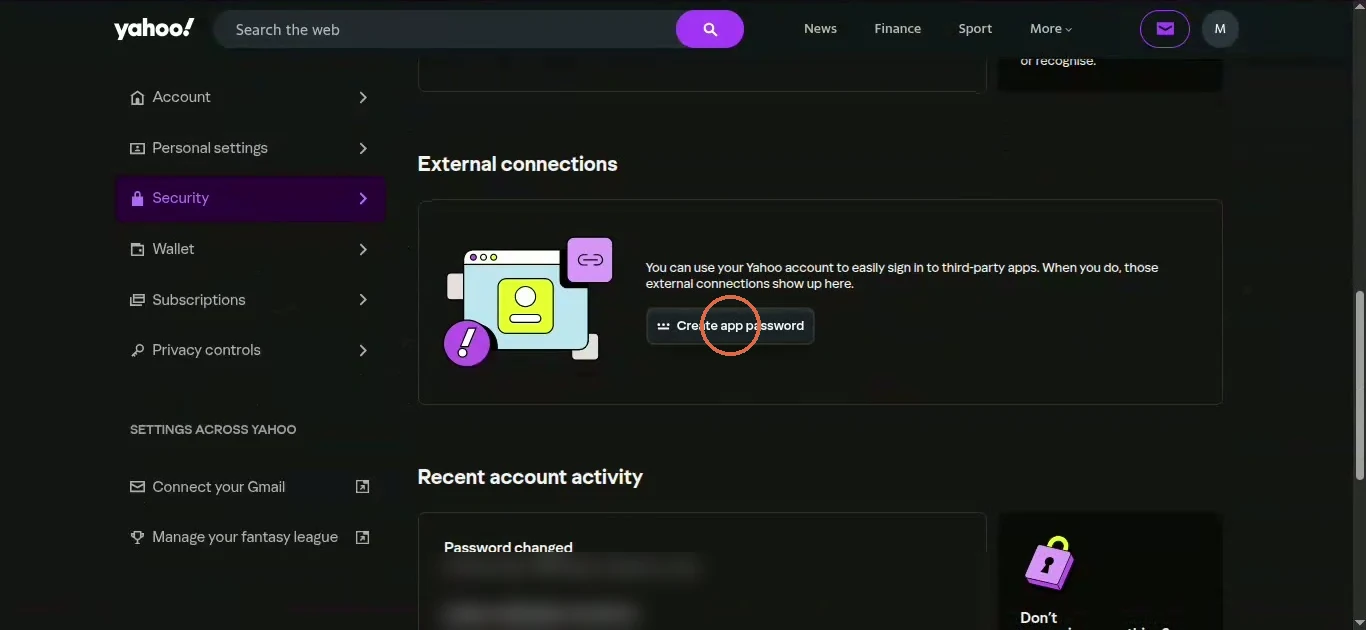
Scroll down to External connections and click Create app password.
-
In the Generate an app password box, type a name (
MorningZeroworks) and click Generate password.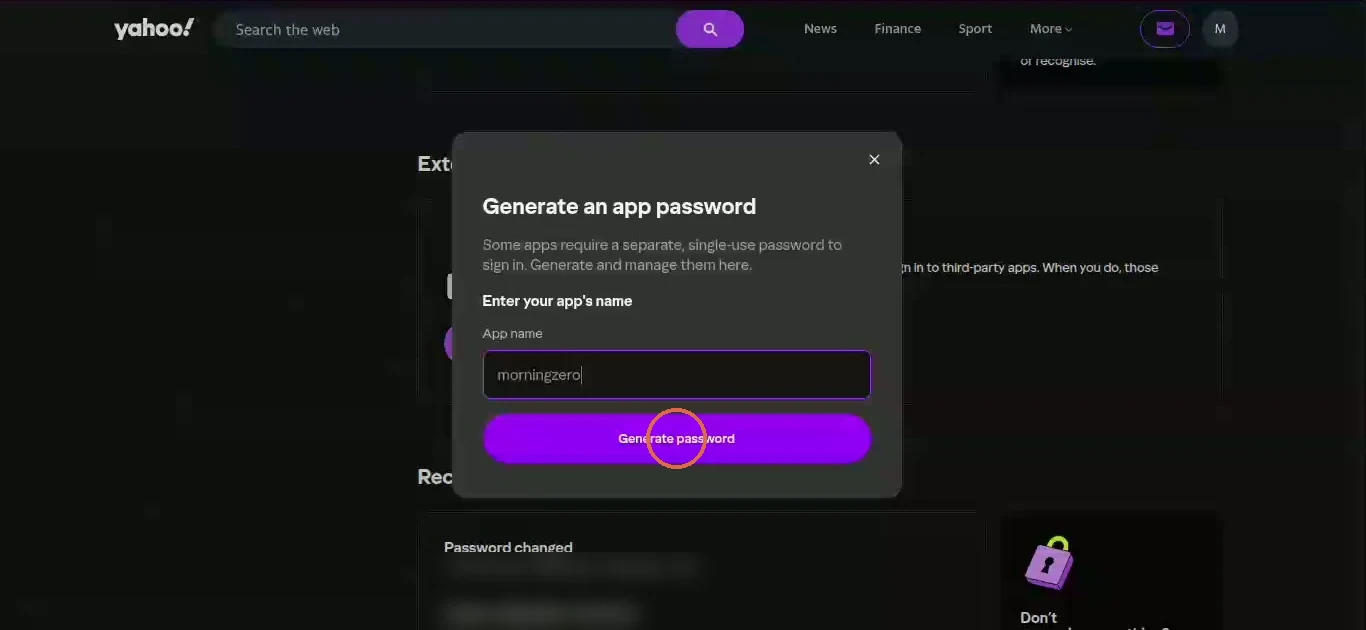
-
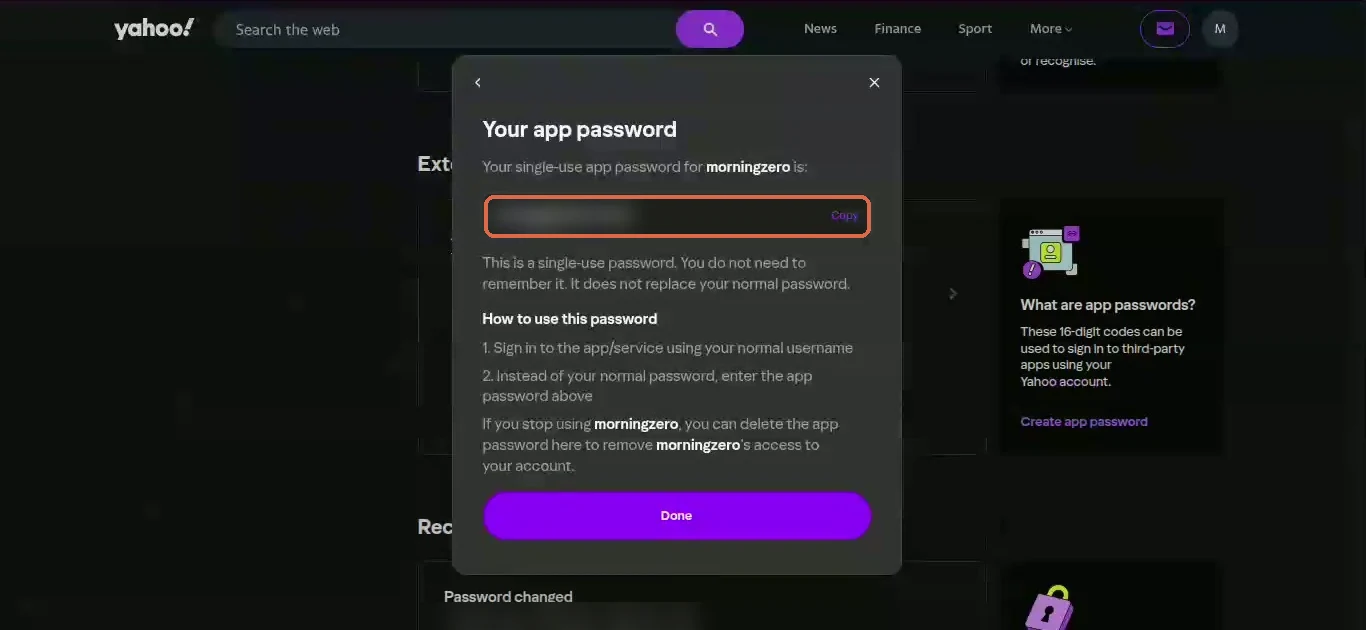
Yahoo shows Your app password once, with a Copy button, so copy it now. Yahoo calls it single-use: you don't need to remember it, and it doesn't replace your normal password.
Paste it and connect
-
Back in MorningZero, paste it into App password and click Connect. Yahoo shows the code in groups with spaces, and you can paste it just as it is.
-
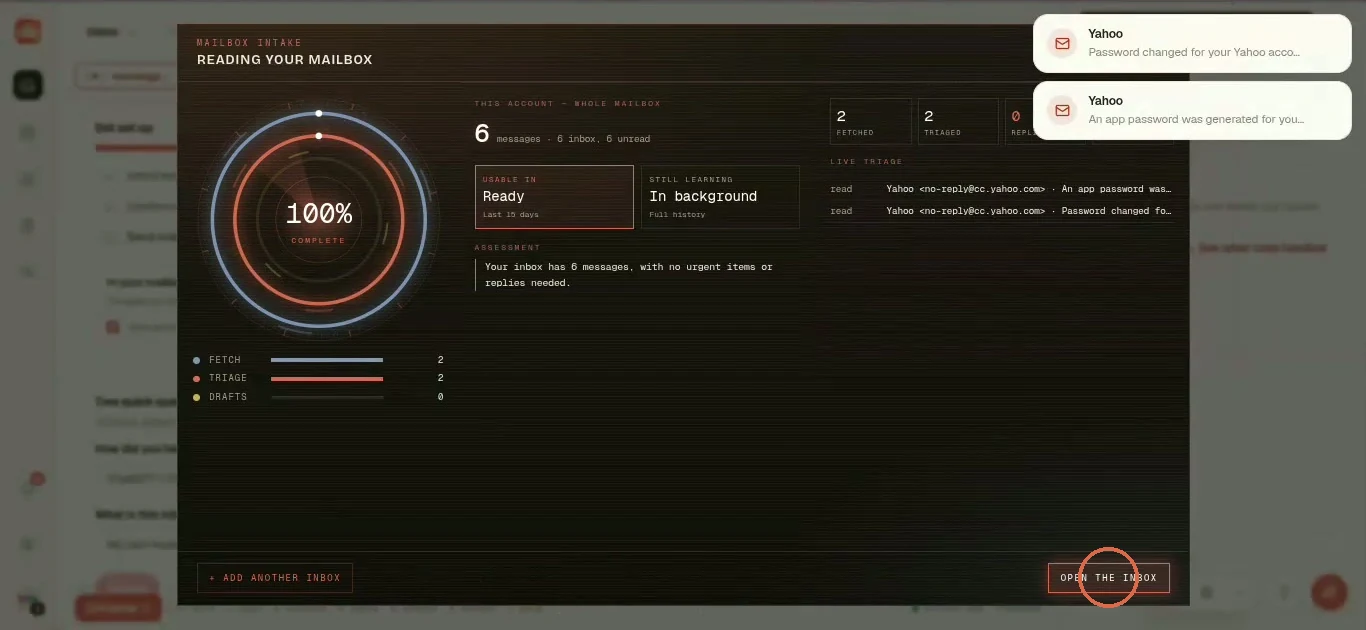
You'll see a Reading your mailbox screen fill to 100 percent. The last 15 days are usable straight away, and full history keeps loading in the background. Click Open the inbox.
-
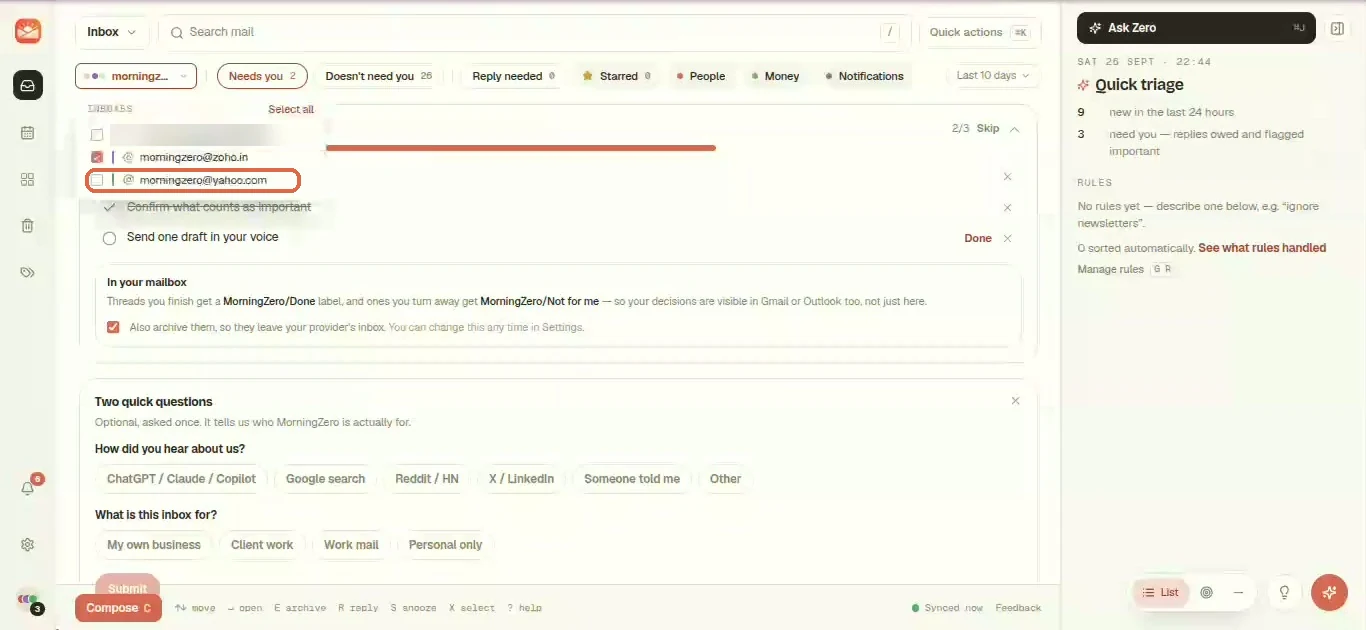
Yahoo Mail now sits in the inbox list next to your other mailboxes.
Back on Yahoo's page, click Done to close the box.
If Yahoo won't generate a password at all, its help suggests trying a browser you've signed in to Yahoo from for several days, and not a private window.
Yahoo Mail IMAP settings for any mail app
If you want Yahoo in Apple Mail, Thunderbird or Outlook too, these are the details they need.
| Setting | Value |
|---|---|
| Incoming (IMAP) | imap.mail.yahoo.com, port 993, SSL |
| Outgoing (SMTP) | smtp.mail.yahoo.com, port 465 or 587, SSL |
| Username | Your full Yahoo address |
| Password | An app password from External connections |
AOL uses imap.aol.com and smtp.aol.com on the same ports, with the same kind of app password.
If what you really want is Yahoo mail landing inside Gmail, forwarding Yahoo Mail to Gmail changed this year, and we went through what still works.
After connecting
Yahoo doesn't push new mail to us, so we check it every five minutes, like every other IMAP mailbox here. The other direction is instant: anything you archive or read is written back at once.
Yahoo also caps how many IMAP connections one account can have open, and it doesn't publish the number. If several other mail apps use the same account, you may see the odd sign-in failure. Removing an app you no longer use fixes it.
The form tells you the password is "Stored encrypted (AES-256-GCM) so we can sync your mail. You can revoke it any time from your provider's settings."
AOL
AOL runs on the same infrastructure, so the steps are the same. Generate an app password from AOL's account security page, then use Add new inbox and pick the AOL Mail tile. We recognise @aol.com, @aim.com, @love.com and @games.com addresses.
Revoking
In your Yahoo account, open Security, then External connections, find the MorningZero app password and click Delete. Changing your main password won't do it, because Yahoo notes that app passwords survive that change. Deleting is the only way to switch one off.
If you disconnect from our side instead, we remove the mailbox's data here and the stored password along with it.
If it stops syncing
Once the app password is deleted, the address shows has stopped syncing — the app password was changed or revoked, with an Update password button and your address already filled in. Make a new password in Yahoo and paste it there.
Sources
- IMAP and SMTP servers and ports: Yahoo Help, "IMAP server settings for Yahoo Mail", read 28 September 2026.
- Creating, using and deleting app passwords, and the browser advice: Yahoo Help, "Generate and manage 3rd-party app passwords", 28 September 2026.
Questions
Asked often enough to answer here.
What are Yahoo Mail's IMAP settings?
Incoming imap.mail.yahoo.com on port 993 with SSL. Outgoing smtp.mail.yahoo.com on port 465 or 587 with SSL. Username is your full Yahoo address, and the password is an app password, not your normal one.
How do I create a Yahoo app password?
In Yahoo Mail, click your profile picture, then Manage your account. Open Security, scroll to External connections and click Create app password. Name it, click Generate password, and copy it.
Can I see the app password again later?
No. Yahoo shows it once. If you lose it, delete it and create a new one.
Does Yahoo need two-step verification for an app password?
Yahoo's help page doesn't list it as a prerequisite. Our test account happened to have it on, so that's the only case we've recorded.
Why isn't Yahoo mail instant like Gmail?
Gmail and Outlook push new mail to us. IMAP providers don't, so we check Yahoo every five minutes.
Nothing sends itself
Connect Yahoo next to your other accounts.
Put it beside a Gmail and you'll see both land in one list. Up to five mailboxes on the trial, no card.