
Connect Gmail or Google Workspace
You sign in with Google, tick two boxes and answer a few quick questions about the inbox. You don't type a password here, and there's no app password to generate. If your Workspace admin has to approve apps, there's a note for them further down.
Facts and prices checked 1 October 2026
Of all the providers, Gmail is the easy one.
Google offers a sign-in flow built for exactly this, Google has assessed us for it, and you won't have to generate or copy anything.
The video shows the whole thing. Below it, each step has its own screenshot, and after that comes what each permission on Google's screen lets us do.
How to connect Gmail to MorningZero
Start in MorningZero
-
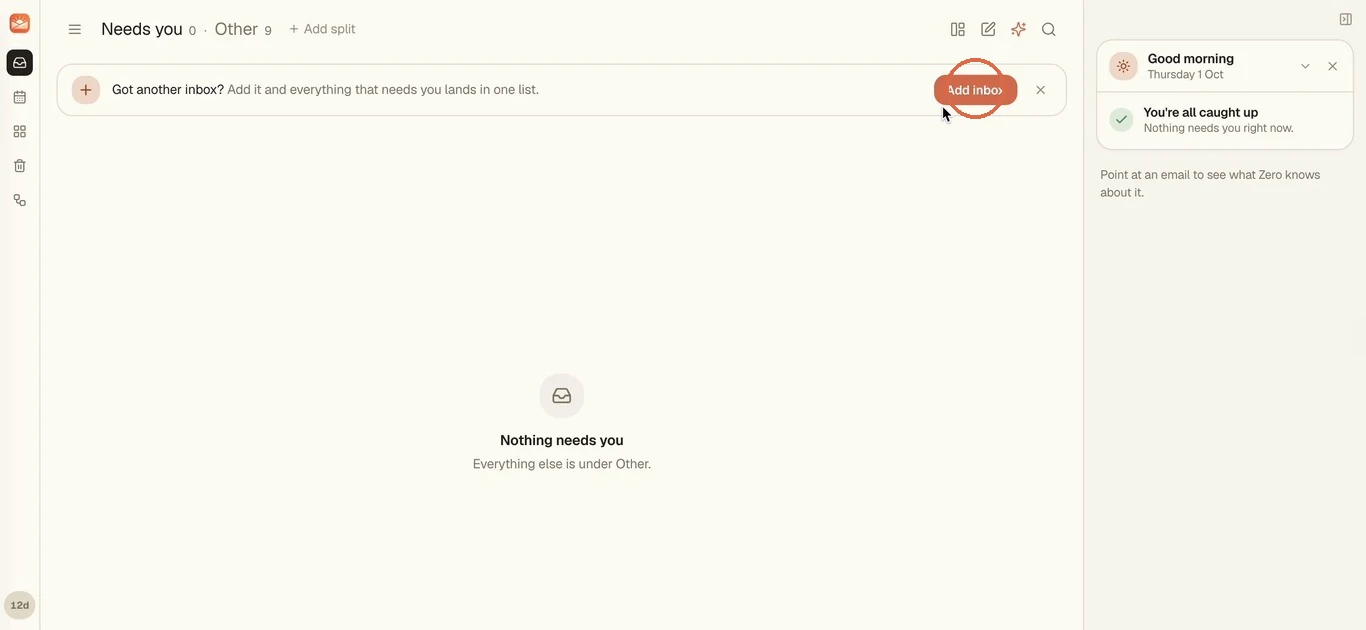
Click Add inbox on the "Got another inbox?" bar at the top of your list. + Add new inbox in the inbox switcher, or Settings, Add account, gets you to the same place.
-
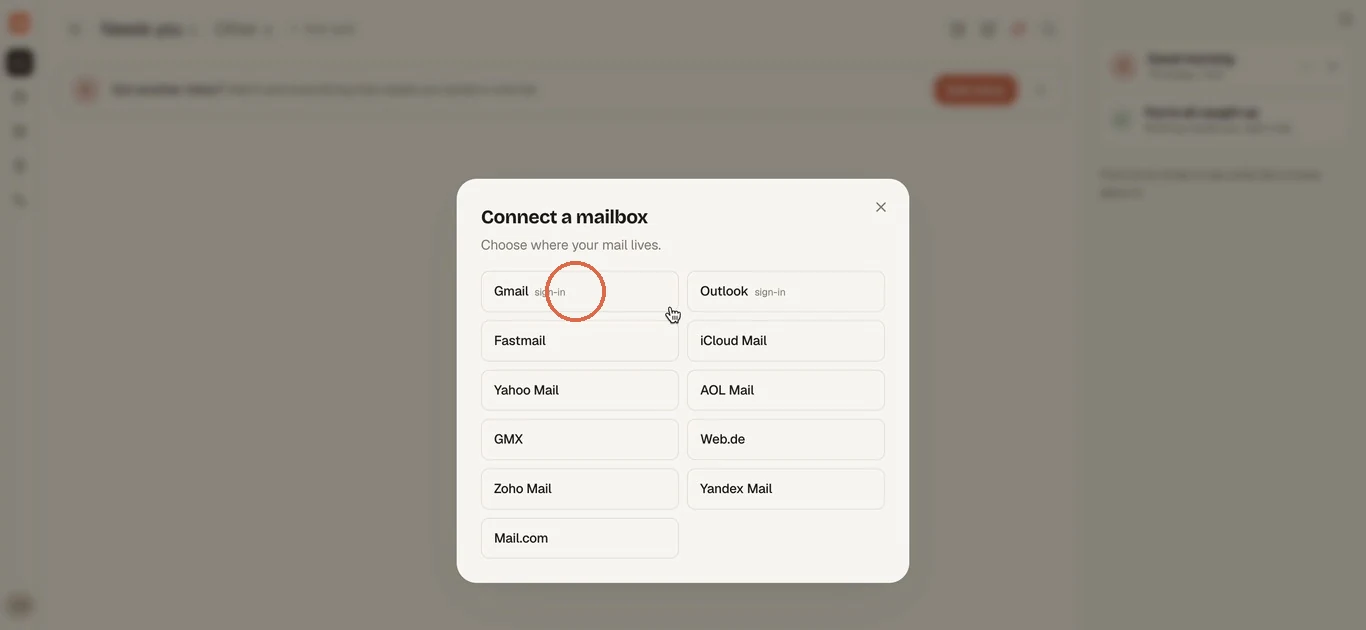
In Connect a mailbox, pick Gmail. The small "sign-in" next to it means there's no password form for this one.
-
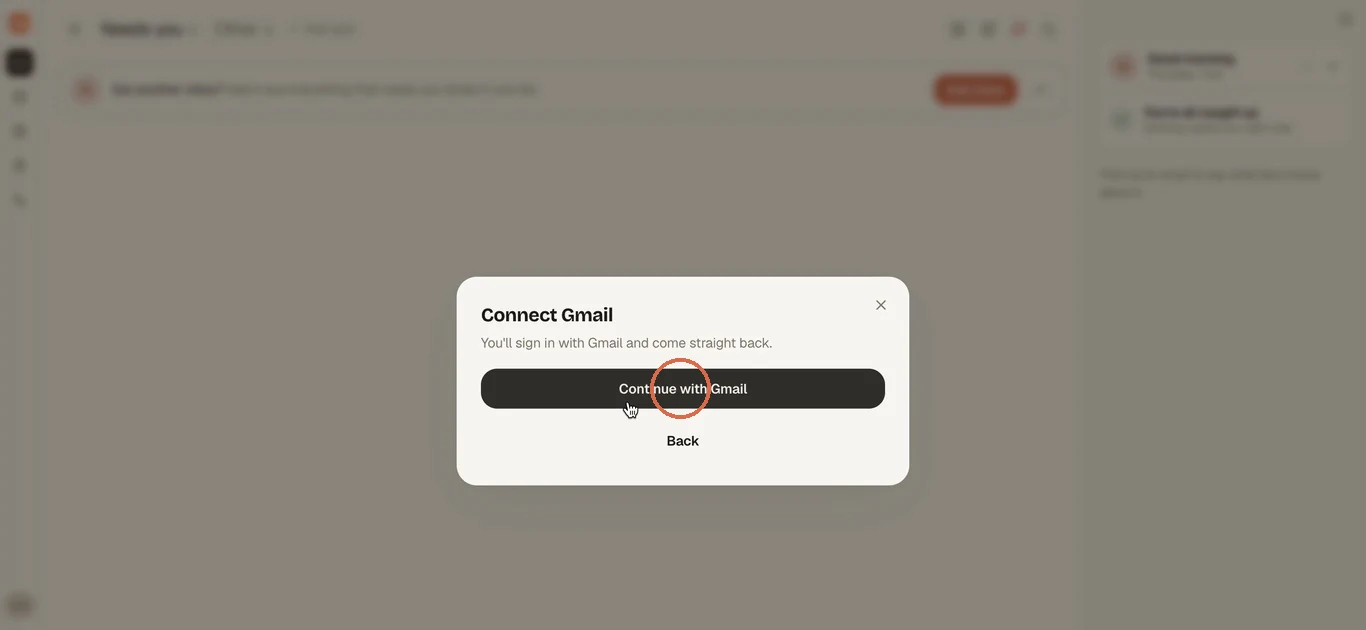
Click Continue with Gmail. As the dialog says, you'll sign in with Gmail and come straight back. In the desktop app, Google's page opens in your system browser.
Sign in with Google
-
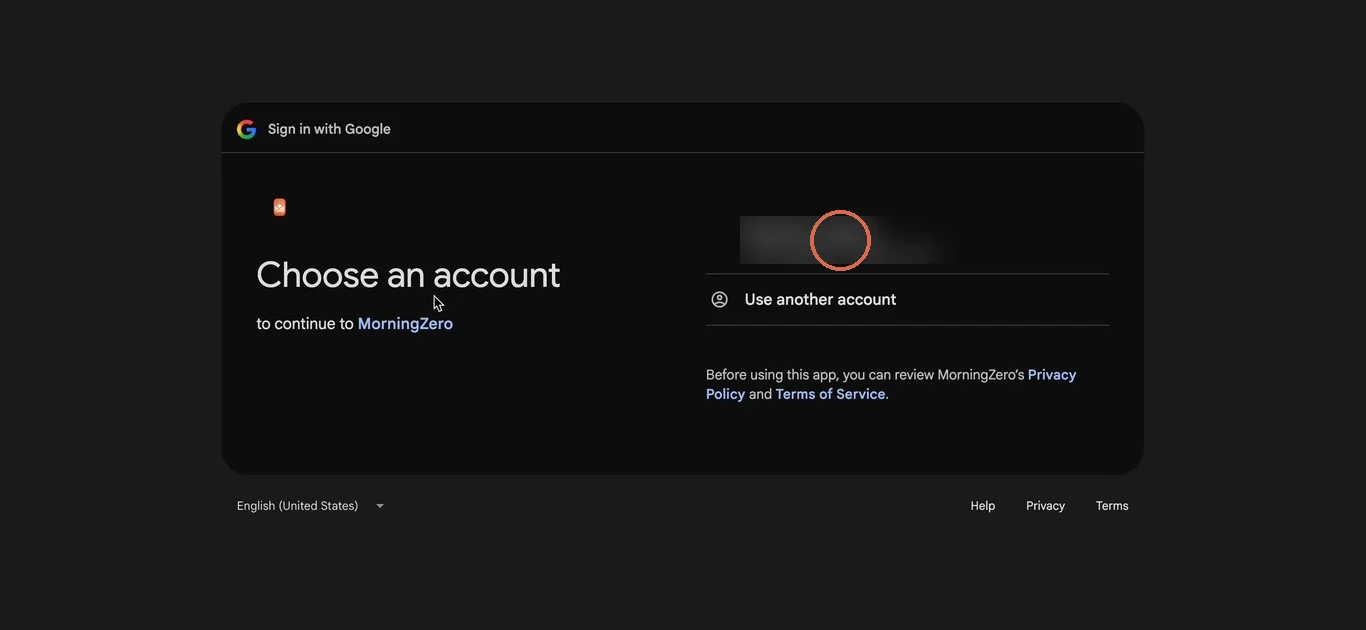
Pick the Google account you want to add. If it isn't listed, choose Use another account.
-
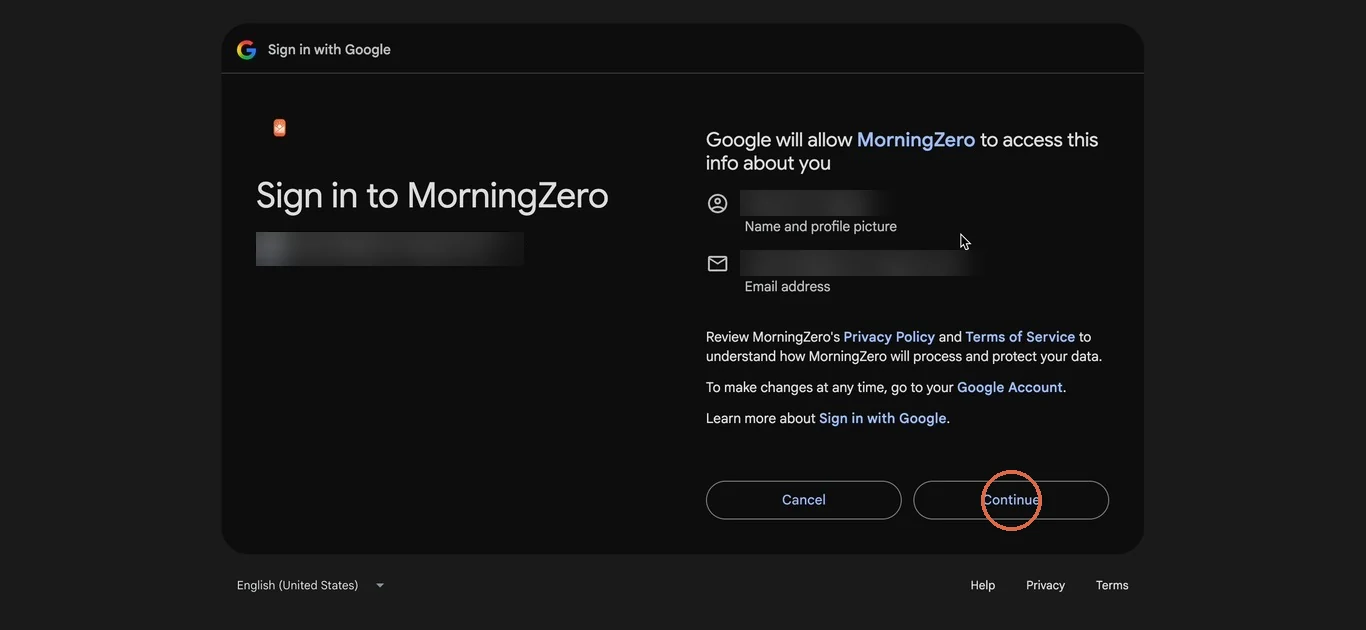
Google shows what it will share with us to sign you in: your name, profile picture and email address. Click Continue.
-
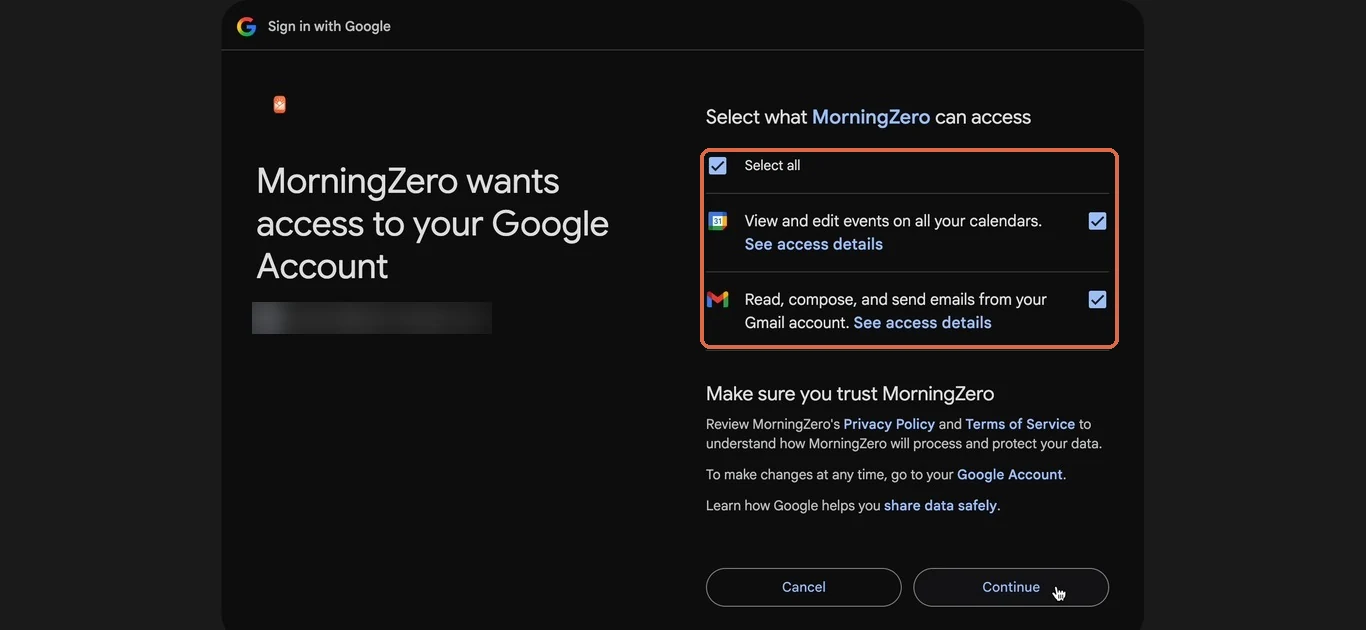
Next is the screen that matters: Select what MorningZero can access. Tick Select all, so both boxes are ticked, then click Continue. What each box allows is in the table further down.
Set up the inbox
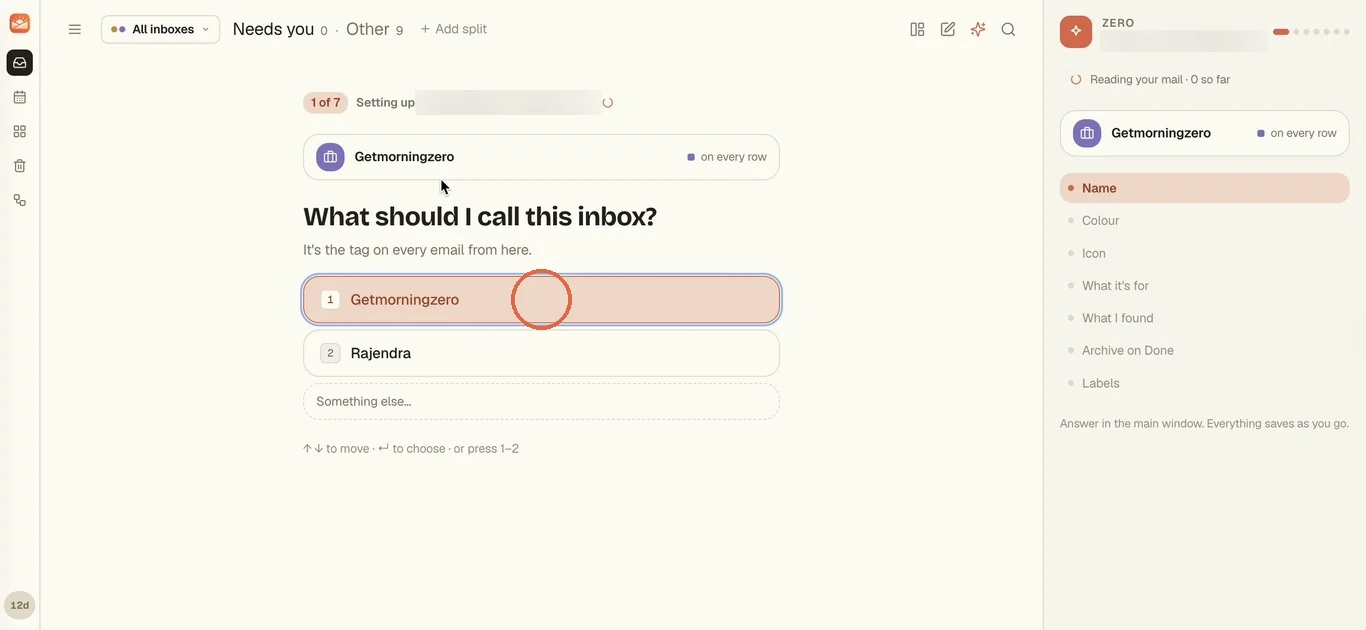
Back in MorningZero, Zero asks seven short questions, one at a time.
It starts reading your mail while you answer, and every answer saves as you go, so there's no Save button to look for at the end. Number keys work too, if you'd rather not click.
-
What should I call this inbox? We suggest names from your address. The name becomes the tag on every email from this inbox.
-
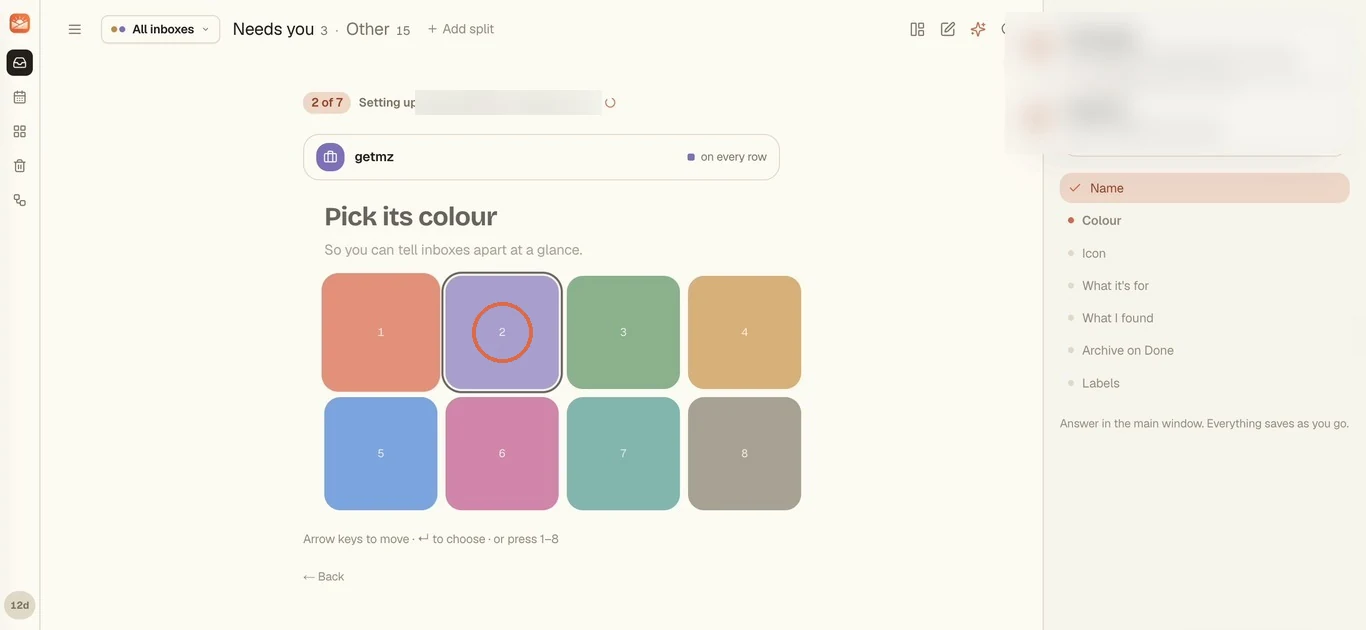
Pick its colour, then And an icon. Both just help you tell inboxes apart at a glance.
-
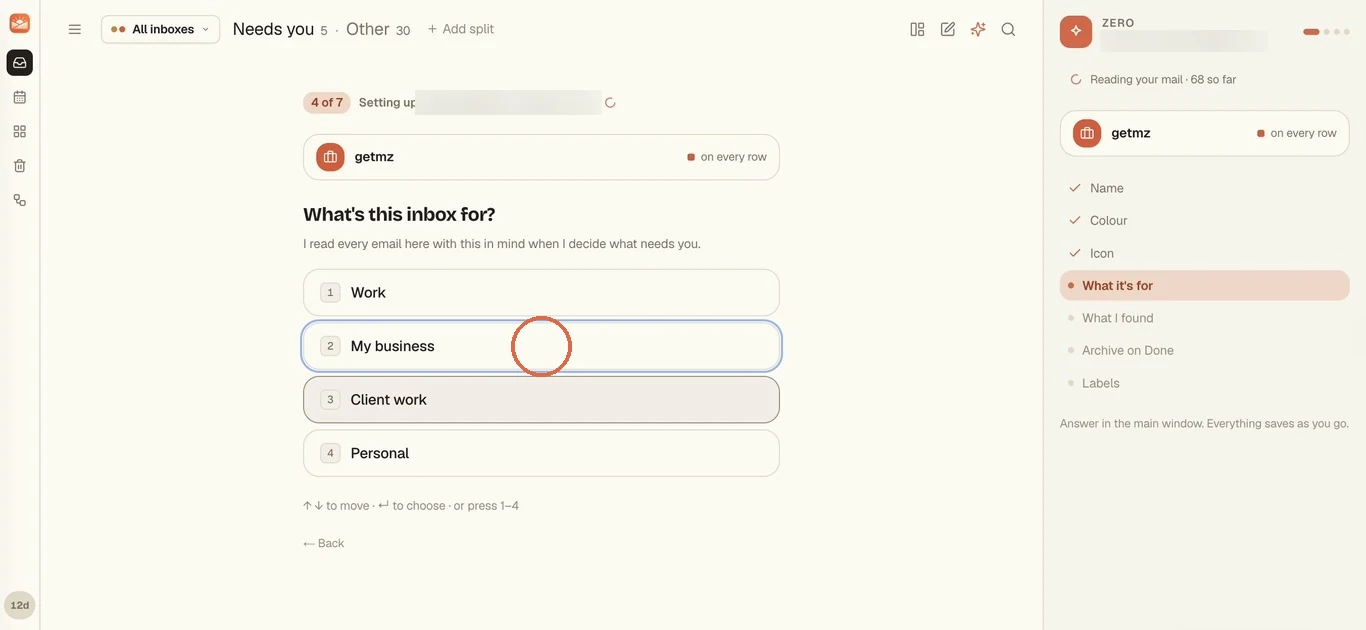
What's this inbox for? Work, My business, Client work or Personal. Zero reads every email here with this in mind when it decides what needs you.
-
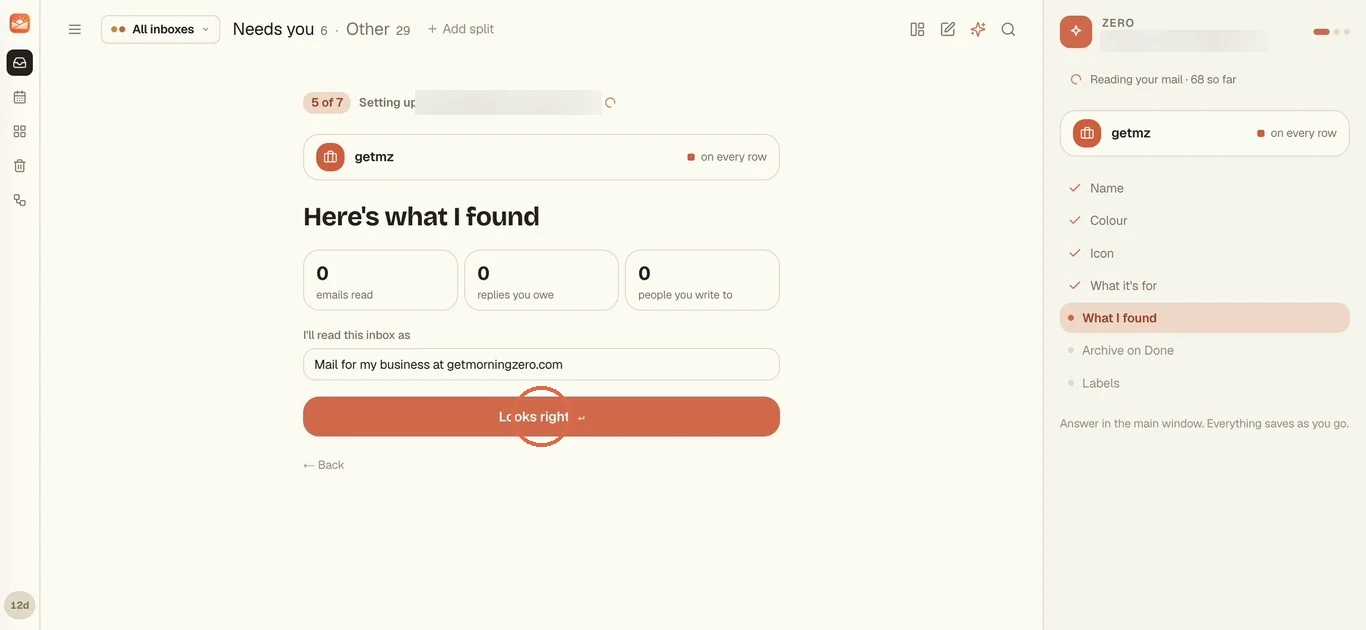
Here's what I found. You'll see how many emails it has read so far and a one-line summary of how it'll read the inbox. You can edit that line. Click Looks right.
-
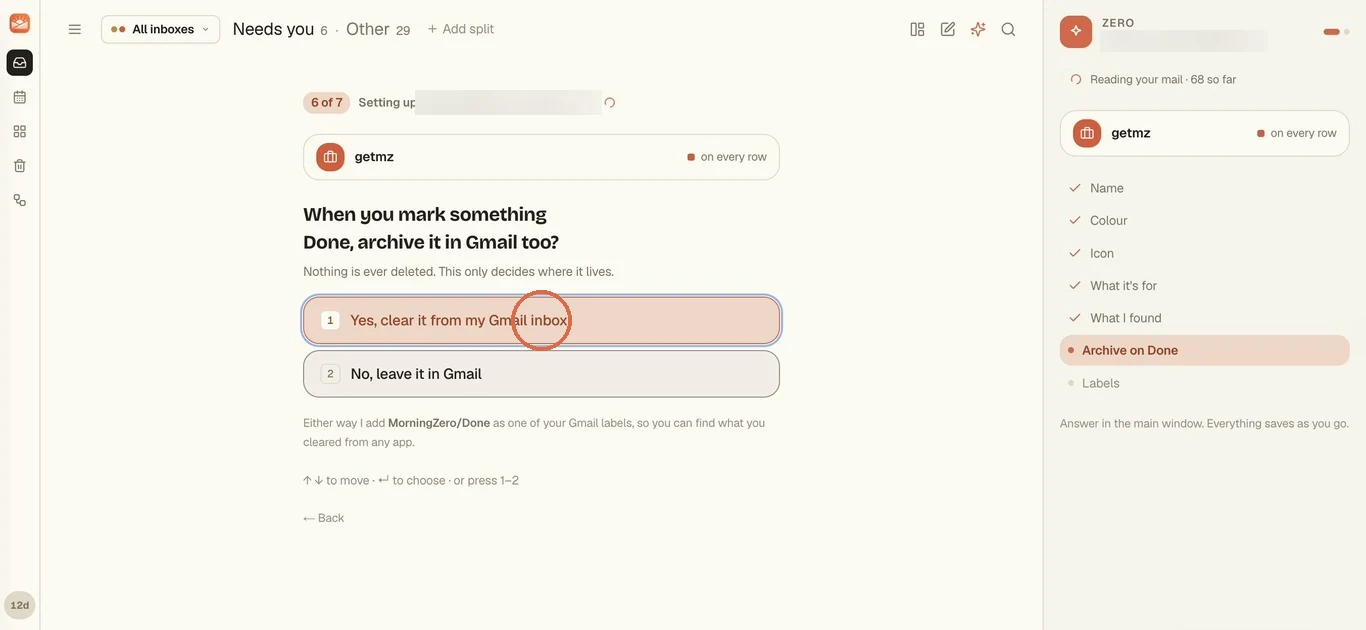
When you mark something Done, archive it in Gmail too? Pick Yes, clear it from my Gmail inbox or No, leave it in Gmail. Nothing is deleted either way, and we add a MorningZero/Done label in Gmail so you can find what you cleared from any app.
-
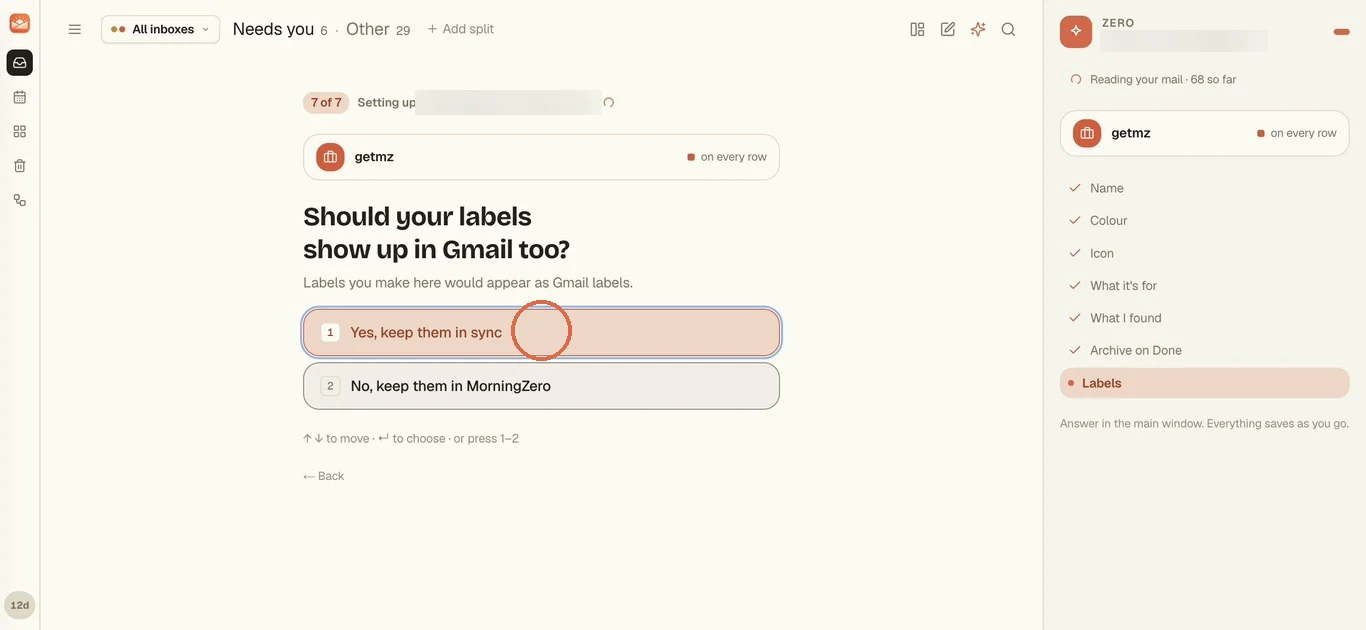
Should your labels show up in Gmail too? With Yes, keep them in sync, labels you make in MorningZero appear as Gmail labels. With No, they stay in MorningZero.
-
That's it. The new mail arrives already sorted, each message carrying the inbox's tag. Mail from the last three days sorts first, in about a minute, and the rest of your import window fills in behind it.
Steps 5 and 6 are two different Google screens, and it's worth knowing which is which. The first is Google's standard sign-in summary: your name, picture and address, which every Sign in with Google app sees. The second is the real mailbox access, and it's the one you can come back to later and revoke.
What each line on the consent screen means
| Permission | What it lets us do |
|---|---|
| See your name and email | Identify you and keep your mailboxes attached to one account |
| Read, compose, and send emails from your Gmail account | Read and label mail, archive, mark read, send the replies you press Send on. This is Google's wording for the gmail.modify scope. It excludes permanent deletion, which we never ask for |
| View and edit events on all your calendars | Show your agenda, create events you ask for, RSVP |
That's the whole list. If you untick the calendar box, mail still comes in, and the inbox shows "Calendar access isn't authorized" with a Reconnect button for whenever you want it.
There's no contacts scope, no Drive and no settings, and the security page describes the same scopes.
If the screen shows an "unverified app" warning, please stop there and tell us. Our verification is on record with Google, so that warning shouldn't appear.
If Workspace says the app is blocked
Some Workspace organisations only let people use apps an admin has approved. If yours is one, Google stops you on the consent screen and says the app is blocked or needs admin approval.
Nothing on our side gets past that. Your admin allows MorningZero once, and then everyone they chose can connect.
What to send your admin
MorningZero, by Serveka Technologies, requests gmail.modify and calendar.events for the connecting user only. It has completed Google's CASA security assessment for those scopes.
Access is per user and revocable by the user or the admin at any time. Data handling is described at morningzero.com/security.
How your admin allows MorningZero
It takes about a minute in the Google Admin console.
-
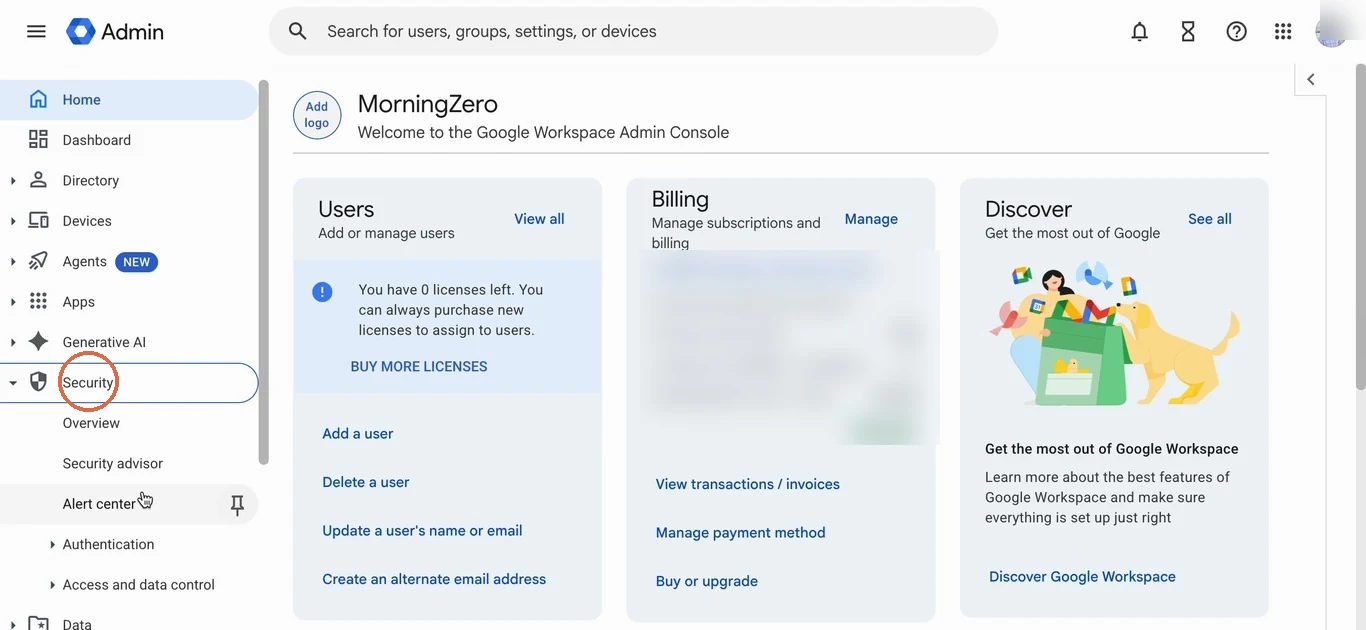
Sign in at admin.google.com and open Security in the left menu.
-
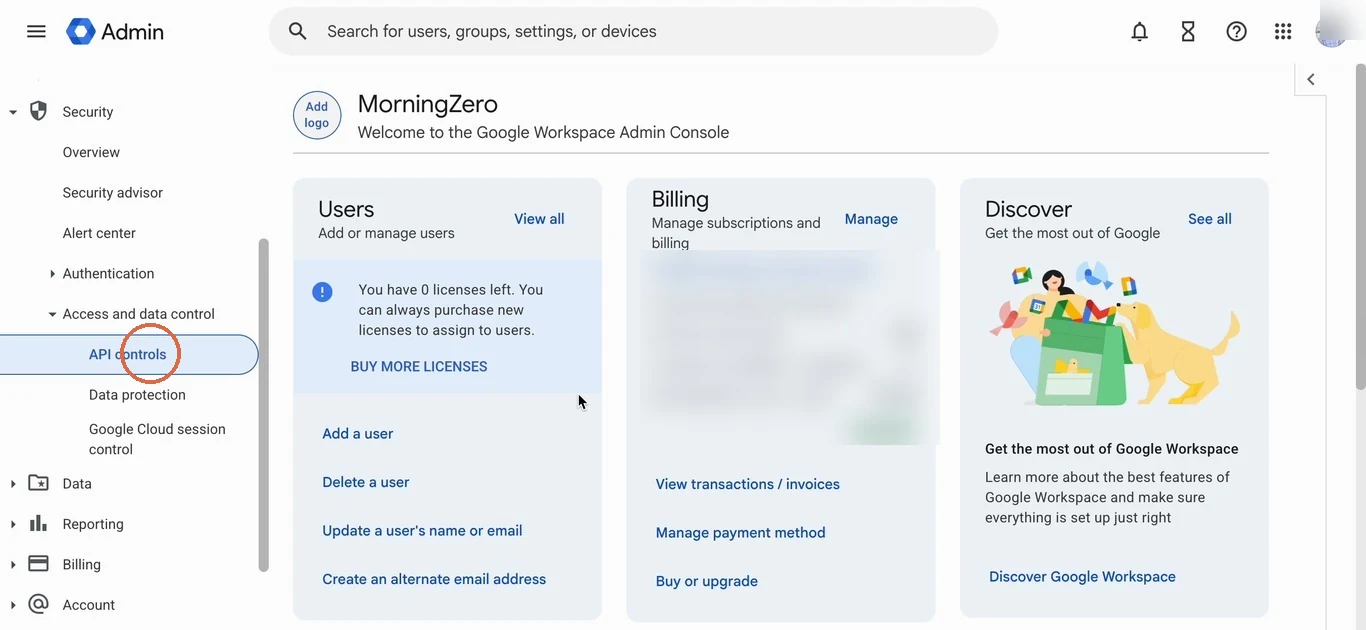
Under Access and data control, click API controls.
-
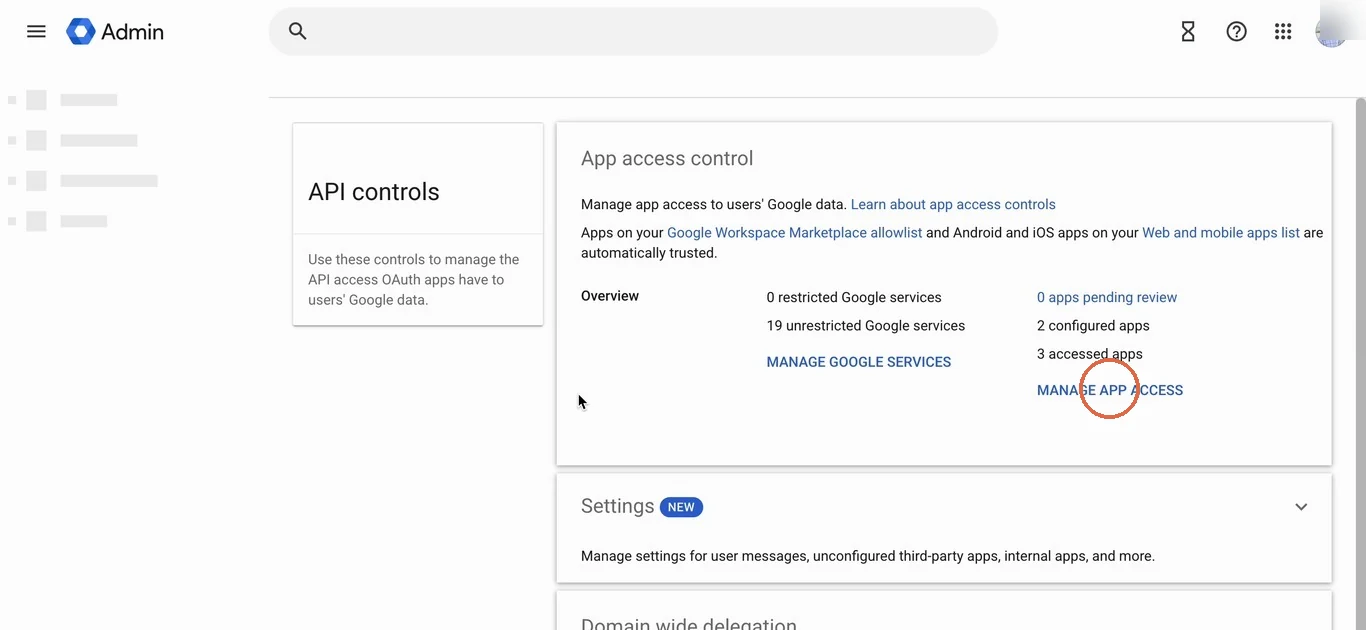
In the App access control box, click Manage app access.
-
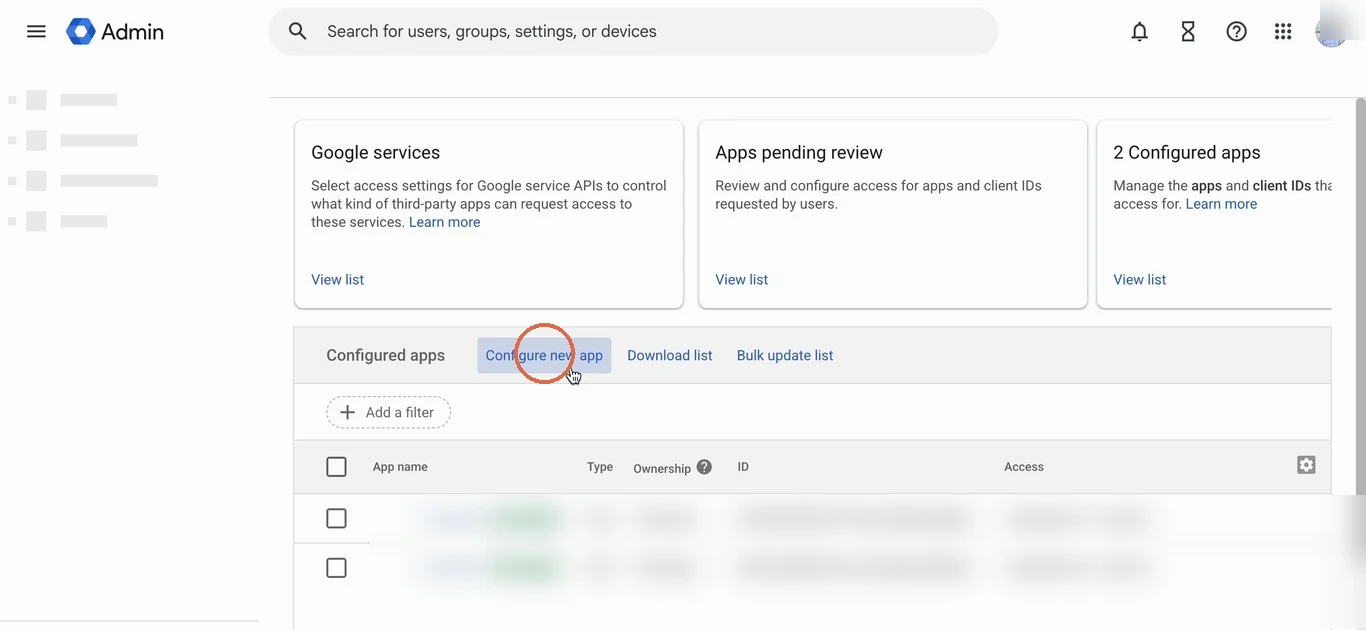
Next to Configured apps, click Configure new app.
-
Search for
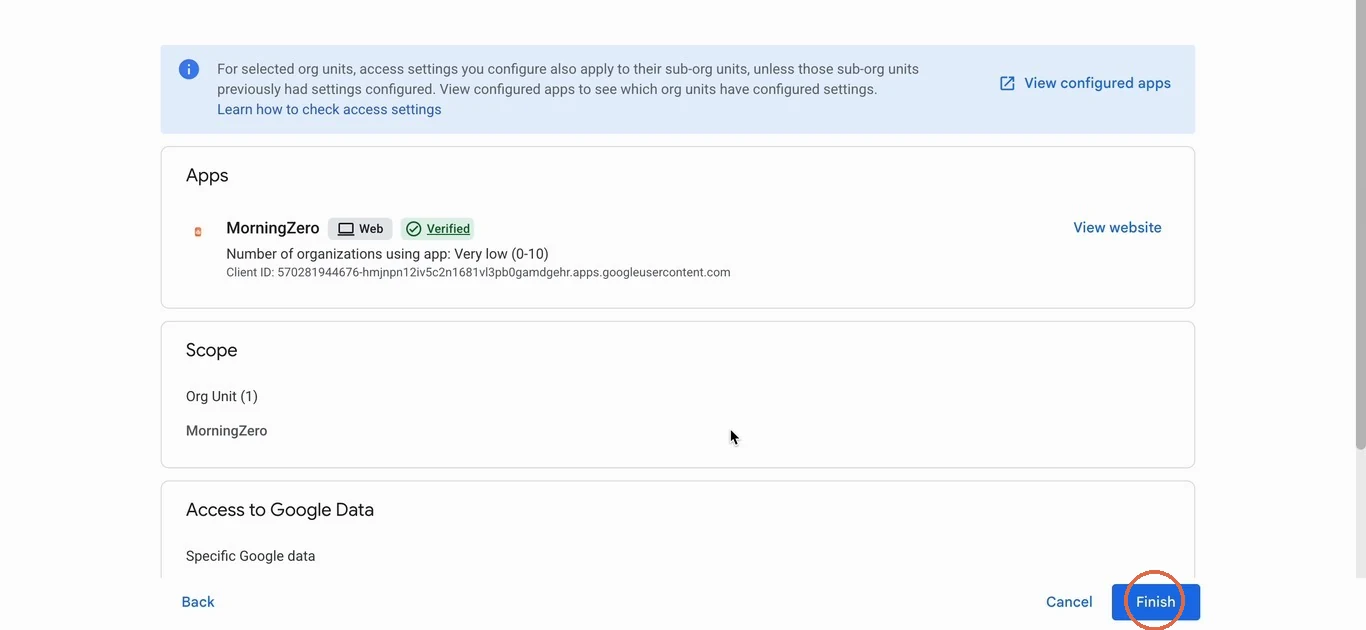
MorningZeroand pick it from the results. It should carry Google's Verified badge, and its client ID starts with570281944676.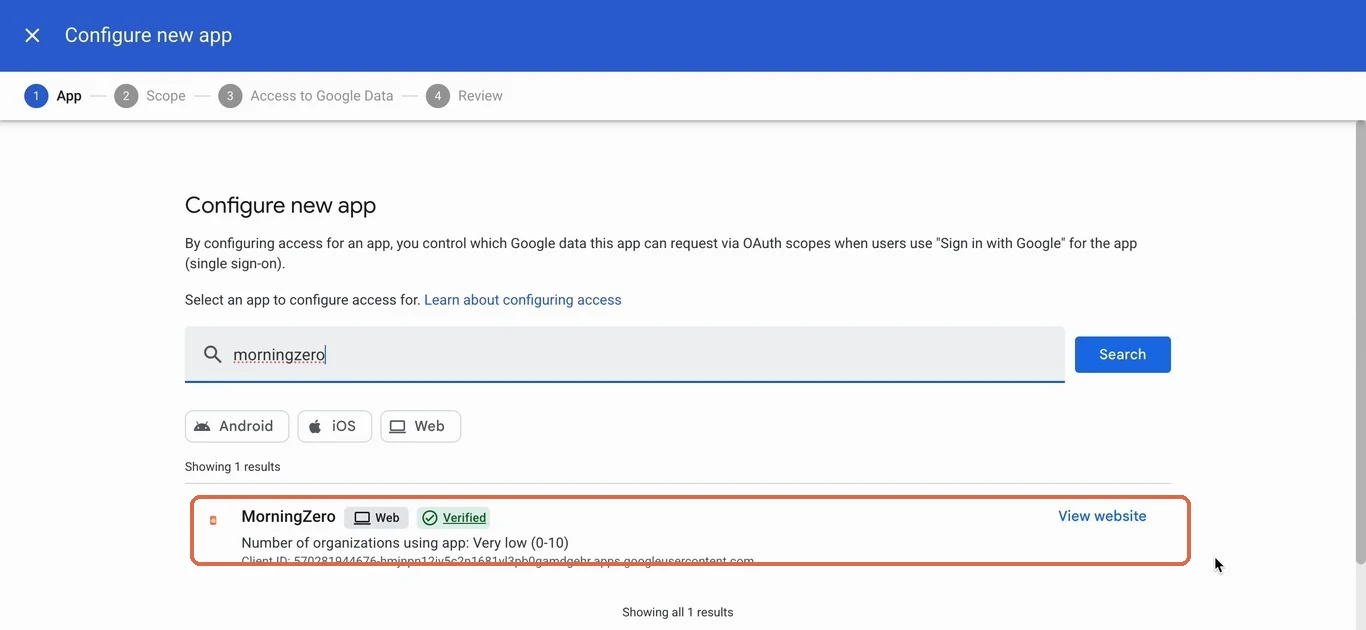
-
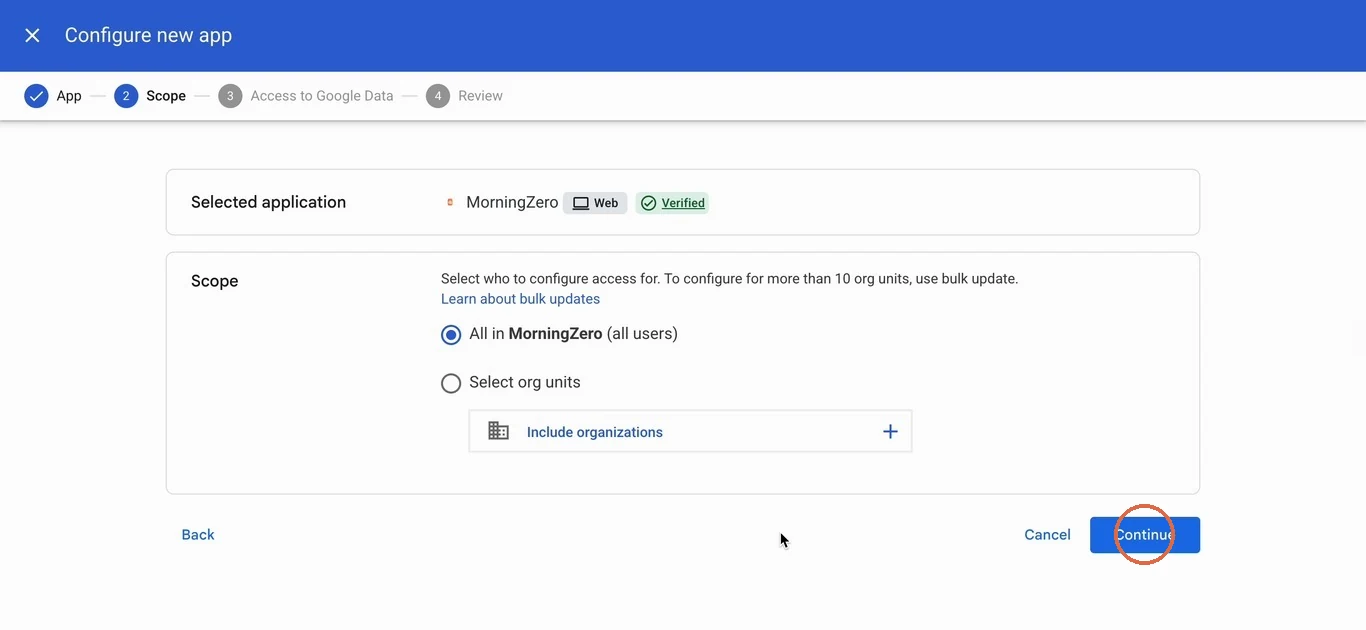
Choose who it's for. All in your organisation covers everyone; Select org units limits it to some teams. Click Continue.
-
Under Access to Google Data, pick Specific Google data. Google fills in exactly what we ask for: Gmail, Calendar and Google Sign-in. Click Continue.
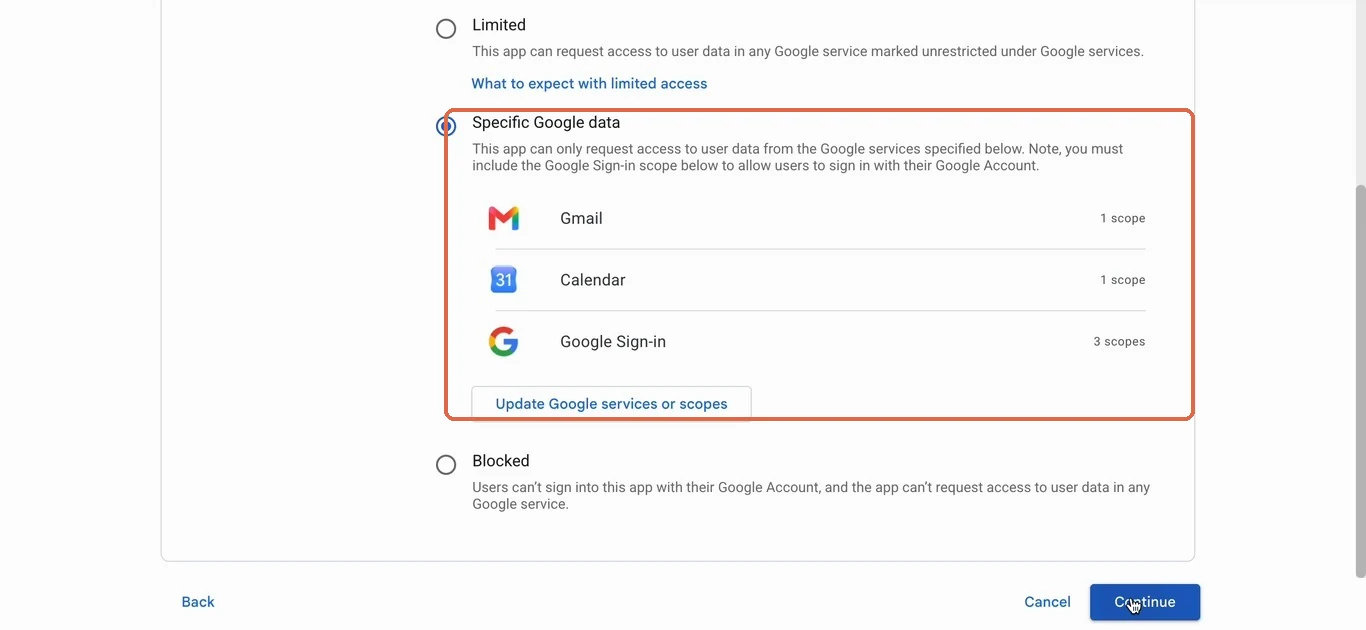
Trusted works as well, but it lets an app ask for any Google service. Specific Google data keeps MorningZero to the three it uses, which is usually what a security review wants to see.
-
Check the summary and click Finish.
-
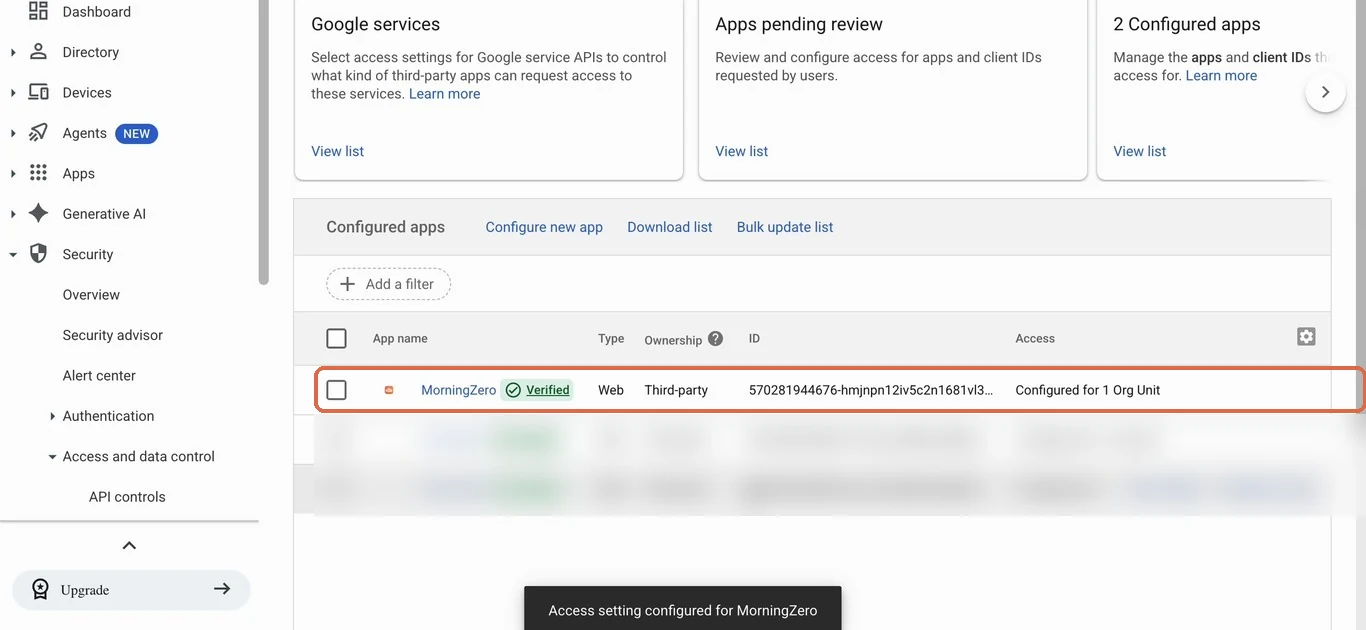
MorningZero now shows in Configured apps, and Google confirms "Access setting configured for MorningZero". Tell your team to try connecting Gmail again.
Taking access back
You can do this from either side. In MorningZero, go to Settings, the mailbox, Disconnect. Its messages, labels, rules, drafts, conversations and learned preferences are deleted in one transaction, and our token is revoked at Google.
At Google, open your Google Account, Security, then the third-party apps and services connections page. Find MorningZero and remove its access. We lose access at once, and you don't have to ask us.
When another app wants a Gmail app password
You don't need one for MorningZero, and Google says you rarely need one at all:
App passwords aren't recommended and are unnecessary in most cases. To help keep your account secure, use "Sign in with Google" to connect apps to your Google Account.
Some apps can't do Sign in with Google, though.
If one of them asks you for an app password, here's how to make one.
- Turn on 2-Step Verification for the account first. App passwords don't exist without it.
- Go to myaccount.google.com/apppasswords, name the app, and generate.
- You get a 16-digit passcode, shown once. Paste it into the app as its password.
Google won't offer app passwords if the account has Advanced Protection, if 2-Step Verification uses only security keys, or if it's a work or school account and the admin has disabled them.
And if you type a Gmail address into one of our app-password forms, we refuse it and point you at the Gmail tile.
Sources
- App password prerequisites, format and exclusions, and the "not recommended" guidance: Google Account Help, "Sign in with app passwords", read 20 September 2026.
- Consent-screen wording for
gmail.modify: Google's Gmail API scopes reference, read 26 September 2026. - Admin console steps and access levels: Google Workspace Admin Help, "Control which third-party and internal apps access Google Workspace data", read 1 October 2026.
Questions
Asked often enough to answer here.
Do I need a Gmail app password to connect?
No. Gmail connects through Sign in with Google, which gives us a revocable token. Google's own guidance says app passwords aren't recommended and are unnecessary in most cases.
How do I create a Gmail app password if another app needs one?
Turn on 2-Step Verification, then go to myaccount.google.com/apppasswords, name the app and generate. You get a 16-digit passcode, shown once. It isn't available with Advanced Protection, with security-key-only 2-Step, or on work accounts where the admin has turned them off.
What permissions does MorningZero ask for on Gmail?
Sign-in asks only for your name and email. Connecting a mailbox asks for Gmail read and write (the gmail.modify scope) and calendar events. That's everything.
How do I revoke access?
Disconnect the mailbox in MorningZero, which deletes its data here and revokes our token at Google. Or remove MorningZero from your Google Account's third-party connections page; you don't need us for that.
Nothing sends itself
Connect a Gmail account.
It takes as long as pressing Continue on Google's screen. The trial covers up to five mailboxes, and there's no card to enter.