
Email rules you write as a sentence, that show you what they matched before they run
"Label anything from a recruiter as Hiring." You type that. Zero turns it into a rule, shows you which threads it would touch, and only then saves it.
Facts and prices checked 26 September 2026
Filters are twenty years old and still the only automation most people have in their inbox. From this address, subject has these words, do this.
They work until the vendor changes the subject line. And they can't express a judgement. "Newsletters that are trying to sell me something" isn't a filter.
Write it the way you'd say it
The editor has one box. Type what you mean.
bitbucket notifications are just noise
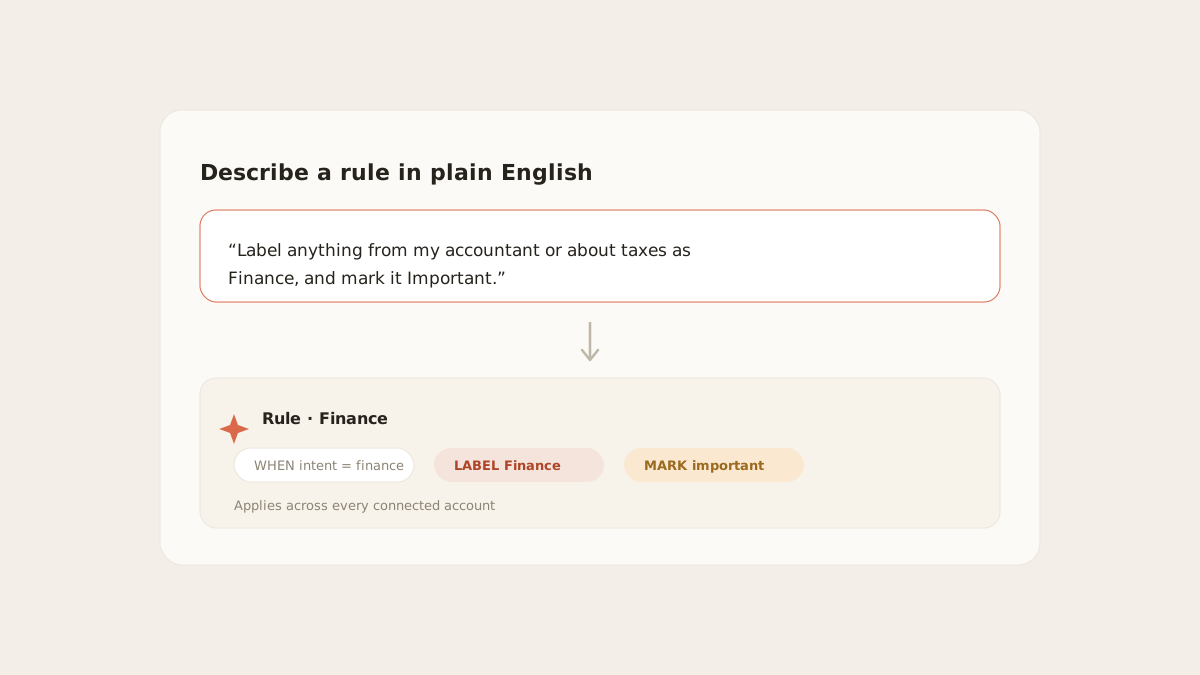
Label anything from my accountant or about taxes as Finance, and mark it important
If a recruiter emails about a job, label it Hiring; don't flag it as needing me unless they name a specific role
Zero reads the sentence and compiles it. There are two outcomes.
Conditions. When the sentence maps onto things a rule can check directly (sender, domain, words in the subject, list mail, failed authentication), you get a conditions rule. It runs the instant a message lands and involves no model. The first example becomes a conditions rule: from bitbucket.org, ignore.
AI. When the sentence needs judgement ("about taxes", "selling me a course"), you get an AI rule. Each message is checked by the same small model that does triage. It's marked with a different glyph in the list, so you always know which kind you have.
You can also open the conditions and edit them by hand: from these addresses, from these domains, subject contains, except when it contains, is a mailing list, failed sender authentication.
Preview before save
The editor runs the compiled rule against your mirror and lists the threads it would touch: sender, subject, and why it matched.
You tick the ones to apply now, or all of them, and save. A rule that archives, ignores or marks important then applies to that history and reports how many changed. From then on it runs on every new message.
A rule that's slightly too broad is the most common way people wreck an inbox. "From github.com, archive" also archives the invoice from GitHub billing. You'd see that in the preview.
What a rule can do
| Keep actions | Terminal actions |
|---|---|
| Label it | Archive it |
| Mark important | Ignore it (stays in the inbox, unflagged) |
| Notify me (push and in-app) | |
| Draft a reply (a draft on the thread, for you to send) |
Keep actions combine: label and notify, label and draft. A terminal action ends processing for that message, so nothing else runs on mail you've told a rule to drop.
Draft a reply is the closest a rule gets to writing email. It stops at the draft.
The audit
Every action every rule takes is written down: which rule, which thread, what it did, when. The Auto-handled view lists what rules archived, then what they ignored, newest first in each, with the rule named on every row.
Each rule also carries two counters: how many times it fired, and how many times you disagreed with what it did. A rule you keep undoing is a rule to edit.
A way to start
Three or four broad rules, phrased by intent rather than by sender list. "Anything about my mortgage" beats enumerating your bank's domains, because the bank will add one.
Watch the disagreement counter for a week. Then add the rule you actually needed.
What it won’t do
The limits, before you find them yourself.
A rule can't send. It can draft a reply and leave it on the thread. There's no action that sends one.
Labels a rule applies stay inside MorningZero unless you've turned label write-back on for the mailbox. (Done and Not for me are different: those always add a MorningZero label at your provider.) 'Archive it' archives the thread at your provider too, the same as archiving by hand.
Archive and Ignore end processing. Once a rule has archived or ignored a message, nothing else runs on it, including the AI.
Conditions don't read message bodies. They match sender, domain, subject, list mail and failed authentication. Anything that needs the body becomes an AI rule.
Questions
Asked often enough to answer here.
How is this different from Gmail filters?
A Gmail filter is a form: from, subject, has the words. Here you write the intent as a sentence. When it maps onto conditions you get a filter-like rule with no model involved. When it needs judgement you get an AI rule, marked as such.
Do rules apply to all my mailboxes or one?
Your choice. The editor defaults to all inboxes. Pick one mailbox to scope the rule to that account.
What can a rule do?
Label it, mark it important, notify you, draft a reply. Or archive it, or ignore it. Keep actions combine; archive and ignore end processing.
Does a new rule apply to mail I already have?
Yes, and you see it first. The editor previews matching threads before you save. A rule that archives, ignores or marks important then applies to that history at once, with a count of what changed.
Nothing sends itself
See it on your own mail.
Fourteen days, up to five mailboxes, no card. Connect the two you check most and watch the first morning sort itself.