
Connect Outlook.com or Microsoft 365
Sign in with Microsoft, read the permissions, click Accept, then answer a few quick questions about the inbox. You don't type a password here, and there's no app password to make.
Facts and prices checked 1 October 2026
Microsoft mailboxes connect the same way Gmail does: you see Microsoft's sign-in screen and their permissions list, and we end up holding a token you can revoke. The video shows the whole thing, and each step has its own screenshot below.
The one wrinkle is work accounts. Some Microsoft 365 organisations require an administrator to approve apps, and if yours does, the section right after the steps is the one you'll want.
How to connect Outlook to MorningZero
Start in MorningZero
-
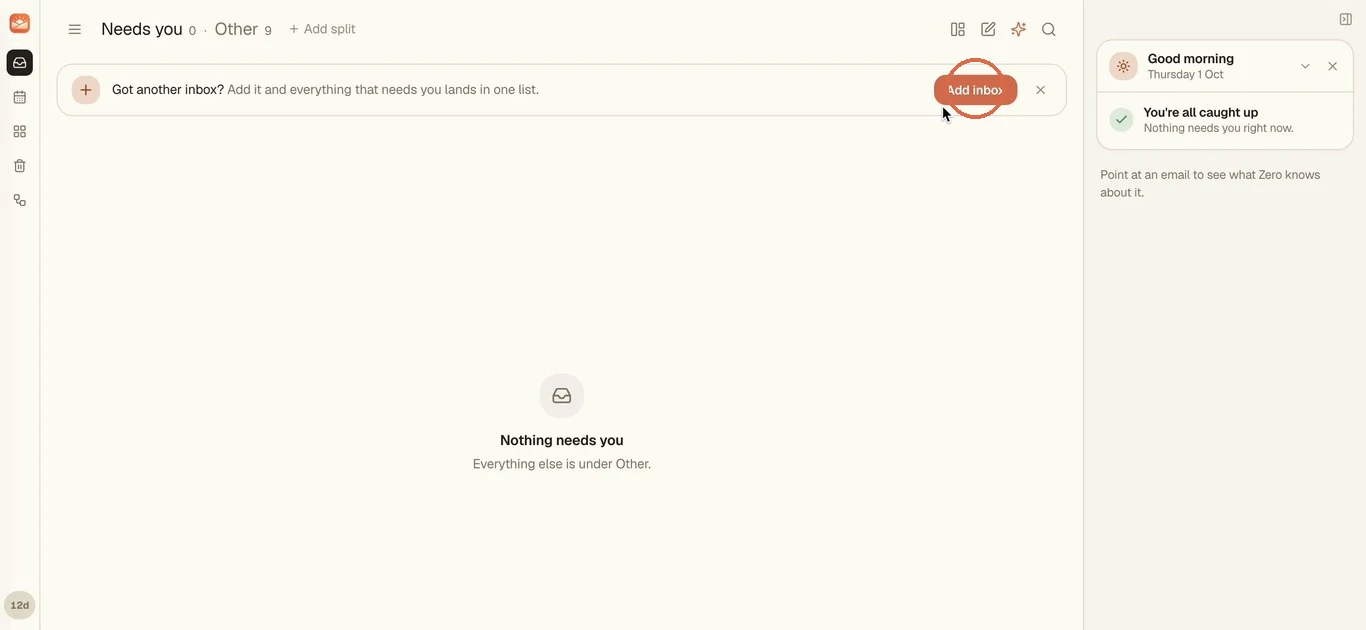
Click Add inbox on the "Got another inbox?" bar at the top of your list. + Add new inbox in the inbox switcher, or Settings, Add account, gets you to the same place.
-
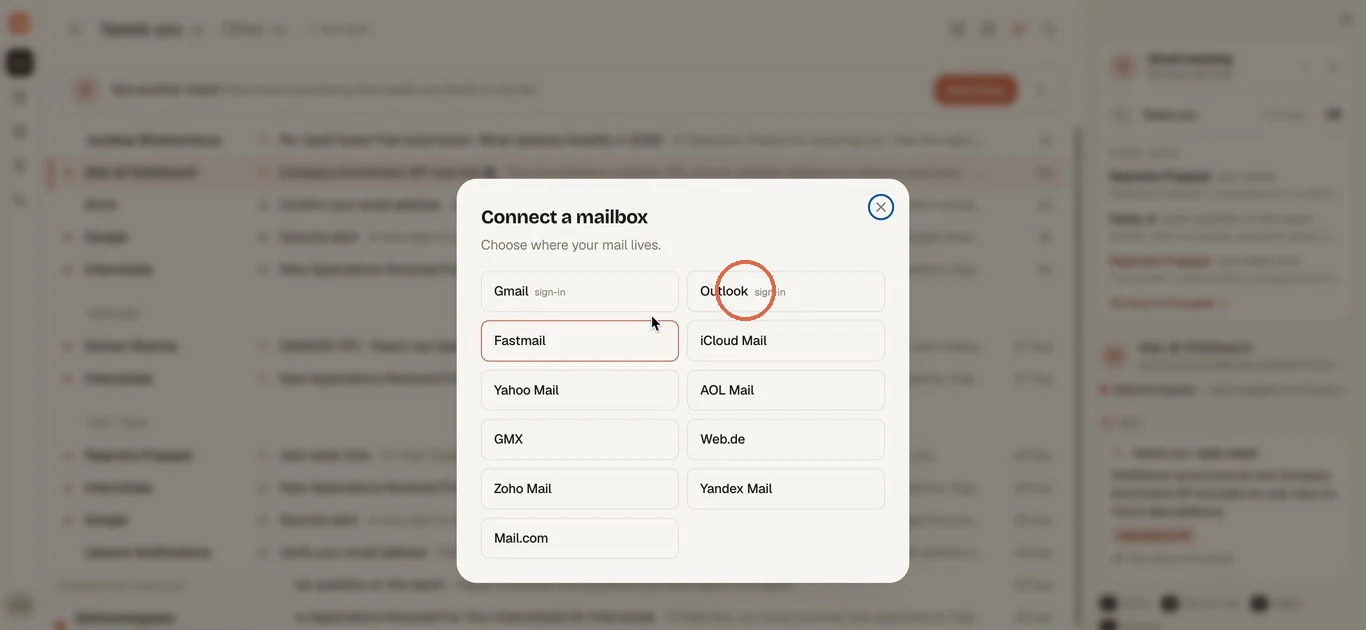
In Connect a mailbox, pick Outlook. It covers Outlook.com, Hotmail, Live and Microsoft 365 work accounts.
-
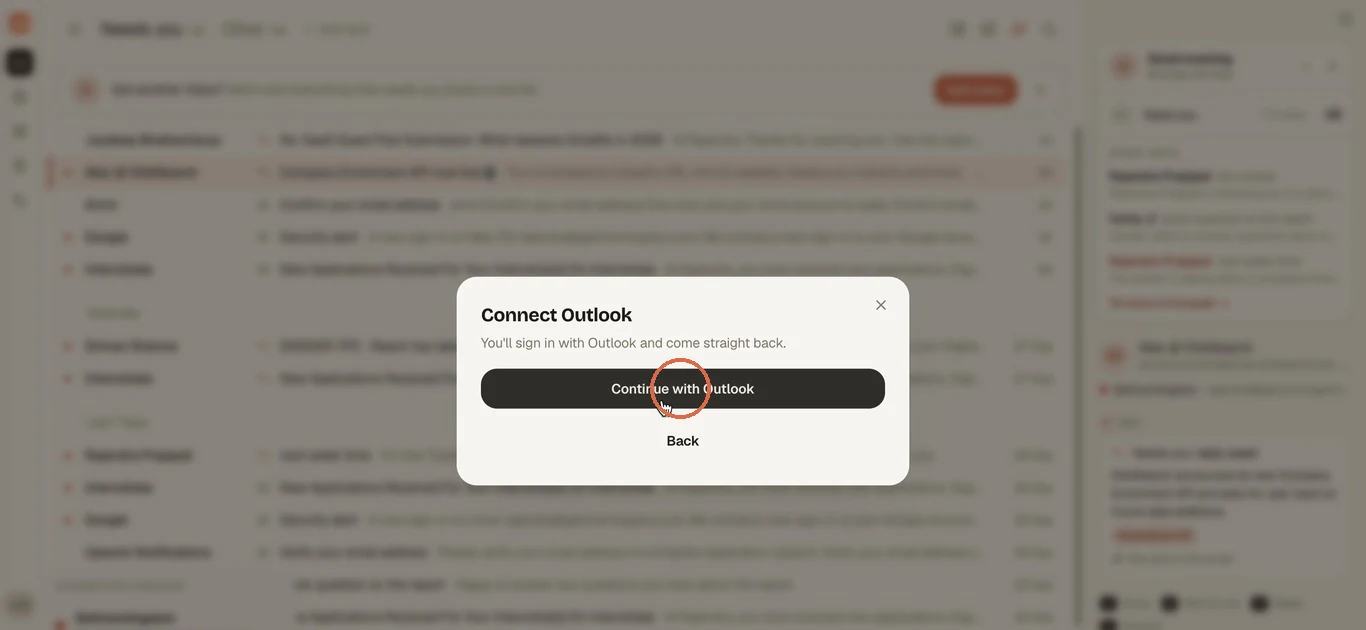
Click Continue with Outlook. You'll sign in with Microsoft and come straight back. In the desktop app, Microsoft's page opens in your system browser.
Sign in with Microsoft
-
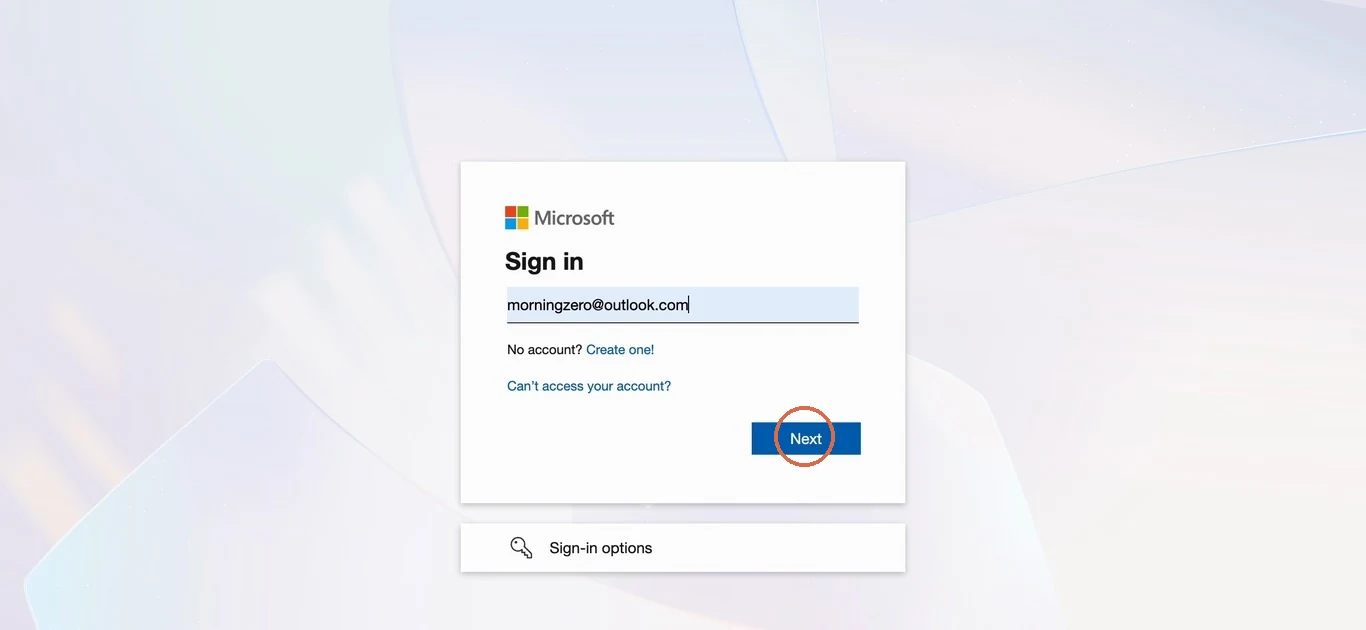
Enter your Microsoft account, personal or work, click Next, and sign in the way you normally do.
-
Microsoft asks Let this app access your info? Under the app's name you'll see Serveka Technologies, the company behind MorningZero, with Microsoft's verified-publisher mark. The list below it is everything we ask for, and the table further down says what each line lets us do.
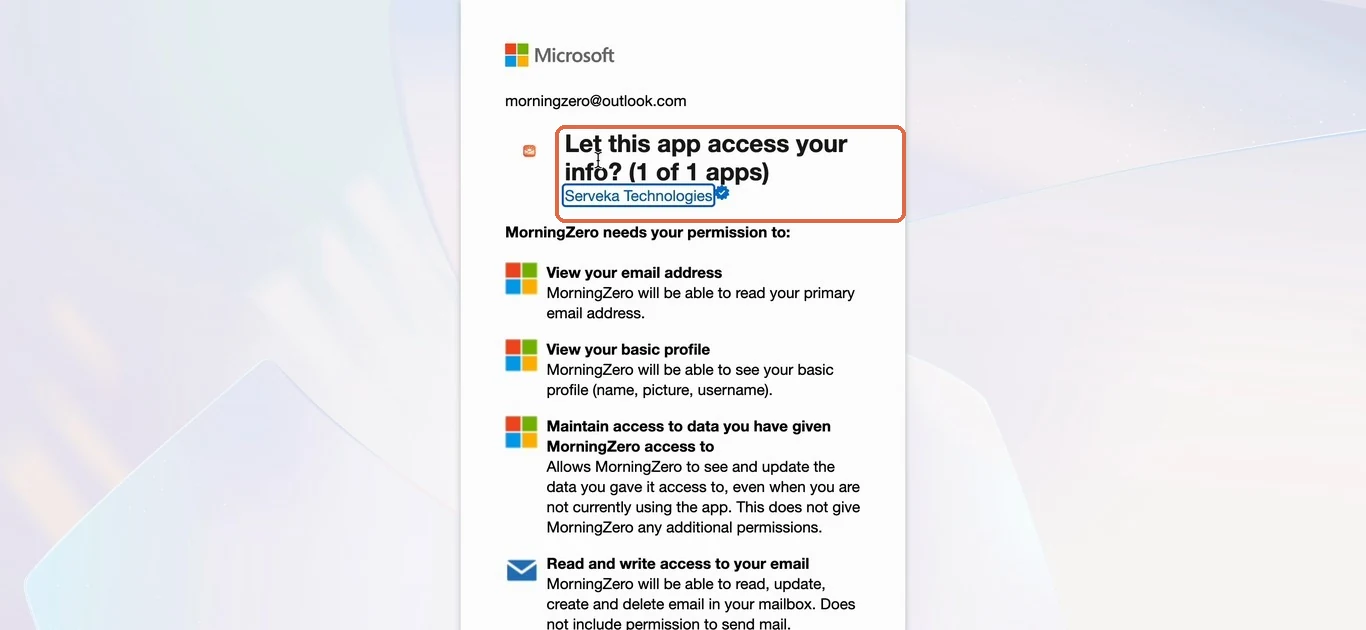
-
Scroll to the bottom and click Accept. A work account may show Need admin approval here instead; the section after the steps covers that.
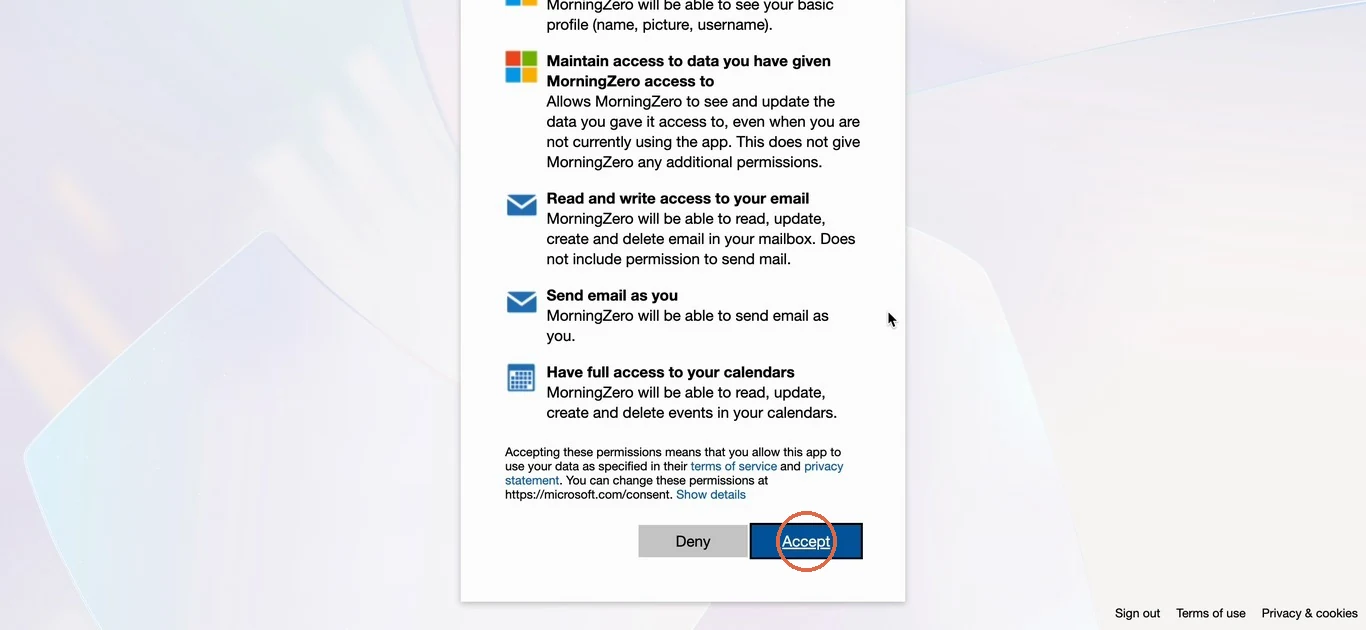
Set up the inbox
Back in MorningZero, Zero asks seven short questions, one at a time. It starts reading your mail while you answer, and every answer saves as you go. You can press the number keys instead of clicking.
-
What should I call this inbox? We suggest names from your address. The name becomes the tag on every email from this inbox.
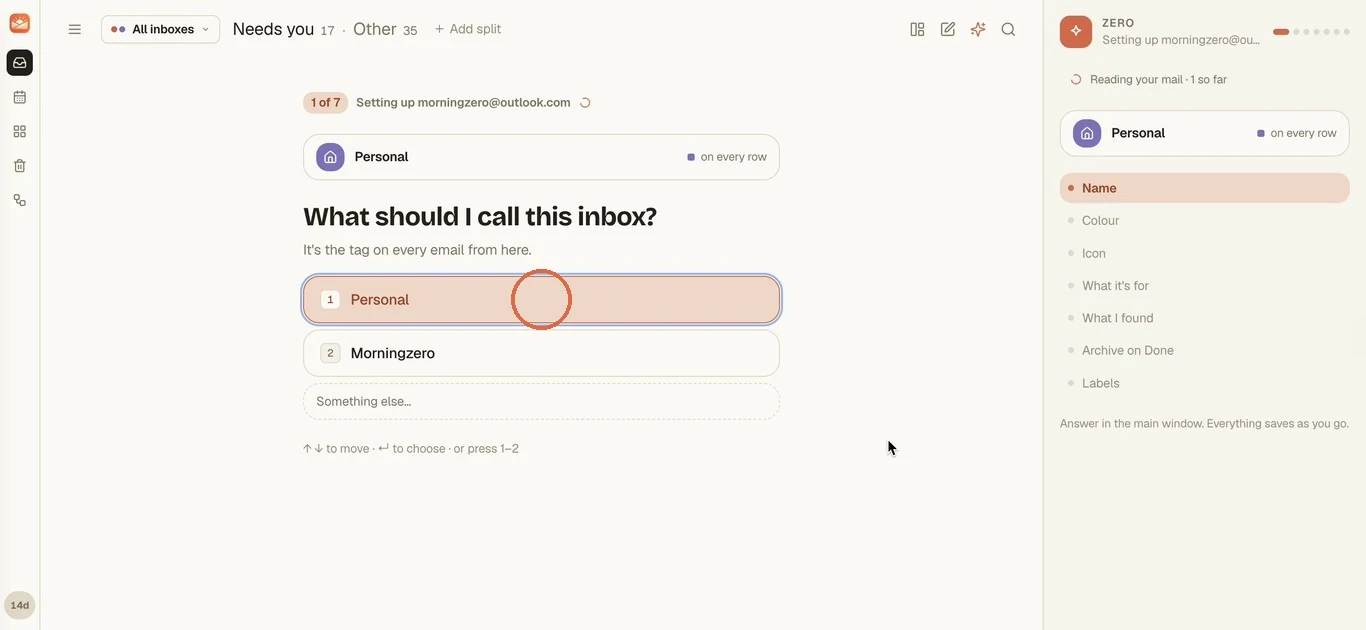
-
Pick its colour, then And an icon. Both just help you tell inboxes apart at a glance.
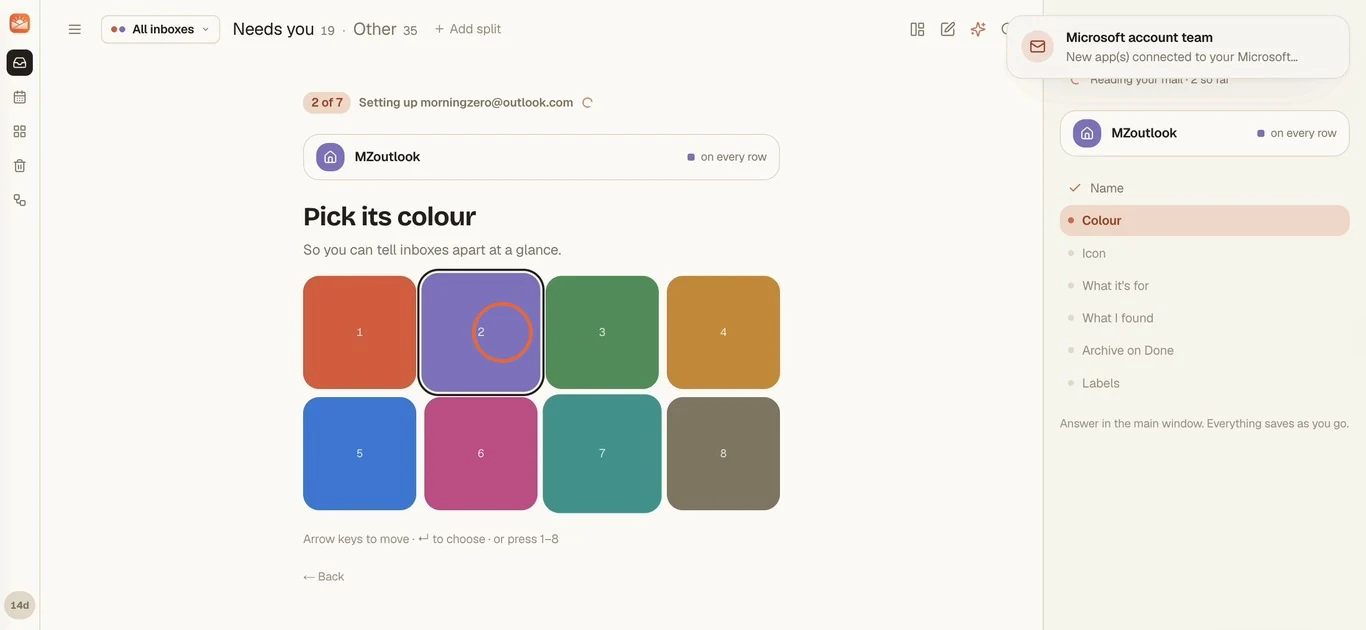
-
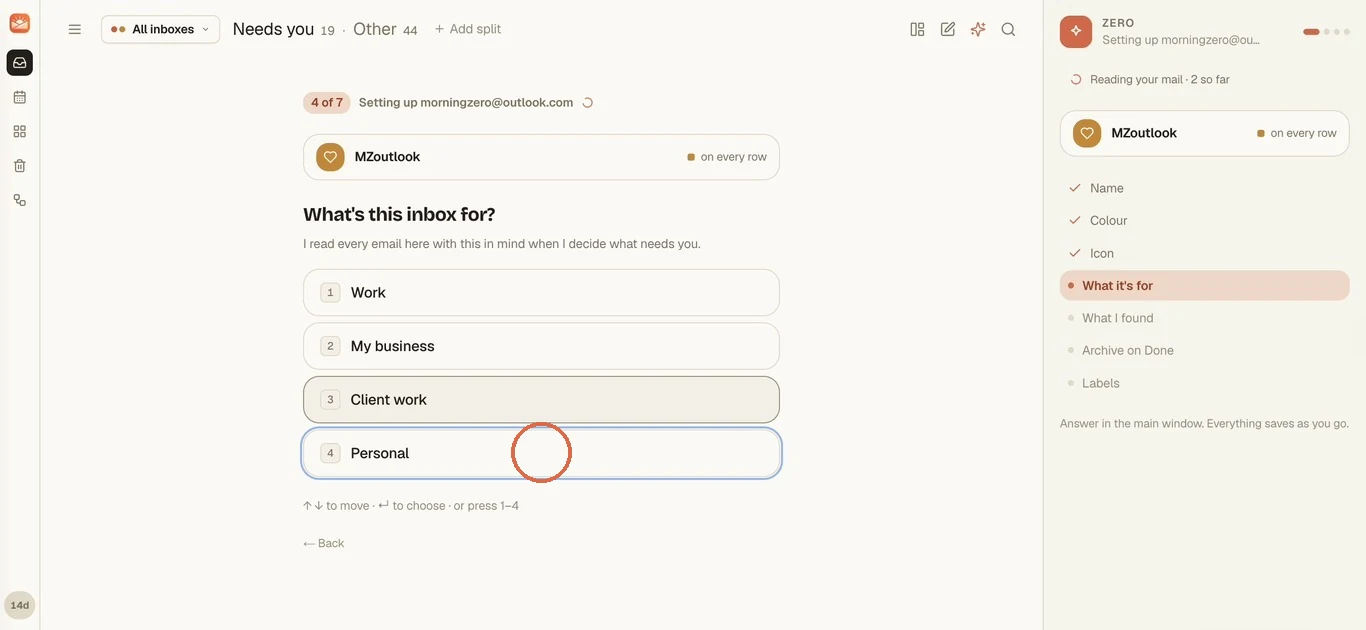
What's this inbox for? Work, My business, Client work or Personal. Zero reads every email here with this in mind when it decides what needs you.
-
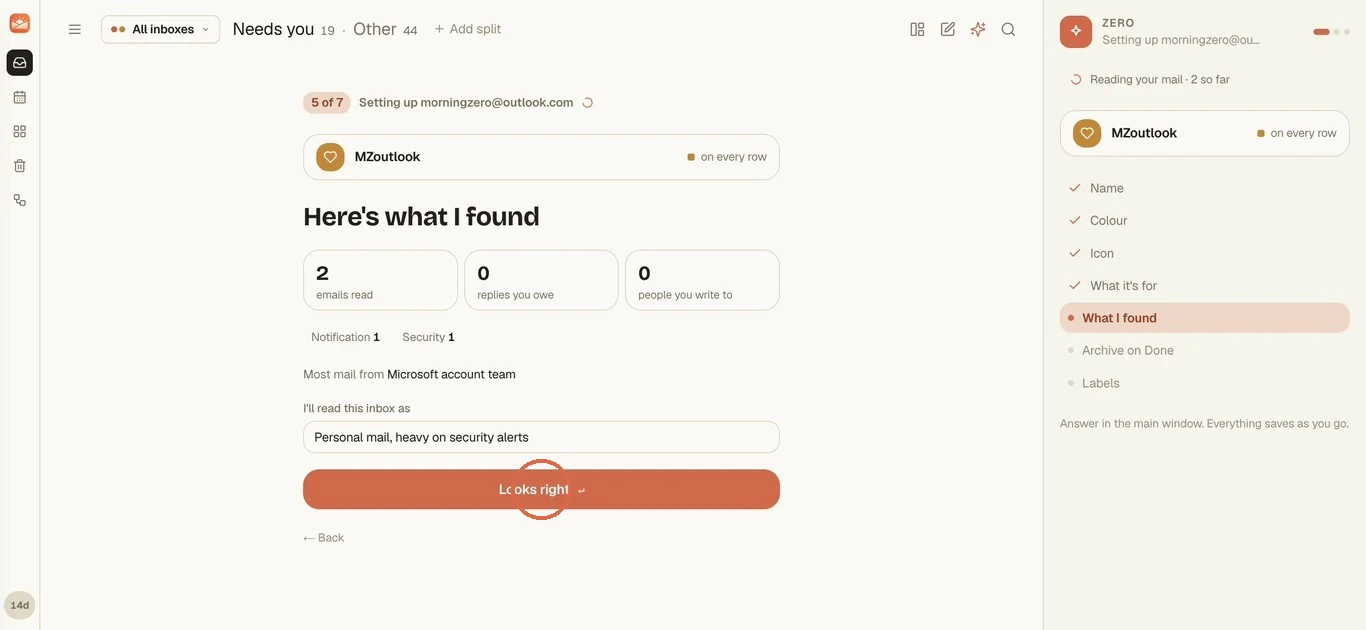
Here's what I found. You'll see how many emails it has read so far, what kinds they are, and a one-line summary of how it'll read the inbox. You can edit that line. Click Looks right.
-
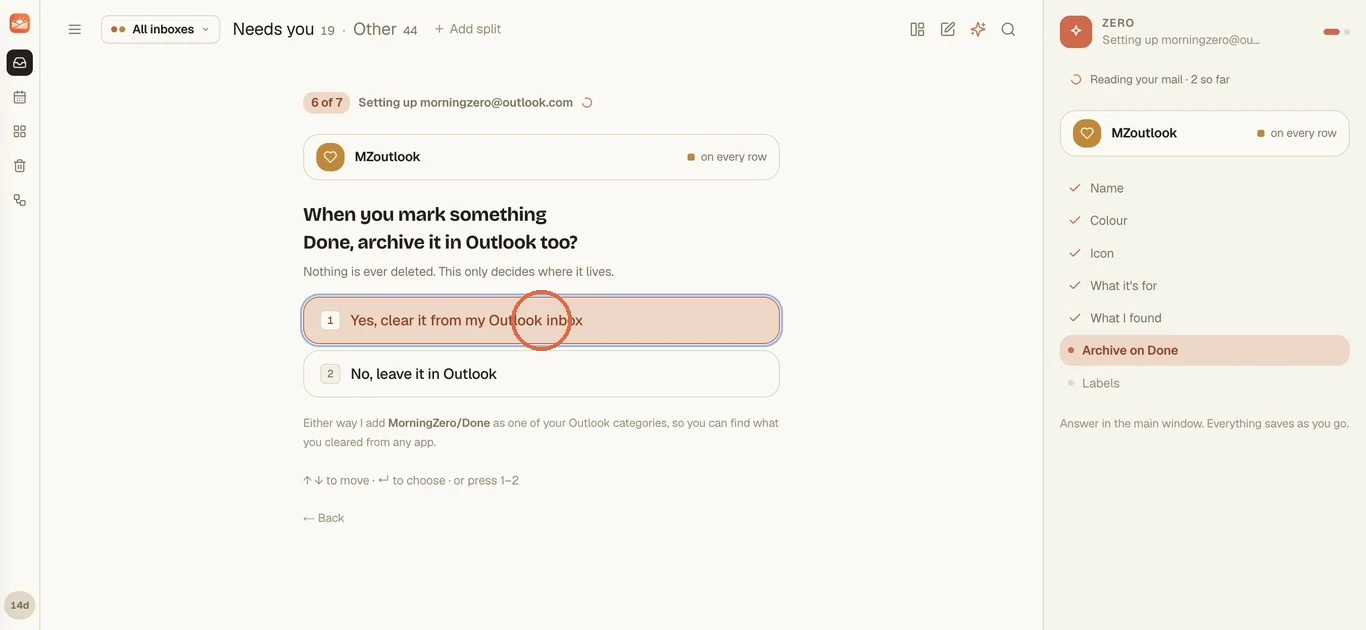
When you mark something Done, archive it in Outlook too? Pick Yes, clear it from my Outlook inbox or No, leave it in Outlook. Nothing is deleted either way, and we add MorningZero/Done as an Outlook category so you can find what you cleared from any app.
-
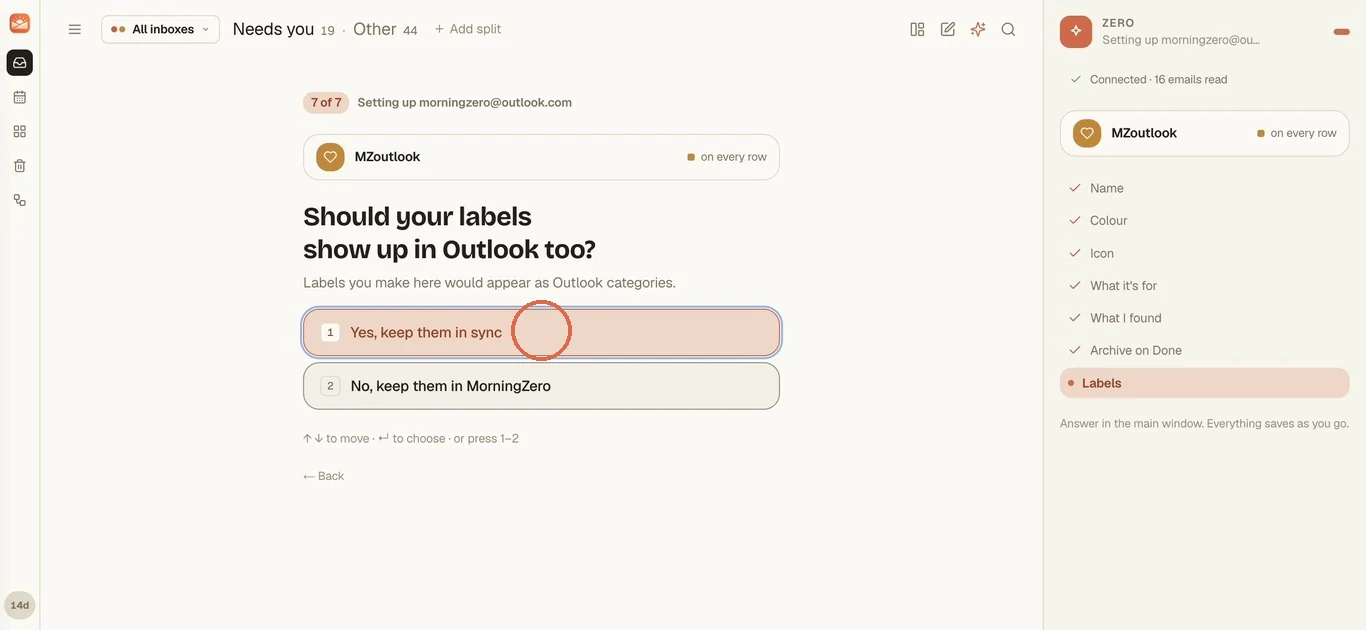
Should your labels show up in Outlook too? With Yes, keep them in sync, labels you make in MorningZero appear as Outlook categories. With No, they stay in MorningZero.
-
That's it. Filter to the new inbox from the inbox menu and its mail is already sorted. The last three days sort first, and the rest of the import window fills in behind.
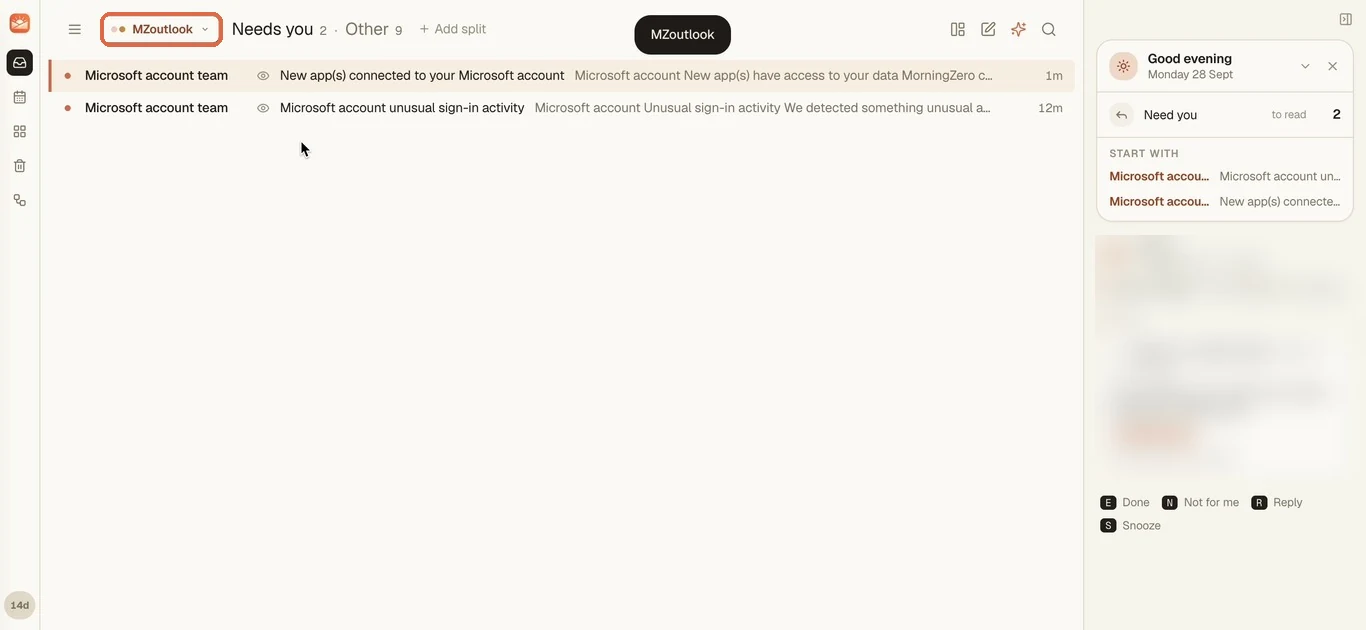
Don't be surprised by the first email. Microsoft usually sends one titled "New app(s) connected to your Microsoft account" right after you click Accept. It's Microsoft confirming the step you just took.
What does the verified-publisher mark actually tell you? Microsoft has confirmed, through its Partner Network, that the company behind the app is a real legal entity: Serveka Technologies, the company behind MorningZero. It's an identity check, not a security audit.
If you see "Need admin approval"
Microsoft 365 tenants can require an administrator to consent to any third-party app before users can. When yours does, the connect step shows Need admin approval.
What happens next depends on your tenant. If it has Microsoft's admin consent workflow switched on, you'll also get a box for a justification and a Request approval button. If it doesn't, you'll need to email your admin.
Either way, send your admin this, or paste it into the request box:
MorningZero, published by Serveka Technologies (Microsoft verified publisher), requests delegated permissions Mail.ReadWrite, Mail.Send, Calendars.ReadWrite, openid, email, profile and offline_access for consenting users only. It accesses each user's own mailbox, never the tenant's. Data handling and security attestations are at morningzero.com/security. Access is revocable per user in Entra ID at any time.
Once the admin consents, everyone in the organisation can connect without the prompt.
What each permission lets us do
| Permission | What it lets us do |
|---|---|
Read and write access to your mail (Mail.ReadWrite) | Read messages, label, archive, mark read |
Send mail as you (Mail.Send) | Send the replies you press Send on. Nothing sends itself |
Have full access to your calendars (Calendars.ReadWrite) | Show your agenda, create events, RSVP |
Sign you in; View your basic profile; View your email address (openid, profile, email) | Identify you. Three lines on the screen, one purpose |
Maintain access to data you have given it access to (offline_access) | Keep the connection alive without asking you to sign in every hour |
We don't ask for your contacts, your files or Teams.
Disconnecting, and cutting access at Microsoft
In MorningZero, go to Settings, the mailbox, Disconnect. Everything from that mailbox here is deleted in one transaction, and the stored tokens are destroyed.
Microsoft gives apps no call to revoke a grant from our side, though. So if you want it cut at Microsoft's end as well, use the links below.
For a personal account, that's account.microsoft.com/privacy/app-access. For a work account, use myapps.microsoft.com or ask your admin in Entra ID. Removing us there cuts access without involving us.
Do you need an Outlook app password?
You don't need one for MorningZero, and these days you rarely need one at all.
Microsoft's guidance is that an app password is for when you have two-step verification turned on and are using an older device or app that doesn't support it.
Outlook apps that use Microsoft sign-in don't need one, and that covers the mobile app and every desktop Outlook since 2013. Anything that offers Sign in with Microsoft doesn't need one either.
If some other app can't do Microsoft sign-in, what you do depends on the account.
- Personal Microsoft account: turn on two-step verification, then Security, Advanced security options, and under App passwords create a new one.
- Microsoft 365 work or school account: app passwords exist only if your administrator has allowed them for legacy authentication. Most organisations have switched password-based mail access off.
If you type an Outlook.com, Hotmail, Live or MSN address into one of our app-password forms, we refuse it and send you to the Outlook tile. A Microsoft 365 address on your own domain isn't recognised automatically, so pick Outlook as the provider and sign in.
Sources
- When a Microsoft app password applies and how to create one on a personal account: Microsoft Support, "How to get and use app passwords", read 20 September 2026.
- App passwords on work and school accounts: Microsoft Learn, "Enable and use Microsoft Entra multifactor authentication app passwords", read 26 September 2026.
- Consent-screen wording: Microsoft Graph permissions reference, and the admin consent workflow in Microsoft Learn, "Application consent experience", read 26 September 2026.
- Publisher verification: Microsoft Learn, "Publisher verification".
Questions
Asked often enough to answer here.
Do I need an Outlook app password to connect?
No. Outlook.com and Microsoft 365 connect through Microsoft's sign-in, which gives us a revocable token. Microsoft says an app password is only for two-step accounts on devices that don't support it.
How do I create a Microsoft app password if another app needs one?
On a personal account with two-step verification on, go to Security, Advanced security options, then the App passwords section, and create a new one. On a work account you can only do it if your admin has enabled them for legacy apps, and most haven't.
What permissions does MorningZero ask for?
Read and write your mail, send mail as you, full access to your calendars, sign you in with your basic profile and email address, and keep access without asking you to sign in again. You'll see each one on the consent screen.
Why does it say 'Need admin approval'?
Your Microsoft 365 tenant only allows apps an administrator has consented to. Send your admin the note on this page; once they consent, everyone in the organisation can connect.
Nothing sends itself
Connect an Outlook mailbox.
Personal Outlook.com or a Microsoft 365 seat, next to whatever else you run. The trial takes up to five mailboxes, and there's no card to enter.