
Calendar beside your mail, from every Google and Microsoft account
Invites arrive in your mail. The calendar they belong to is one keystroke away, showing every account's events together in the timezone you choose.
Facts and prices checked 26 September 2026
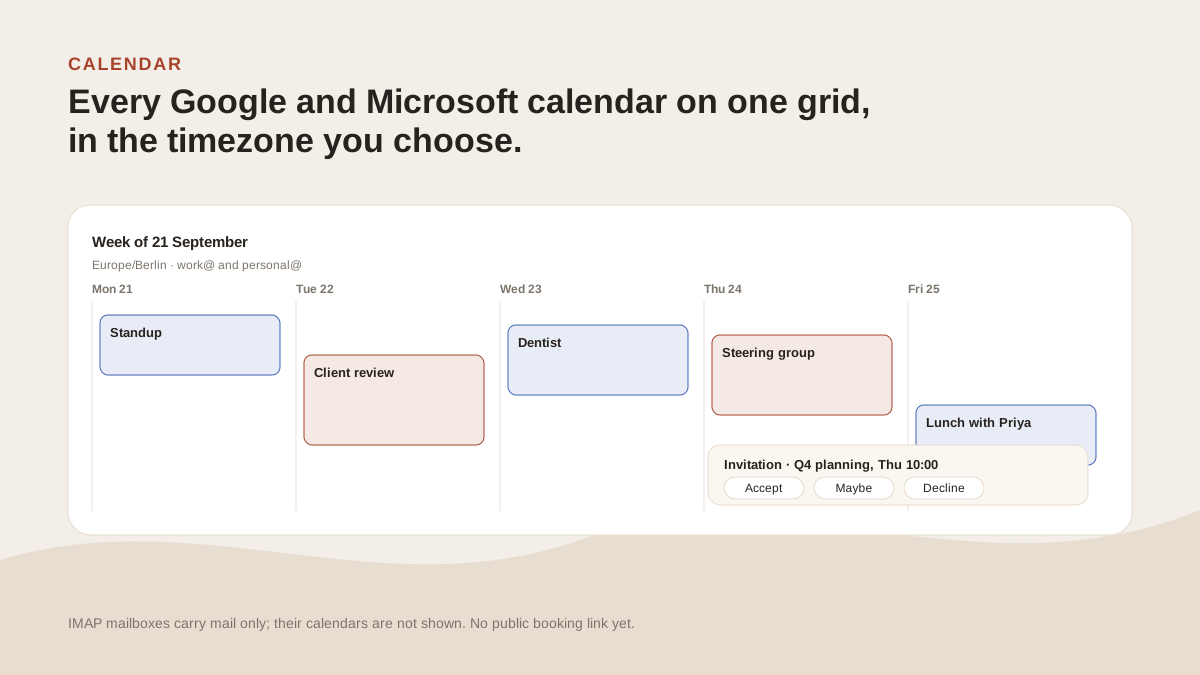
Invitations are email. Answering one shouldn't mean opening a second app and finding the same meeting again.
What it shows
Every Google and Microsoft account you've connected, on one grid.
Four views. Month for the shape of things. Week for the plan. Day when it's busy. Agenda as a plain list, which is where most people end up.
Each event carries its account's colour, the same colour that tags that account's mail.
Duplicates are merged. If the same meeting reaches two of your accounts, it shows once, with both accounts noted.
The grid is drawn in a timezone you pick, one day per column. A lot of calendar UIs quietly use the browser's zone, which is wrong the moment you're on a plane. Here you choose, and when you change it the events move to where they belong.
What you can do
Create, edit and delete events, on whichever account's calendar you choose. Drag an event to move it, stretch it to change the length. The change is written to the provider.
Recurring events from Microsoft are expanded correctly, including the exceptions.
RSVP in place. An invitation shows Yes, Maybe and No on the message itself. Your answer is written back so the organiser sees it in their own calendar.
Find a time. Pick the days in view and ask for a slot. It looks across all your connected calendars and offers the gaps. The slot you pick re-opens the draft you were writing.
Quick create. Type "lunch with Priya Friday 1pm" and it becomes an event with those fields filled, ready to confirm.
Keyboard
G then Y opens the calendar. M, W, D, A switch views. [ and ] step back and forward, T returns to today, N starts a new event. The full set is under Docs.
What's missing
IMAP calendars are the obvious gap. Fastmail, iCloud and the rest expose theirs over CalDAV, a different protocol from the mail connection we hold, and it's on the roadmap without a date.
Booking links aren't planned. Find a time is for you, not a page someone else picks from. And nothing here accepts, declines or moves a meeting on its own.
What it won’t do
The limits, before you find them yourself.
No calendar for IMAP mailboxes. Fastmail, iCloud, Yahoo and the other app-password providers connect for mail only. If every mailbox you've connected is IMAP the Calendar tab says so; beside a Google or Microsoft account, IMAP mailboxes simply don't appear on the grid.
No public booking link. Find a time picks a slot across your own calendars. It doesn't give someone else a page to pick from.
It doesn't run your day. Nothing reschedules meetings or accepts invites on your behalf.
Sharing, permissions, working hours and notification rules still live at the provider.
Questions
Asked often enough to answer here.
Which calendars does MorningZero support?
Google Calendar on Gmail and Workspace accounts, and Microsoft calendars on Outlook.com and Microsoft 365 accounts. Both read and write.
Can I RSVP to an invite without leaving the inbox?
Yes. An invitation shows Yes, Maybe and No on the message. The response is written back to the provider, so the organiser sees it in their own calendar.
How does it handle timezones?
You pick the zone the grid is drawn in. Change it and every event slides to its new column; the stored times don't change.
What are the calendar shortcuts?
G then Y. Then M, W, D and A for the views, square brackets to step, T for today, N for a new event. The full list is on the shortcuts page.
Nothing sends itself
See it on your own mail.
Fourteen days, up to five mailboxes, no card. Connect the two you check most and watch the first morning sort itself.