
What Is a Unified Inbox? How It Works and the Best Options in 2026
A unified inbox is one view that combines messages from several email accounts without moving them to a new address. It lets you read and reply from one place while each Gmail or Outlook account remains separate underneath. The useful versions add cross-account search, rules and triage; basic versions only combine the message list.
That distinction matters once you run more than two accounts. A fractional CFO might have one Google Workspace account per client. An agency owner may carry a personal Gmail, a company address and two client inboxes. Account switching works, but it still leaves five places to check.
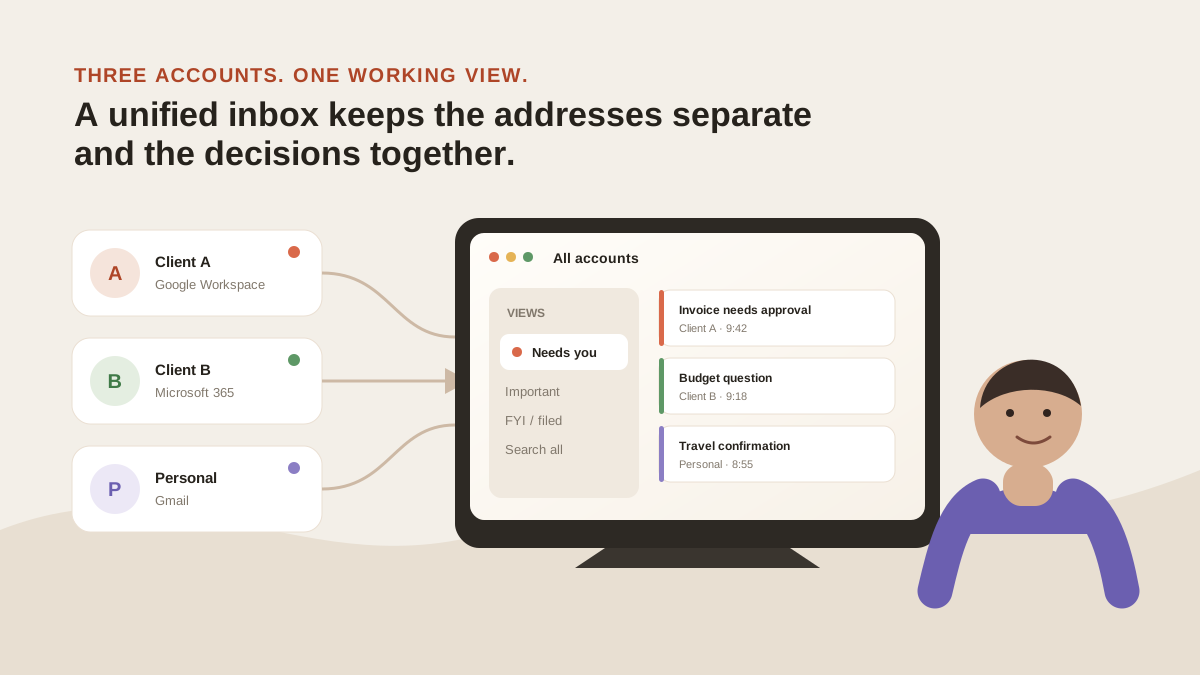
The addresses remain separate; the decisions appear in one working view. Original illustration for this guide.
What does a unified inbox actually combine?
At minimum, it combines the inbox folders from several accounts into one chronological list. Each message keeps its original account identity, so replying to mail sent to you@client-a.com does not silently send from you@gmail.com.
A stronger implementation combines more than the list:
- Search: one query across every connected account
- Triage: one view of what needs a reply, regardless of which address received it
- Rules: one instruction that applies across accounts instead of five copies
- Calendar: events from separate work and personal accounts in one place
- Drafting: replies that use the right sender identity and relevant thread context
The accounts still exist at their original providers. There is no migration and no new public email address. The app is a layer on top.
Why Google results disagree about what “unified” means
We classified the first ten organic Google results for the query unified inbox on 19 August 2026, using US English, desktop results and personalisation turned off. Only 5 of 10 clearly addressed one person combining multiple email accounts. Three described a customer-service dashboard combining email with WhatsApp, Instagram or other channels. Two were forum discussions.
Here is the audit so the count is reproducible. Rank order will change; the classification and source list are the useful parts.
| Result | Page | Our classification |
|---|---|---|
| 1 | Kommo — Unified inbox | Multichannel CRM/team inbox |
| 2 | Microsoft Support — consolidate email accounts | Personal multi-account email |
| 3 | Reddit r/gtd discussion | Forum |
| 4 | Edison Mail — unified inbox | Personal multi-account email |
| 5 | Spike — unified inbox | Personal multi-account email |
| 6 | Quora — budget-friendly unified inbox | Forum |
| 7 | Unipile — unified communications | Multichannel CRM/team inbox |
| 8 | BlueMail — unified inbox | Personal multi-account email |
| 9 | Sendbird — what is a unified inbox? | Multichannel CRM/team inbox |
| 10 | Outlook All Accounts video | Personal multi-account email |
That split explains why search results feel inconsistent. The same phrase is used for two different products:
- Personal account aggregation: one person, several Gmail or Outlook accounts
- Multichannel team support: several agents, one queue spanning email, chat and social messages
MorningZero belongs to the first category. If several employees need to assign and comment on messages sent to support@company.com, use a shared-inbox or helpdesk product instead.
Unified inbox vs shared inbox: what is the difference?
| Unified inbox | Shared inbox | |
|---|---|---|
| Primary job | One person checks several accounts | Several people manage one team address |
| Typical user | Consultant, fractional executive, founder | Support, sales or operations team |
| Core feature | Cross-account view and search | Assignment, ownership and internal comments |
| Example problem | ”What needs my reply across five client inboxes?" | "Who owns this support request?” |
A bigger mailbox allowance does not turn a personal inbox into a team product. MorningZero‘s Stack plan covers more mailboxes for one person; it does not add ticket assignment or shared-inbox collaboration.
Does Gmail have a unified inbox?
On the web, Google supports signing in to multiple accounts at once, then switching accounts from the profile menu. The accounts retain separate settings, although Google warns that it may fall back to the default account’s settings when it cannot tell which account you mean. That is convenient switching, not one merged web inbox.
Gmail also has a feature called Multiple Inboxes. It creates search-based sections inside one account, with a query, section name and page size for each panel. Google says it can only be configured on a computer. It is useful for separating starred mail, a label or a sender; it does not merge several account settings into one workflow.
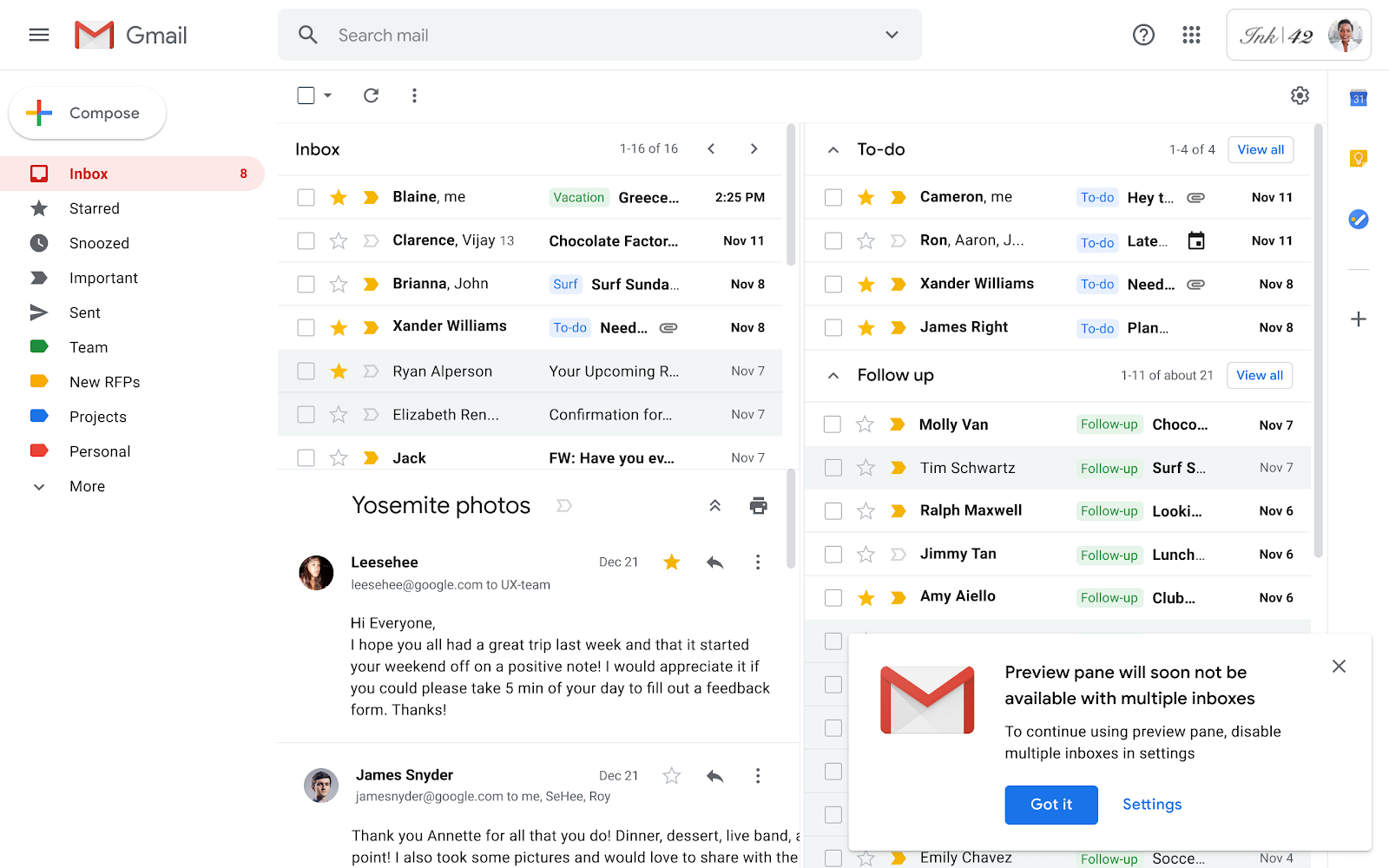
Google’s 2020 interface screenshot shows independent To-do and Follow-up sections. The Gmail Help guide explains that those sections come from search criteria inside one account. Screenshot source: Google Workspace Updates, checked 20 August 2026.
The mobile apps are different. Gmail for Android, iPhone and iPad has an All inboxes view across accounts added to the app. Google’s launch post says that includes work, personal and third-party IMAP accounts, while keeping the accounts separate underneath.
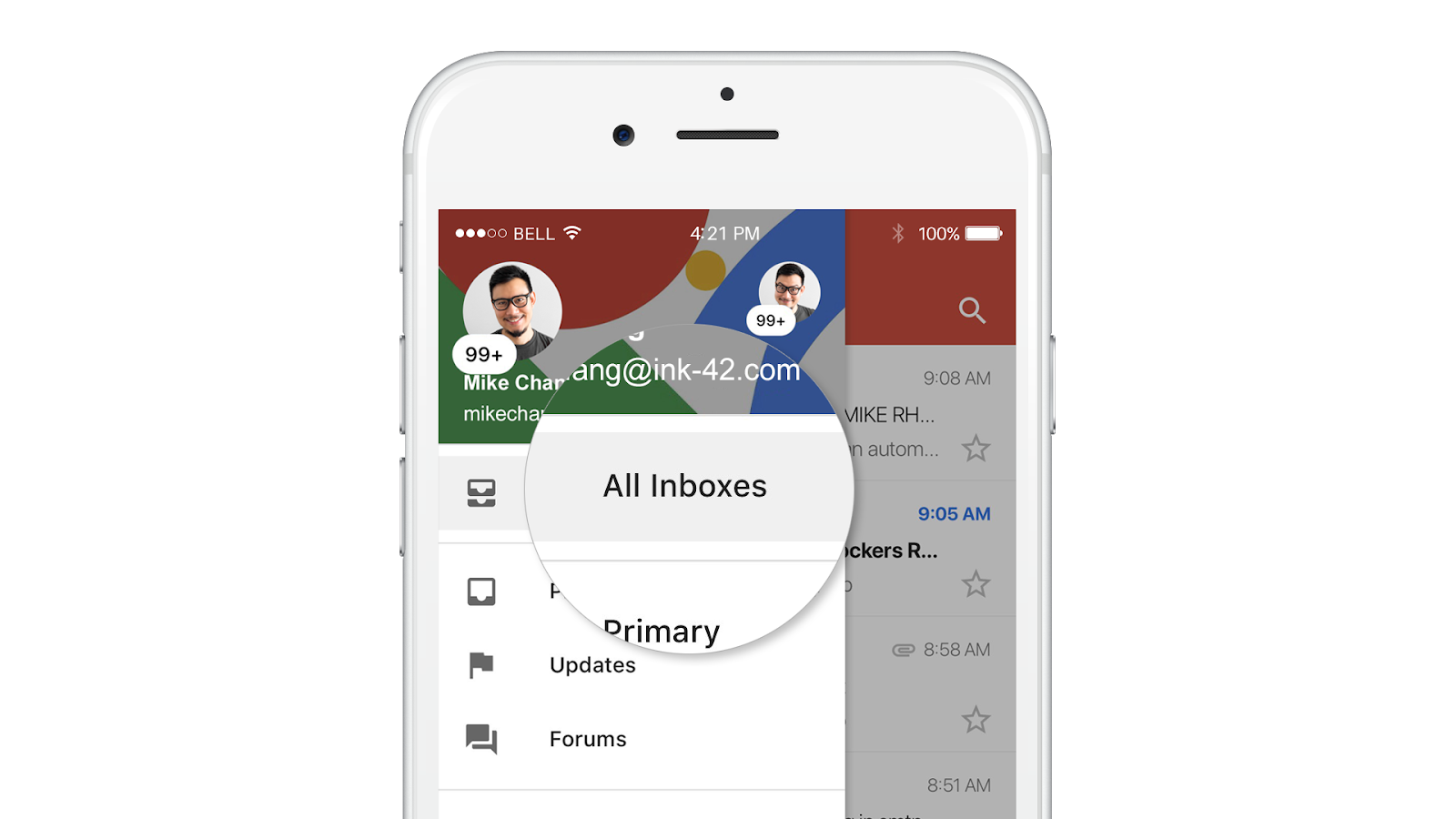
Gmail mobile has a real cross-account All inboxes list, including supported third-party accounts. Source: Google Workspace Updates, checked 20 August 2026.
Gmail once offered a closer web workaround: Gmailify and POP-based Check mail from other accounts could pull third-party messages into the main Gmail inbox. Google is retiring both features. New users stopped being accepted after the first quarter of 2026, and existing users can continue until January 2027. The mobile IMAP route remains.
The practical test is therefore platform-specific. Gmail mobile combines the message list. Gmail on the web still makes you switch accounts, and its old POP consolidation path is being removed. For a Gmail-only setup, see what changes when every account is Gmail.
Does Outlook have a unified inbox?
Yes, but the answer depends on the Outlook version. Microsoft documents an All Accounts view in Outlook for Android and iOS. In Outlook for Mac, expanding All Accounts and selecting Inbox shows mail from every account added to the app.
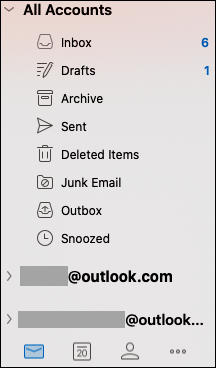
Outlook for Mac exposes a combined Inbox under All Accounts while keeping the underlying addresses visible. Source: Microsoft Support, checked 20 August 2026.
For Windows, Microsoft’s current guidance says the new Outlook for Windows can place accounts from multiple providers in one unified inbox. That statement does not apply to every Outlook named product. Classic Outlook can connect several accounts but does not expose the same All Accounts inbox, and Outlook on the web does not connect several accounts in the same way.
Outlook’s native view is a good answer when your supported Outlook app already gives you the combined list you need. A separate layer becomes useful when the same triage, natural-language rules, search and AI workflow must span Gmail, Microsoft and hosted IMAP accounts. For the AI side of that same question — whether Copilot, an Outlook add-in, or a cross-provider layer actually fits your account count — see Best AI Email Assistant for Outlook.
How does the Thunderbird unified inbox work?
Thunderbird calls the feature Unified Folders. It groups equivalent folders such as Inbox, Sent and Trash across accounts. Thunderbird’s official folder-pane documentation defines the behaviour; a Mozilla Support walkthrough shows how to add a missing account folder through Properties → Choose.
Thunderbird is a free desktop option in this group. It is a real email client, keeps provider accounts separate underneath and gives you a combined folder view. The trade-off is the workflow above the list: it does not provide MorningZero‘s AI triage on every arriving message or one plain-English rule layer spanning the accounts.
Which unified inbox option fits which job?
| Option | What it combines | Cross-provider? | AI triage across accounts? | Price | Honest gap |
|---|---|---|---|---|---|
| Gmail web + mobile | Web: account switching and search-based sections; mobile: All inboxes | Mobile: yes | Limited to Gmail’s own account features | Included with Gmail | No All inboxes on the web; POP/Gmailify consolidation is being retired |
| Outlook All Accounts | Accounts added to new Outlook for Windows, Mac and mobile | Yes | Depends on Microsoft features and account | Included with the applicable Outlook app or plan | Classic Outlook and Outlook on the web do not have the same unified view |
| Thunderbird Unified Folders | Equivalent folders across added accounts | Yes | No | Free | No AI triage or plain-English rule layer across accounts |
| MorningZero | Gmail, Workspace, Outlook, Microsoft 365 and supported hosted IMAP mailboxes | Yes | Yes | Solo $19/month for 5; Stack $29/month for 15, or $180 and $276 a year | No iOS app; no custom/self-hosted IMAP or Proton; no team assignment |
Prices and availability checked 5 September 2026. For a deeper product-by-product comparison, including what competing AI tools meter, use our comparison pages.
What changes when you manage three to six accounts?
The main benefit is not fewer clicks. It is one trusted answer to “am I done?”
With account switching, an empty work inbox says nothing about the other four. You repeat the same loop: choose an account, scan, switch, repeat. Rules and labels drift because each account develops its own version.
A combined system changes the unit of work from account to decision:
- show every message that needs you, across all accounts
- search once when you cannot remember which client sent something
- write one rule for invoices, recruiting mail or newsletters
- keep the sending identity visible so replies leave from the right address
How to Manage Multiple Email Accounts in One Place turns that shift into a practical setup: account boundaries first, one decision queue second, and the narrowest collection method that works.
That is why the best-fit user is not a company with 200 employees. It is one person carrying several roles: the consultant with four clients, the fractional COO with six Workspace logins, or the founder separating company, personal and investor mail.
Where MorningZero is different, and where it loses
MorningZero merges Gmail, Google Workspace, Outlook.com, Microsoft 365 and supported hosted IMAP accounts into one stream, then classifies each arriving message before you open it. Search, Ask Zero, Triage, Sweeps, rules and calendar work across the connected set rather than one mailbox at a time. The features overview takes each of those in turn.
The limits are as important as the feature list:
- Fastmail, iCloud, Yahoo, AOL, GMX, Web.de, Zoho, Yandex and Mail.com connect through IMAP with an app-specific password. Custom or self-hosted IMAP servers are not supported yet, and Proton requires Bridge running locally.
- There is a web app, desktop apps for macOS, Windows and Linux, and Android. There is no iOS app.
- It is not a shared inbox. There are no team assignments or internal comments.
- Superhuman remains better for people who value keyboard speed and polish above a merged stream; the Superhuman comparison explains that trade-off directly.
Both plans include the same core AI and workflow features. Solo is $19 per month for 5 mailboxes; Stack is $29 for 15 and adds priority support. Extra mailboxes cost $3 per month each with no hard limit. At 20 or more, the pricing page recommends asking about a negotiated rate.
The trial lasts 14 days with everything unlocked, needs no card, and covers five mailboxes. If it ends without a plan, the AI stops while connected mail stays readable and searchable. After 60 days MorningZero stops pulling new mail; its stored data is deleted after 90 days.
The useful way to choose
Choose the narrowest tool that solves the real problem.
If you only need to move between two Google accounts, use Google’s account switcher. If you want a free desktop client that combines folders from many providers, Thunderbird is the honest answer. If an Outlook app already gives you the All Accounts view you need, keep it.
Use a separate unified layer when the list is not enough — when search, reply triage and rules also need to span the accounts. For Gmail, Outlook or supported hosted IMAP users who want to test that difference, connect one account and add the others only if the first day makes the workflow clearer.
Frequently asked
What is a unified inbox?
A unified inbox is one view that combines messages from several email accounts while leaving the original accounts and addresses intact. You read and reply from one place, and each sent message still uses the address that received it or the address you select.
Does Gmail have a unified inbox?
Gmail's web app does not provide one live All Inboxes view across added accounts. Google offers simultaneous sign-in with account switching, and Multiple Inboxes creates search-based sections inside one account. The Gmail apps for Android, iPhone and iPad do provide All inboxes across added accounts, including supported third-party accounts.
Does Outlook have a unified inbox?
Yes. Microsoft documents All Accounts in Outlook for Android and iOS, an Inbox under All Accounts in Outlook for Mac, and a unified inbox for the new Outlook for Windows. Classic Outlook and Outlook on the web do not have the same one-view experience, so check which Outlook version you use.
What is the difference between a unified inbox and a shared inbox?
A unified inbox is usually for one person managing several accounts, such as personal Gmail, work Outlook and client mailboxes. A shared inbox is for several people managing one address with assignment, comments and ownership controls. A team support queue needs a shared inbox, not a personal unified inbox.
Does a unified inbox create a new email address?
No. A unified inbox is a viewing and workflow layer over accounts you already own. Your addresses stay active at Gmail, Outlook or their existing provider, and recipients continue to see the address you used to reply.
Can one inbox combine Gmail and Outlook accounts?
Yes, if the app supports both providers and a merged view. MorningZero combines Gmail, Google Workspace, Outlook and Microsoft 365 accounts, plus hosted IMAP providers including iCloud, Fastmail, Yahoo and Zoho. Custom or self-hosted IMAP servers and Proton are not directly supported today.