
MorningZero feature tour: what happens to an email in the first 10 seconds
Most product tours are a list of features. This one follows a single email instead, from the moment it hits your mailbox to the moment you decide what to do with it — because that path is the product, and every feature is something that happens along it.
The timings below were measured in MorningZero‘s own production system on 5 August 2026. They’re small samples, and I’ll say which are which.
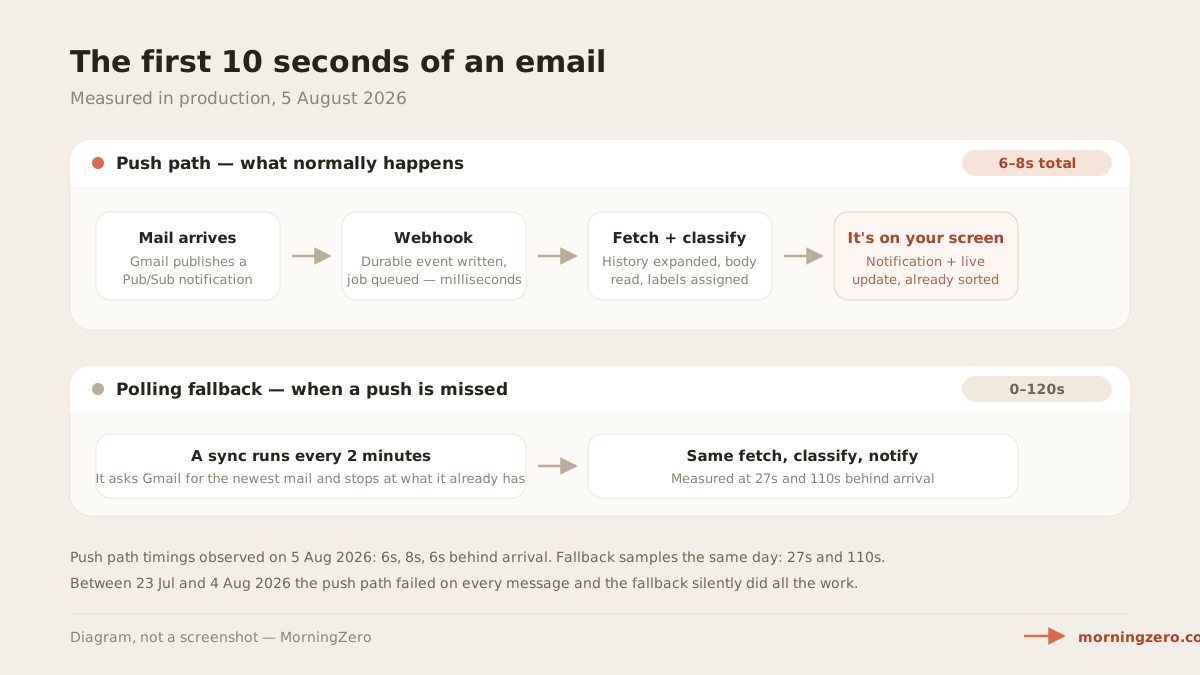
Seconds 0–2: your provider tells us, we don’t ask
Most email tools poll: every N minutes they ask “anything new?” MorningZero subscribes instead. Gmail publishes a notification the moment your mailbox changes, and a webhook writes that event down durably before doing any work — so a crash loses nothing and the event can be replayed.
A sync every 2 minutes runs underneath as a backstop, for missed or expired pushes.
Seconds 2–6: fetched, then read
The worker expands the notification into the actual new message ids, fetches each message, and stores it in a local mirror. That mirror is what makes everything afterwards fast — search, counts, Day View — instead of round-tripping to your provider for each view.
Then it classifies. Sender, subject and body go to a small, fast classification model together with your taxonomy, and it comes back with a category, a spam judgement, and a needs-reply flag. The per-message cost at that model size is a fraction of a cent, which is why we absorb it rather than metering it.
What that looks like in aggregate, across 2,866 classified messages in our production data: 89% was machine-generated (notifications, marketing, newsletters, social, calendar, receipts) and 1.4% needed a reply. The full breakdown is here.
Seconds 6–8: it’s on your screen, already sorted
By the time you glance at the app, the message is filed. Measured that day: 6, 8 and 6 seconds end to end on the push path. The two messages that fell back to polling took 27 and 110 seconds.
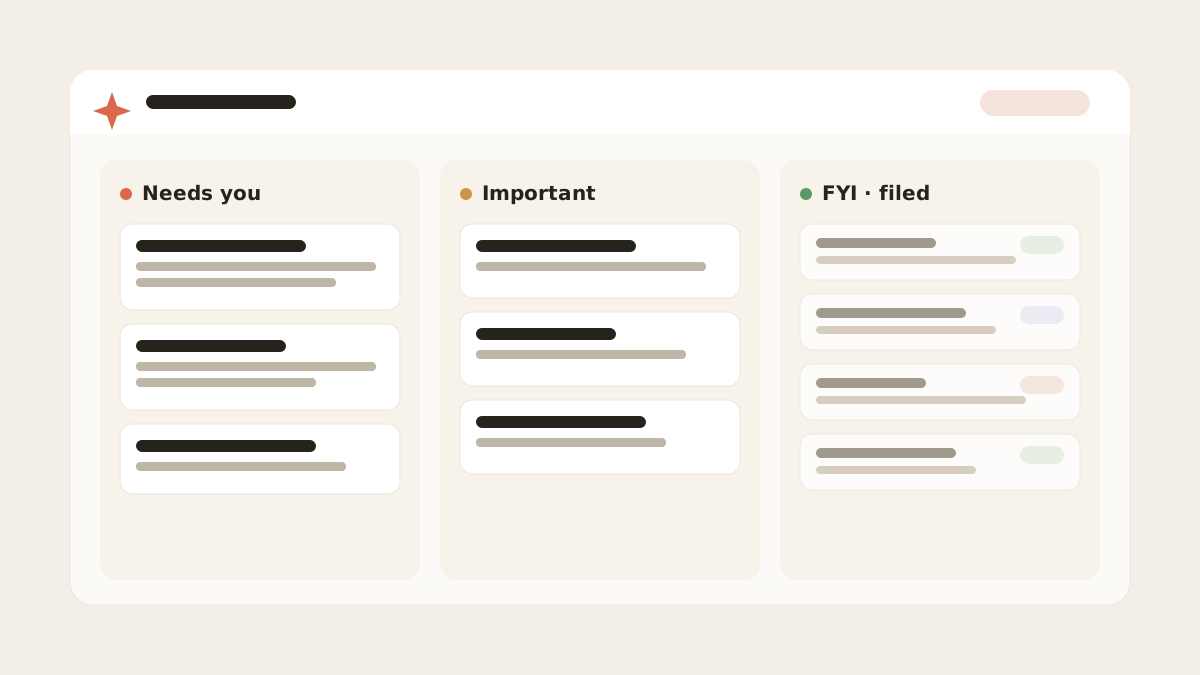
Day View is what you actually see — mail split into Needs you, Important, and FYI / filed, so the handful that wants something from you isn’t buried under the rest.
The rules that decided where it went
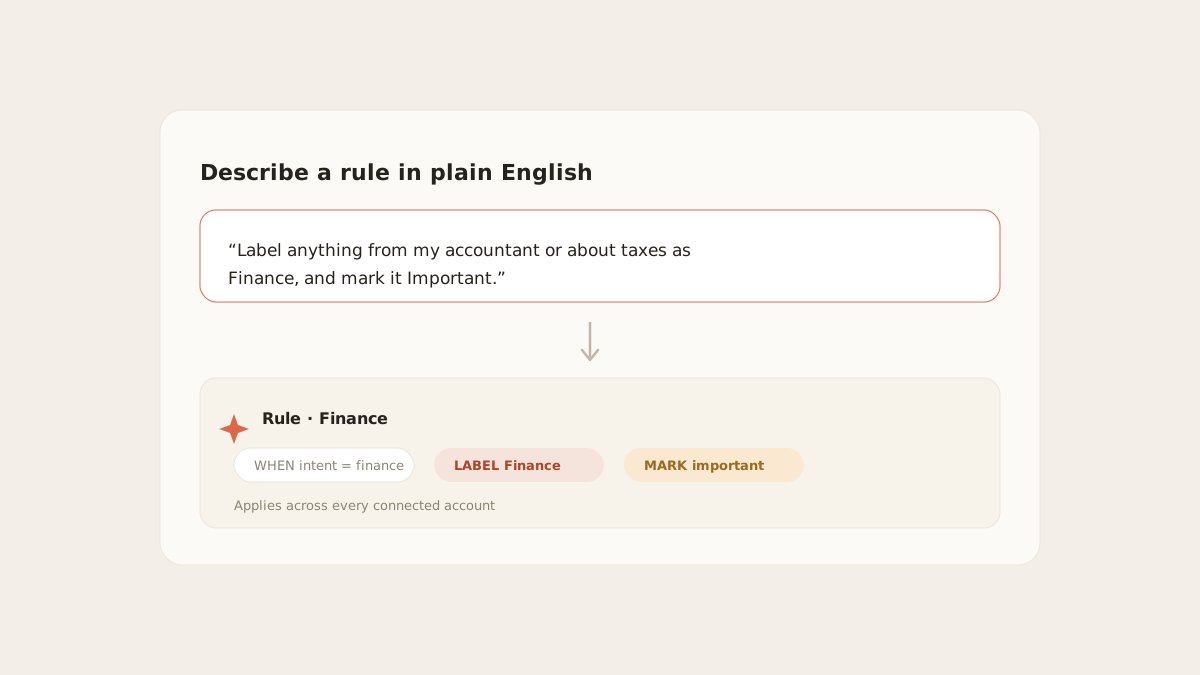
Default categories cover the obvious. Your judgement goes in as sentences:
“Label anything from my accountant or about taxes as Finance, and mark it Important.”
The model reads the intent, so one sentence covers phrasings a keyword list would miss — and “newsletters trying to sell me a course” is expressible at all, which no regex can claim. Rules apply across every connected account at once, and a rule’s label can be written back to Gmail so the organisation shows up there too.
Asking about it later
Once the message is in the mirror, it’s searchable two ways at once: a keyword match, and a semantic match over vector embeddings of the message. That’s why “the contractor who quoted for the deck” finds an email that actually says “rear timber decking”.
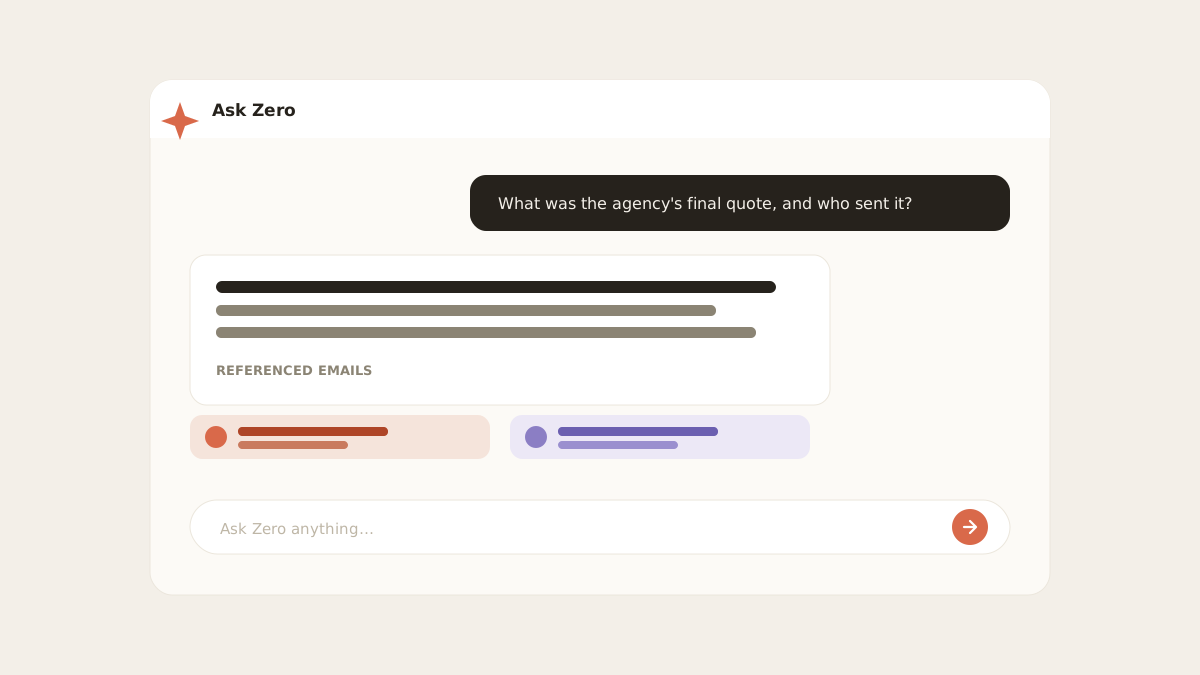
Ask Zero goes one step further — it reads the matching threads and answers the question, with the source emails attached as clickable citations. Answers can be wrong; that’s exactly why the citation is there. Mechanics and limits.
Ask as often as you like — nothing here is metered. There are no credits and no message limits on either plan; what you pay for is how many mailboxes you connect, not how hard you use them.
Clearing what already piled up
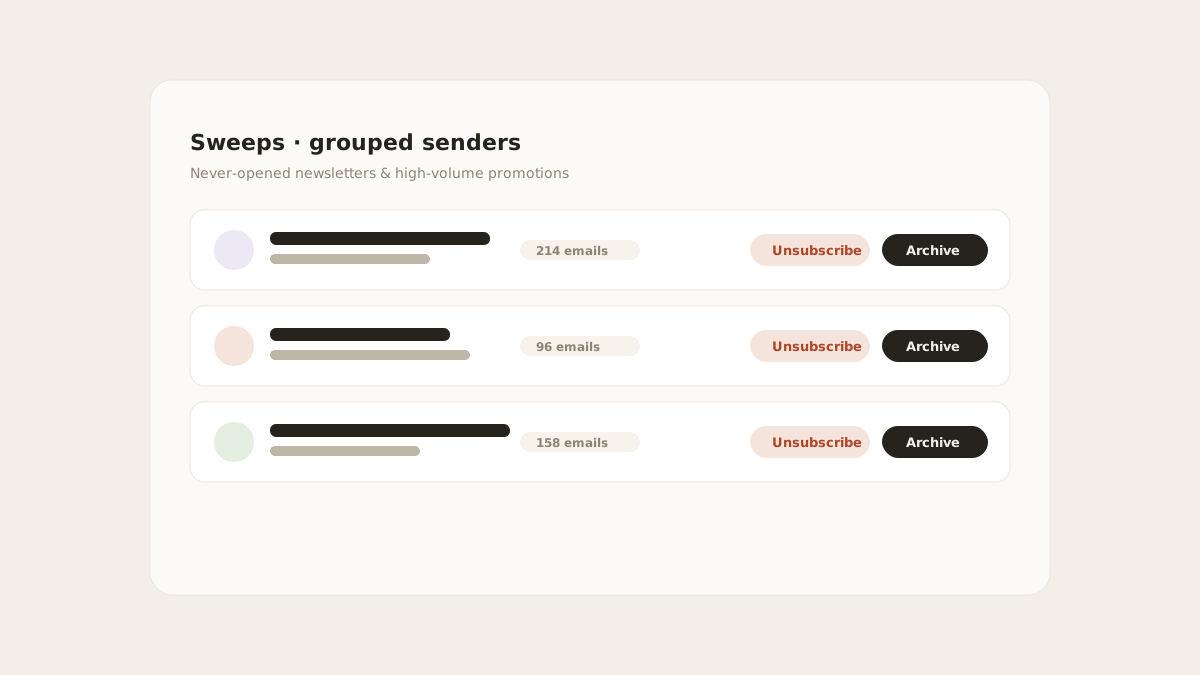
Everything above keeps the future tidy. Sweeps deals with the backlog: it groups senders you never open and ranks them by volume, then unsubscribes — via the sender’s List-Unsubscribe header, one-click where supported — and archives in bulk.
The reason grouping matters is concentration. In our data, 10 senders produced 43% of all machine-generated mail — 1,008 of 2,337 messages, out of 411 distinct senders. Ten decisions, nearly half the volume. And 93.8% of that bulk mail was never opened. The measurement.
The accounts it spans
Connect work Gmail, personal Gmail and an Outlook account, and they merge into one stream behind one login, each message tagged with its account. That is a unified inbox: the provider accounts stay separate while the working view is combined. One rule layer, one needs-reply view, one search across all of them, on every device you sign into.
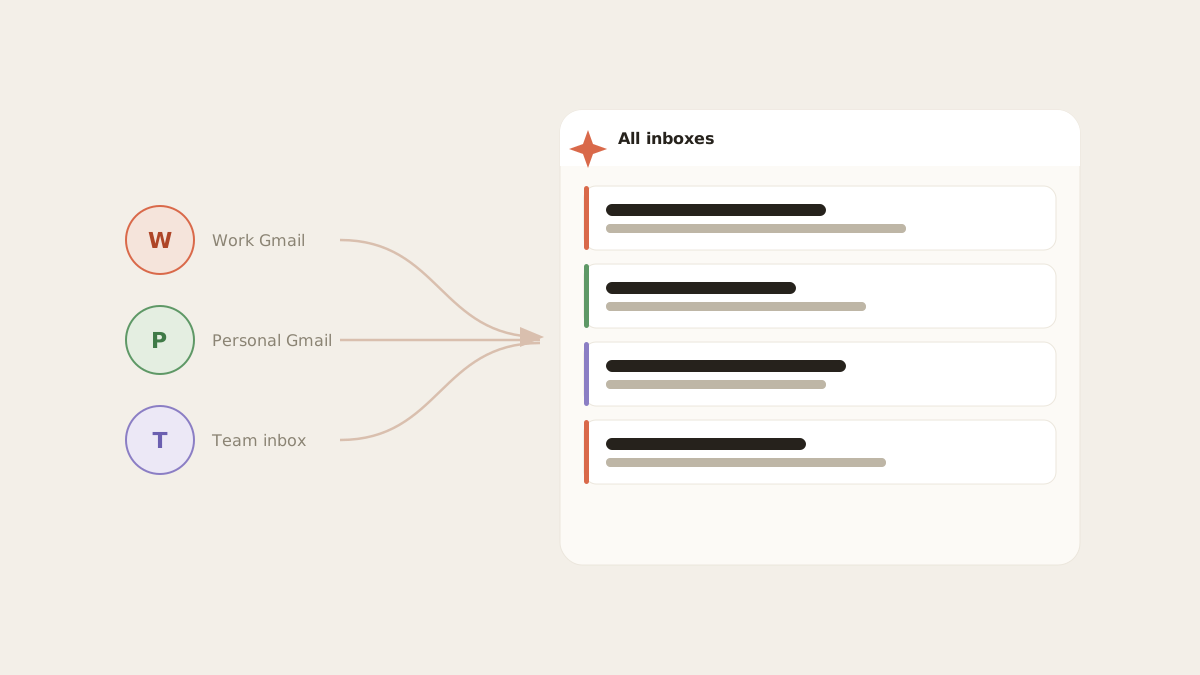
Search, Ask Zero, Triage, Sweeps, rules and calendar span the connected set rather than one mailbox at a time. Gmail, Workspace, Outlook.com and Microsoft 365 connect through their provider flows; Fastmail, iCloud, Yahoo, AOL, GMX, Web.de, Zoho, Yandex and Mail.com connect with an app-specific password. The provider boundary is custom or self-hosted IMAP, plus Proton, which requires Bridge running locally.
The rest of it
- Draft replies in your voice — drafts start from your own sent mail rather than a generic template
- Calendar awareness — invites and events surface where they belong
- Per-account scoping — your mail answers your questions and isn’t used to train public models
- The mirror — 15,773 messages across 8 mailboxes in our own instance, which is what makes views instant
Where this breaks, since you should know before signing up
Between 23 July and 4 August 2026 the push path in the diagram above failed on every single message. A deleted message made Gmail’s history API return a 404, that error aborted the ingest loop, and the sync cursor stopped advancing — 686 failed events over 11 days. The 2-minute fallback kept mail flowing the whole time, which is precisely why we didn’t notice: notifications simply ran up to two minutes late.
It’s fixed, and 45 consecutive push ingests have succeeded since. But “real-time” is a claim worth reading skeptically from any young product, including this one — so now you know what ours looked like when it wasn’t true.
The fastest way to judge the rest is to connect one account and watch Day View fill in, already triaged, in about eight seconds. The trial runs 14 days with everything unlocked, needs no card, and covers two mailboxes. If it ends without a plan, the AI stops while connected mail stays readable and searchable. After 60 days MorningZero stops pulling new mail; its stored data is deleted after 90 days.
Frequently asked
How fast does MorningZero sort a new email?
On the Gmail push path, measured in production on 5 August 2026, notifications landed 6, 8 and 6 seconds after the mail arrived. When a push is missed, a sync running every 2 minutes picks the message up instead — two samples that day took 27 and 110 seconds.
What does MorningZero do that Gmail doesn't?
Three structural things: it merges every connected account into one stream behind a single login, it classifies incoming mail by intent rather than fixed categories, and it lets you write filing rules as plain-English sentences that apply across all accounts at once.
Is any part of MorningZero metered or limited?
No. There are no AI credits, no request quotas and no message limits on either plan. Every incoming message is classified and every AI feature — Ask Zero, summaries, drafting, semantic search — is included on both Solo ($19/month, 5 mailboxes) and Stack ($29/month, 15 mailboxes). The only differences between the plans are mailbox count and priority support.
Does MorningZero work with Outlook or only Gmail?
Both, plus supported hosted IMAP providers. Gmail, Google Workspace, Outlook.com and Microsoft 365 connect through their provider consent flows; Fastmail, iCloud, Yahoo, AOL, GMX, Web.de, Zoho, Yandex and Mail.com connect with an app-specific password. Custom or self-hosted IMAP servers and Proton are not directly supported today.