
Email triage that reads every message and tells you which ones need you
Every message is read as it lands and sorted into Needs you or Other, with a category. Today's mail is sorted in about a minute. None of it is metered.
Facts and prices checked 26 September 2026
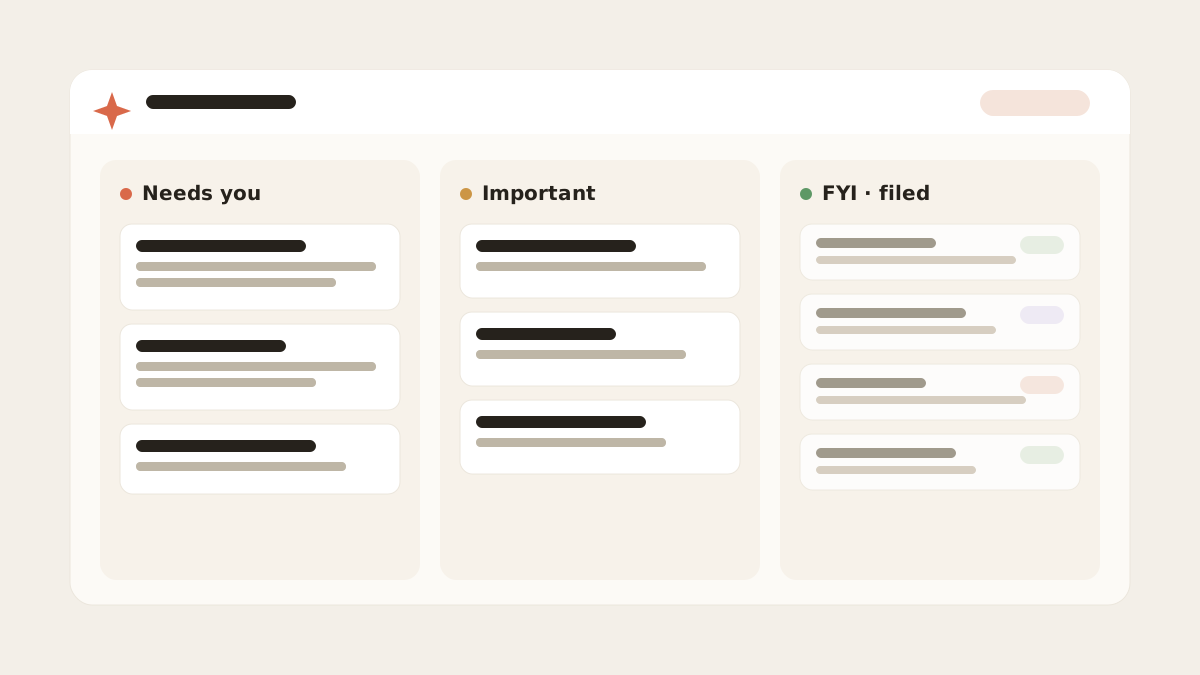
Most inbox AI gives you a score. This gives you a decision, a category, and a reason you can argue with.
The decision is the part you act on. Here's how it gets made.
The first minute
A message lands in one of your mailboxes. The provider pushes a notification, a worker fetches the message, and its metadata goes into the mirror.
Then three passes run, cheapest first.
Deterministic rules. Sender patterns, list headers, calendar invitations, receipts from known senders. No model is called and a large share of mail is settled here. Your own plain-English rules also run at this stage when they compiled to conditions.
A small classification model. Whatever the rules didn't settle goes to a fast model with the sender, subject, body and your label set. It returns a category, a spam judgement, a reply-needed flag and an attention level. It runs inside a per-mailbox budget, so ten thousand newsletters can't run up an open-ended bill.
A ranking tuned to each mailbox. This is an adaptive scoring method, not an AI model. It weighs the signals that matter in this mailbox: who you reply to and how quickly, who writes to you directly, which senders you've promoted or muted.
Its weighting shifts as you act, and it only ever counts what was known when a message arrived.
Nothing here trains a model on your mail, and what one mailbox picks up never reaches another.
The verdict is written once, on the message. Opening the list doesn't re-run anything, which is why a tag doesn't flip between visits.
What you see
Two tabs instead of a wall: Needs you and Other. Any of your labels can sit beside them as its own split, added with + Add split.
Needs you holds everything that wants your attention, and that's two kinds of mail. A reply arrow marks a thread waiting on your answer; an eye marks one you only need to read, like a payment that failed or an account notice.
The reply arrow stays until you actually reply or dismiss it. Opening the thread doesn't clear it.
Every row also carries a category. Across all the mail MorningZero sorted in the ninety days to 20 September 2026, it looked like this:
Sent by machines
Notification57.8%
Marketing15.7%
Newsletter7.8%
Social4.8%
Calendar1.6%
Receipt1.6%
From people
Personal6.9%
Work3.6%
Show as table
| Category | Share | Sent by |
|---|---|---|
| Notification | 57.8% | Machines |
| Marketing | 15.7% | Machines |
| Newsletter | 7.8% | Machines |
| Social | 4.8% | Machines |
| Calendar | 1.6% | Machines |
| Receipt | 1.6% | Machines |
| Personal | 6.9% | People |
| Work | 3.6% | People |
Machine-generated mail, meaning the notification, marketing, newsletter, social, calendar and receipt rows, came to 89 percent. Mail flagged as needing a reply was 1.39 percent.
1.39%needed a reply
Of all classified mail. The rest was worth a read, or needed nothing at all.
That mix is heavy on notifications, and yours will differ. The shape is what carries over. If under two percent of what arrives wants anything from you, the expensive part of email is finding those two percent.
Timings
Two numbers, both from production on 20 September 2026.
First connect: for mailboxes with enough mail in the three days before connecting to measure, the median time to classify ninety percent of them was 72 seconds. The fastest was 51 seconds, the slowest 363. "About a minute" on the homepage is the median.
Steady state: for messages arriving in the previous thirty days, the median gap between arrival and verdict was 17 seconds. The ninetieth percentile was 158 seconds, which is the polling backstop showing in the tail.
First connect90% of the last three days sorted
Every new messagefrom arrival to verdict
Earlier this year a single deleted message stalled our Gmail sync for eleven days while the backstop carried the load. We wrote it up: one deleted email broke our live sync for 11 days.
Why there are no credits
Classification runs on a small model chosen for volume, not depth. At that size a message costs a small fraction of a cent.
Billing per labelled message would cost more in billing machinery than in inference. So there are no credits and no message quota on a paid plan; you pay for how many mailboxes you connect.
The one limit is a daily ceiling per mailbox on model work, set well above normal use and there to stop a runaway loop. Past it, rules keep running and AI triage resumes within 24 hours. Both are part of our Fair Use Policy.
Some competitors run the sorting on the same daily quota as the chat. What each tool rations lays that out by product.
When it's wrong
Hover the ? on the row. It shows what pushed the message up and what pulled it down. The row's Mute and Promote controls let you correct it for this thread, this sender, the whole domain, or a phrase.
The correction applies to the next message and sweeps what's already there. In the thirty days to 20 September, 0.22 percent of the threads MorningZero triaged were overridden.
That count includes older threads re-sorted during imports. Details on the Why this is here page.
What it won’t do
The limits, before you find them yourself.
It doesn't read your whole history with a sender before deciding. Each message is classified on its own content plus how you tend to handle that kind of mail in that mailbox.
It doesn't classify years of archive on first connect. The recent three months are labelled by default. Older mail is searchable but untagged.
It will sometimes let a polished sales sequence through as if it were a person. First contact from a real person and a good cold pitch look alike, and we'd rather show both.
Each mailbox has a daily ceiling on model work. Past it, rules keep running and AI verdicts pause until the window resets. The app doesn't yet tell you when that happens.
Questions
Asked often enough to answer here.
How long does the first triage take?
Median 72 seconds to have ninety percent of the previous three days classified, across the mailboxes with enough mail to measure. The slowest took just over six minutes. Measured on 20 September 2026.
What categories does it use?
Two axes. Attention: Needs you or Other, and within Needs you, reply owed or worth a read. Category: Notification, Marketing, Newsletter, Personal, Social, Work, Calendar, Receipt, plus a small Other bucket.
Is AI triage metered?
No. Every message on a paid plan is classified, with no credits or quota. The trial has a fixed allowance because it has no card behind it.
What share of email actually needs a reply?
1.39 percent of the mail MorningZero classified in the ninety days to 20 September 2026. Your own mix will differ, so the shape carries over more than the exact number.
Nothing sends itself
See it on your own mail.
Fourteen days, up to five mailboxes, no card. Connect the two you check most and watch the first morning sort itself.