
Google's Limited Use policy for email apps: what each clause changes in your architecture
Google’s Limited Use rules, a section of the Google API Services User Data Policy, shape an email app’s architecture, not just its privacy page. Gmail data may only power features the user can see. Transfers and human reading are narrow exceptions. Advertising, data brokers and lending are banned outright. And the current Workspace policy forbids training any model beyond that one user’s own.
MorningZero is an AI email client that unifies Gmail, Outlook, iCloud, Yahoo and IMAP inboxes. We build on these rules every day, so this is an engineer’s reading of them.
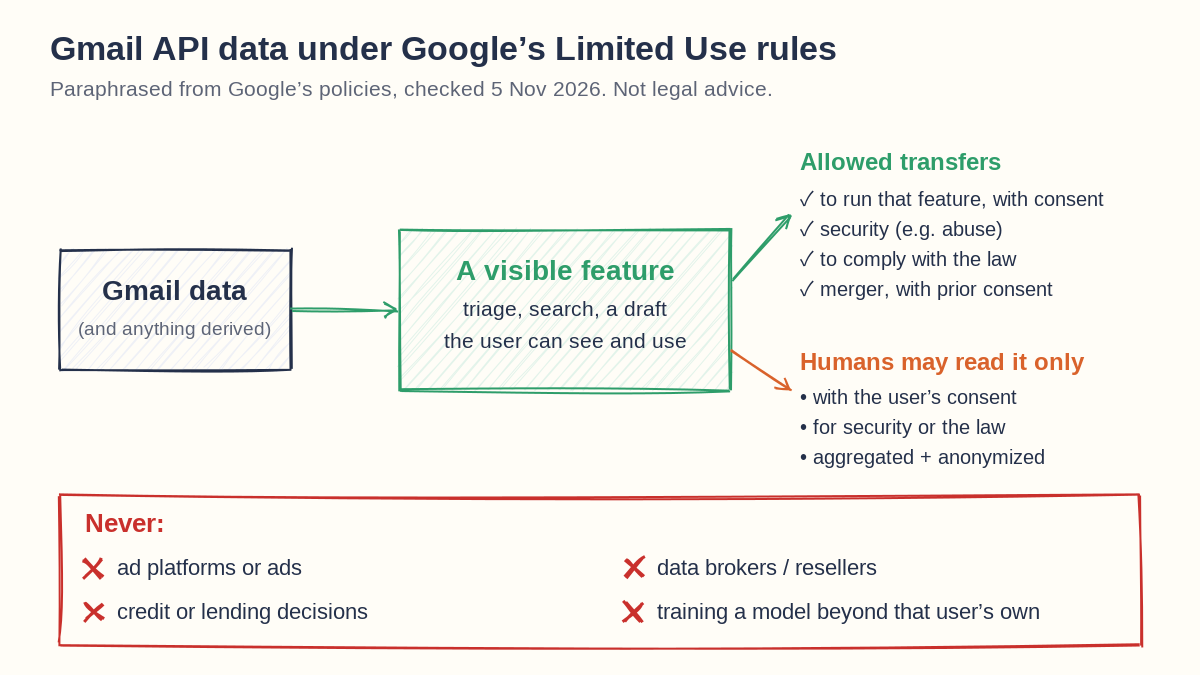
Not legal advice. This is an engineering reading of Google’s published policies. Your counsel and Google’s verification team decide how they apply to a specific product.
Which Google policies apply to Gmail apps
Two Google documents matter for Gmail:
- The Google API Services User Data Policy, which contains the Limited Use section. It applies across Google APIs.
- The Google Workspace API user data and developer policy, which adds requirements for Gmail, Drive, Calendar and other Workspace APIs, including explicit wording on AI training. Google’s page shows it was last updated on 3 September 2026.
You need both, because the Workspace policy adds to the general one rather than replacing it.
Limited Use covers derived data too
The general policy applies Limited Use to raw data and to data “aggregated, anonymized, or derived” from it.
So deleting the original body doesn’t take you outside the policy. A priority score, sender profile, embedding or summary built from a Gmail message is still covered.
Clause 1: use data only for visible features
The first rule limits use to “providing or improving user-facing features that are prominent in the requesting application’s user interface.”
For an email app:
- Triage fits when the product visibly sorts the user’s mail.
- Search fits when the user searches their own connected mailbox.
- A reply draft fits when the user asks for it or reviews it.
What doesn’t fit is collecting now for a feature that might exist later, or keeping a full copy of the mailbox in case another team finds a use.
Google’s OAuth policy pushes the same way from the other side. Request the narrowest scope that works. Its own example: an app that only uses Gmail APIs to “occasionally send emails on a user’s behalf shouldn’t request the scope that provides full access to the user’s email data.”
Clause 2: transfers are the exception
Google’s wording is blunt: “Transfers of data are not allowed, except” in four cases.
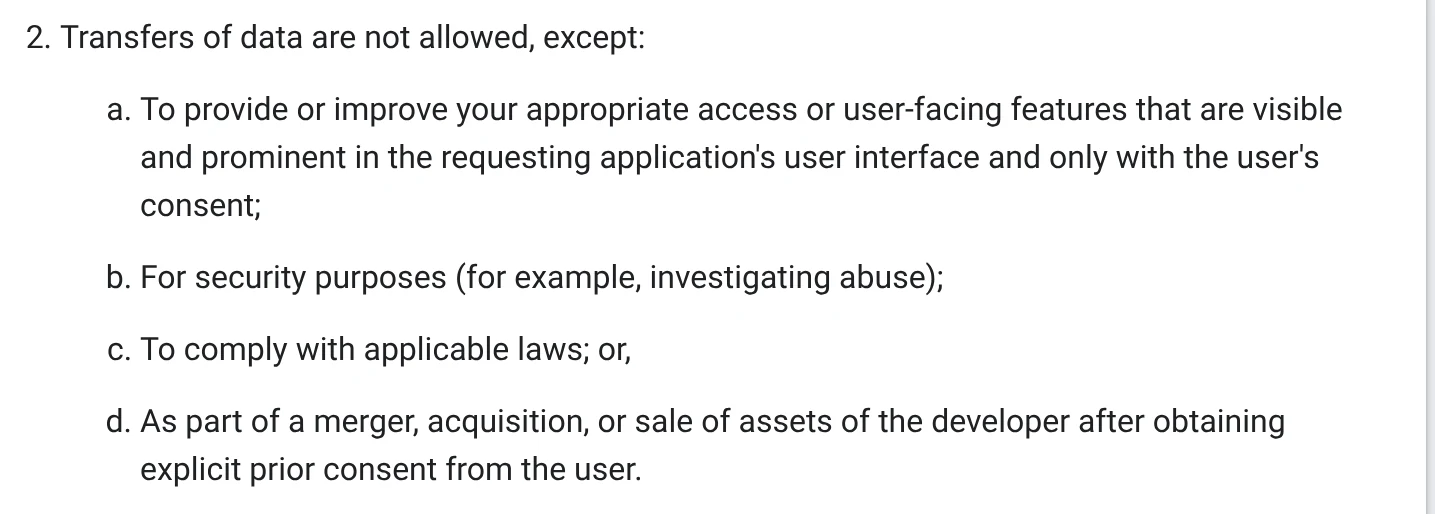
The four allowed transfers. Source: Google API Services User Data Policy, captured 5 November 2026.
Sending data to a cloud processor or a model API is still a transfer. The policy doesn’t ban processors, and it doesn’t give them a free pass either. Each transfer has to support a visible feature the user agreed to, and the processor has to follow the same rules.
A practical control is a data-flow register, one row per flow: scope, data field, destination, purpose, retention, deletion path and the feature it serves. If a destination can’t be tied to a row, it shouldn’t receive the data. That register is also what a buyer’s subprocessor list should be built from.
Clause 3: humans don’t read the data by default
The Workspace policy says “Do not allow humans to read user data, unless” one of four things is true:
- The user gave documented, explicit consent to view specific messages or files.
- The data, including derivations, is aggregated and anonymized for internal operations.
- It’s necessary for security, such as investigating a bug or abuse.
- It’s needed to comply with the law.
A support ticket saying “search is broken” doesn’t let an engineer browse the mailbox. The product needs a way for the user to share the specific message, or a diagnostic path that works without reading mail.
Useful patterns: user-selected message sharing, time-limited support access, append-only access logs and a separate, audited path for security incidents.
Ads, data brokers and lending are always banned
After the exceptions, Google lists what stays prohibited regardless:
- Transferring or selling data to advertising platforms, data brokers or information resellers.
- Using it for ads, including retargeting and interest-based advertising.
- Using it to decide credit-worthiness or lending.
These bans apply to derived data too. A sender-interest profile built from Gmail can’t go to an ad platform on the theory that no email left the building. The policy also binds employees, contractors and agents, so outsourcing doesn’t outsource the responsibility.
The AI training boundary
The Workspace policy now names AI directly. It prohibits “transferring, selling, or using user data to create, train, or improve a machine learning or artificial intelligence model beyond that specific user’s personalized model for the appropriate use case or user-facing feature.”
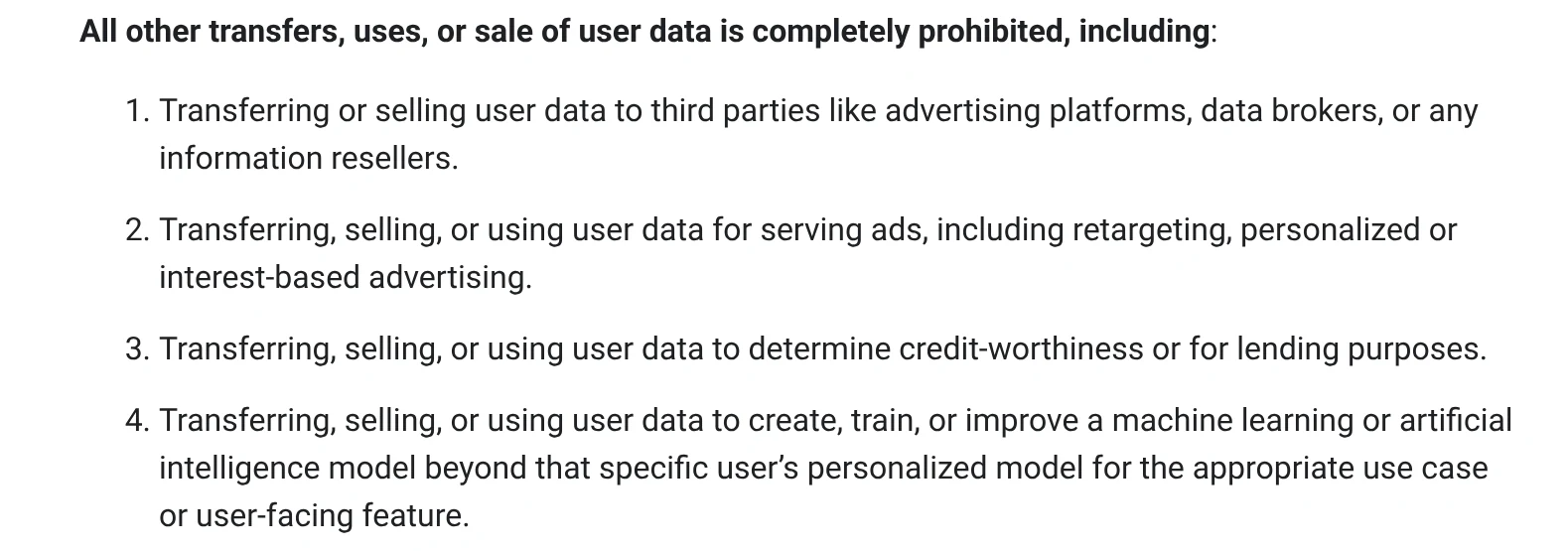
The AI clause in Google’s Workspace policy, last updated 3 September 2026. Source: Google Workspace API user data and developer policy, captured 5 November 2026.
The allowed shape is narrow: a model personalized for that user and tied to a visible feature. Learning one user’s writing style for their own drafts can fit. Pooling many users’ mail into a shared training set doesn’t.
Google’s API terms, which the same page points to, add more: no scraping, no “building databases (including databases for model training purposes)”, and no permanent copies of Google user data.
Using a model is not training a model
Inference and training belong in different rows of the register.
An app can send selected text to a model provider to produce a visible summary or draft, if that transfer fits an allowed case. That does not let the provider keep the text to improve its own models.
So the app has to know each provider’s retention and training settings, not assume them from the word “API”. Contract terms, account settings and logging modes all count.
Send only what the feature needs: summarizing one thread doesn’t need a mailbox export, and classifying a sender doesn’t need the attachment.
No retention number, but plenty of rules
Neither policy gives a single retention period such as 30 or 90 days. That isn’t permission to keep data forever.
The rules that do apply: request minimum access, disclose how data is stored and shared, keep it secure, honor deletion requests, and, per the OAuth policy, “revoke tokens when you no longer need access” and “delete them permanently” afterward.
Retention should follow the purpose of each copy. A buffer used to classify a message can expire in minutes. A search index can live while the account is connected, because the feature needs it. A debugging copy shouldn’t inherit the search index’s lifetime.
Write the rule for each kind of data: why it exists, where it lives, when it expires and what deletes it. “Mailbox disconnected” and “account deleted” should be explicit events in the system, not something support handles by hand.
The privacy policy has to match the system
Google requires a privacy policy that “fully documents how your application interacts with user data.” The Workspace policy also asks for an “affirmative or other similar statement” that your use complies with Limited Use.
That statement doesn’t fix a backend that contradicts it. Google’s verification and security assessments look at behavior, not just wording.
Treat it as a two-way check. Engineers compare the policy to the data-flow register, and whoever owns the policy reviews every new flow before release.
Restricted scopes add a yearly security assessment
Apps that can reach restricted Gmail data “from or through a third-party server” must pass a security assessment from a Google-approved assessor every year. Google says the assessment verifies the app can handle data securely and “delete user data upon a user’s request.”
This is separate from OAuth scope verification. Scope verification asks why you need the access. The security assessment checks how you protect it. Passing one doesn’t make the other irrelevant. For what the resulting badges mean, see our Google CASA and Microsoft verified-publisher guide.
Deletion needs a provable end state
Clicking Disconnect starts a process. It doesn’t prove that tokens, queues, cached bodies, embeddings, search indexes and backups were all handled.
Map every store before building the button: owner, trigger, maximum completion time, retries and evidence that it finished. If a processor can’t confirm deletion, say so. Backups often expire on their own schedule; disclose the window instead of implying it’s instant.
Treat policy pages as dependencies
Google’s own OAuth policies tell developers to “check for updates periodically.” Save the date and a hash of the clauses you rely on, diff them on a schedule, and send material changes to product, privacy and engineering owners.
A wording change doesn’t always mean a redesign. It does need a decision record: which flows it touches, how you read it, who owns it and what you’ll do.
A checklist for every Gmail feature
| Question | Answer you need before shipping |
|---|---|
| Which scope supplies the data? | The exact OAuth scope, and why a narrower one won’t work |
| Which visible feature uses it? | The screen, the action and the user benefit |
| Where does it travel? | Every processor and model endpoint |
| Can a person read it? | No, by default; the named exception and audit trail if yes |
| Does it train a model? | No shared training; per-user personalization stated separately |
| How long is it kept? | Retention per data type, and the event that deletes it |
| How does the user revoke it? | At Google, and inside the app |
| What proves deletion? | Job status, audit event or a confirmation to the user |
If any answer is “unknown”, the feature isn’t ready.
How MorningZero applies the policy
What MorningZero publishes on its security page:
- Consent and tokens. Gmail connects through Google’s consent screen. OAuth tokens are encrypted with AES-256-GCM.
- What’s stored. What the features need: subjects, senders, labels, timestamps, previews, AI summaries and search vectors, plus what you create (drafts, queued messages, assistant chats).
- Message bodies. Read from your provider when you open a message, held in an encrypted cache for about ten minutes, then discarded. Attachments never leave your provider.
- AI. Your mail isn’t used to train general-purpose models. Model providers act as processors and are contractually bound not to train on it. Corrections tune labeling for your account only.
- Disconnect. Messages, labels, rules, drafts, conversations and learned preferences are deleted in one transaction with the token, and the grant is revoked at Google.
- No auto-send. The assistant drafts; you press Send.
That’s narrower than “we store nothing”, and more accurate. Metadata exists, tokens need protecting, and text does go to model processors when a visible feature needs it. These are the product’s stated practices. A full public data-flow table, mapped feature by feature to the policy, would be the next step.
Try MorningZero free for 14 days. Cancel anytime.
How we checked
We read the general policy, the Workspace policy, the OAuth policies and the restricted-scope verification guide on 5 November 2026, and quoted them directly. An earlier draft said the Workspace page added its AI wording in September 2026. We can only confirm that the current page includes it and was last updated on 3 September 2026, so we changed that line.
This article doesn’t decide whether a specific design is compliant. It lists the questions a design has to answer and the evidence a reviewer should ask for.
Sources
- Google API Services User Data Policy
- Google Workspace API user data and developer policy
- Google OAuth 2.0 policies
- Google: Restricted scope verification
- MorningZero security page
Checked on 5 November 2026.
Frequently asked
What is Google's Limited Use policy?
It is the part of the Google API Services User Data Policy that restricts data from certain Google API scopes, including Gmail. The data may be used only for visible user-facing features, transfers are allowed only in listed cases, humans may read it only in listed cases, and advertising, data-broker and lending uses are banned. It applies to raw data and to anything aggregated, anonymized or derived from it.
Can an email app's employees read Gmail data?
Only in the cases Google lists: with the user's explicit consent to view specific data, for security such as investigating abuse, to comply with the law, or when the data is aggregated and anonymized for internal operations. Ordinary support convenience is not one of them.
Can Gmail data be used to train an AI model?
Not beyond that user's own personalized model. Google's Workspace user data policy prohibits transferring, selling or using the data to create, train or improve a machine learning or AI model beyond that specific user's personalized model for the appropriate feature. Google's terms also prohibit building databases from Google user data, including for model training.
Can an email app send Gmail data to an AI provider?
The policy doesn't name AI providers. A transfer must fit an allowed case, usually providing a visible feature the user consented to, and everyone handling the data must follow the policy. Sending text to a model to produce a summary is not the same as letting the provider train on it.
Does Limited Use set a retention period for Gmail data?
No single number appears in the policy. Apps must request minimum access, disclose how they store and share data, keep it secure, honor deletion requests, and revoke and delete tokens they no longer need.
Try it on your own inboxes
Fourteen days free, every feature. Cancel anytime. Connect Gmail, Outlook, iCloud or Yahoo and see what lands in Needs you.
Start free trial