
Multiple Gmail Accounts: How to Create, Switch and Manage Them (2026)
Multiple Gmail accounts work best when each identity stays separate but your daily decisions do not. Google lets you create and sign in to several accounts, switch between them on the web, and view them together in the mobile app. The hard part is deciding when switching is enough and when work, personal and client mail need one organised workflow.
This guide covers legitimate account creation, switching, Gmail’s built-in views and the point where a separate unified layer becomes useful. It does not cover account farms, phone-verification workarounds or bulk creation.
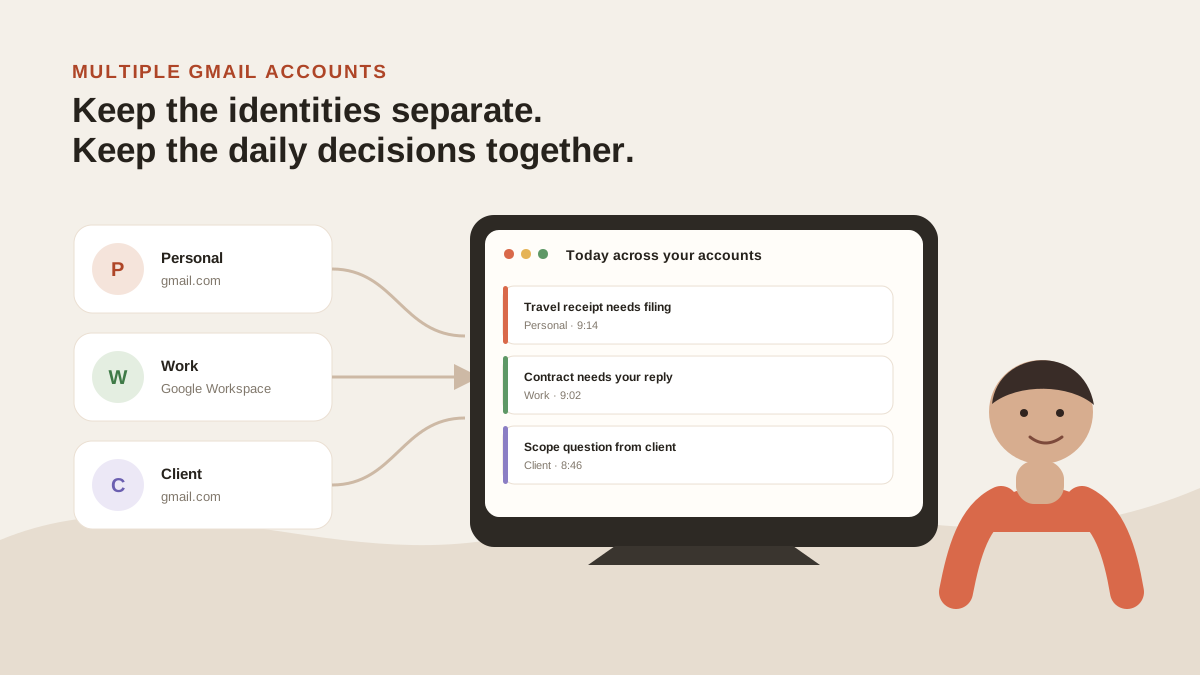
Separate addresses protect each role. A combined working view reduces the number of places you must check. Original illustration for this guide.
What people mean when they search “multiple Gmail accounts”
We classified the first ten organic Google results for multiple gmail accounts on 20 August 2026, using US English, desktop results and personalisation turned off. The result set is mixed: 5 creation or account-quantity pages, 2 sign-in or switching pages, 2 management or consolidation pages, and 1 shared-user result.
| Rank | Page | Our classification |
|---|---|---|
| 1 | Reddit: how many Google accounts? | Creation / quantity |
| 2 | Google Help: add another account in Gmail Android | Add / switch |
| 3 | Zapier: manage multiple Gmail accounts | Management |
| 4 | Google Groups: create many Gmail accounts | Creation |
| 5 | University of Minnesota: concurrent sign-in | Sign-in / switch |
| 6 | JustAnswer: create without phone verification | Creation — excluded from this guide |
| 7 | Kinsta: multiple Gmail accounts in one inbox | Management |
| 8 | Hiver: manage multiple Google accounts | Creation / quantity |
| 9 | Streak: how many Gmail accounts | Creation / quantity |
| 10 | Google Community: Gmail with multiple users | Shared-user edge case |
That is why this guide covers legitimate creation, switching and management together. It does not cover account farms or verification evasion.
Can you have two Gmail accounts?
Yes. You can have a personal Gmail address and a separate work, side-project or client account. Google treats each as its own account with separate mail, settings, storage and security controls.
That separation is useful. Your employer can own its Workspace account without gaining access to your personal mail. A client account can keep its own calendar invites, contacts and sent history. A side project can stop interrupting the work account without disappearing.
The useful question is not “how many can I create?” It is which identity should own each kind of mail.
| Keep accounts separate when | Combine the workflow when |
|---|---|
| A different employer, client or legal entity owns the account | You need one answer to “what needs my reply today?” |
| The account needs its own password, recovery method or two-step verification | You repeatedly search several accounts for the same project or person |
| You must send from a specific address and preserve that identity | The same rules should organise work, personal and client mail |
How to create another Gmail account legitimately
Create another account only for a real identity or purpose: personal mail, a company, a client you are authorised to administer, or a project that needs its own address.
- Open the Google Account signup flow and create the account with accurate recovery details.
- Set a strong, unique password and enable two-step verification.
- Give the new account a clear purpose before you start forwarding or adding it to devices.
- If it is a client or company account, confirm who owns the account and who controls recovery before you put work into it.
Google’s signup checks, including phone verification when it requests it, are part of its anti-abuse controls. Do not try to evade them. If you need a shared company address managed by several people, that is a shared-inbox or Workspace administration question, not a reason to create a stack of personal accounts.
How to switch between multiple Gmail accounts on the web
Google’s multiple-account sign-in lets you sign in to several accounts at once. Click the profile image in the top-right corner, choose Add another account, then select an account from the same menu whenever you need to switch.
The important limitation is that the accounts remain separate. Google says settings are separate and may fall back to the default account’s settings when it cannot tell which signed-in account you mean. That is why a separate Chrome profile is useful for an account that must never mix with personal browsing, passwords or extensions.
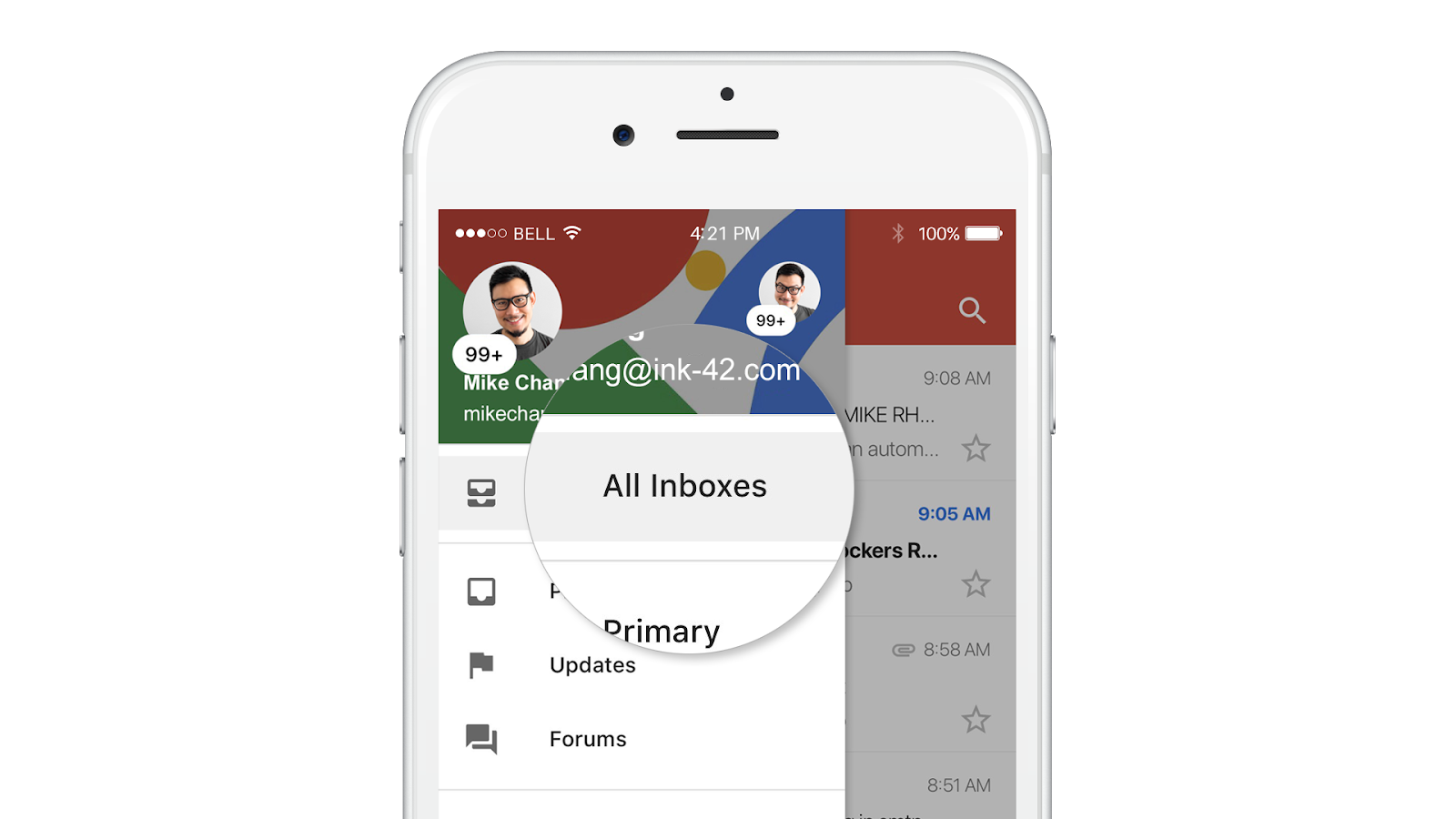
Google’s Gmail mobile All Inboxes announcement illustrates the account picker and combined mobile view. Source: Google Workspace Updates, checked 20 August 2026.
Gmail All Inboxes: what it combines and what it does not
The Gmail apps for Android, iPhone and iPad include All inboxes. It displays mail from accounts added to the app in one list, including supported third-party accounts. The addresses remain separate; the view just saves you from opening each inbox one at a time.
Gmail on the web does not offer that same live All Inboxes view. It offers two related features:
- Account switching: choose a signed-in account from the profile menu.
- Multiple Inboxes: create search-based sections inside one account, such as starred messages or a label. Google says this is configured on a computer and each section has its own search criteria, name and page size.
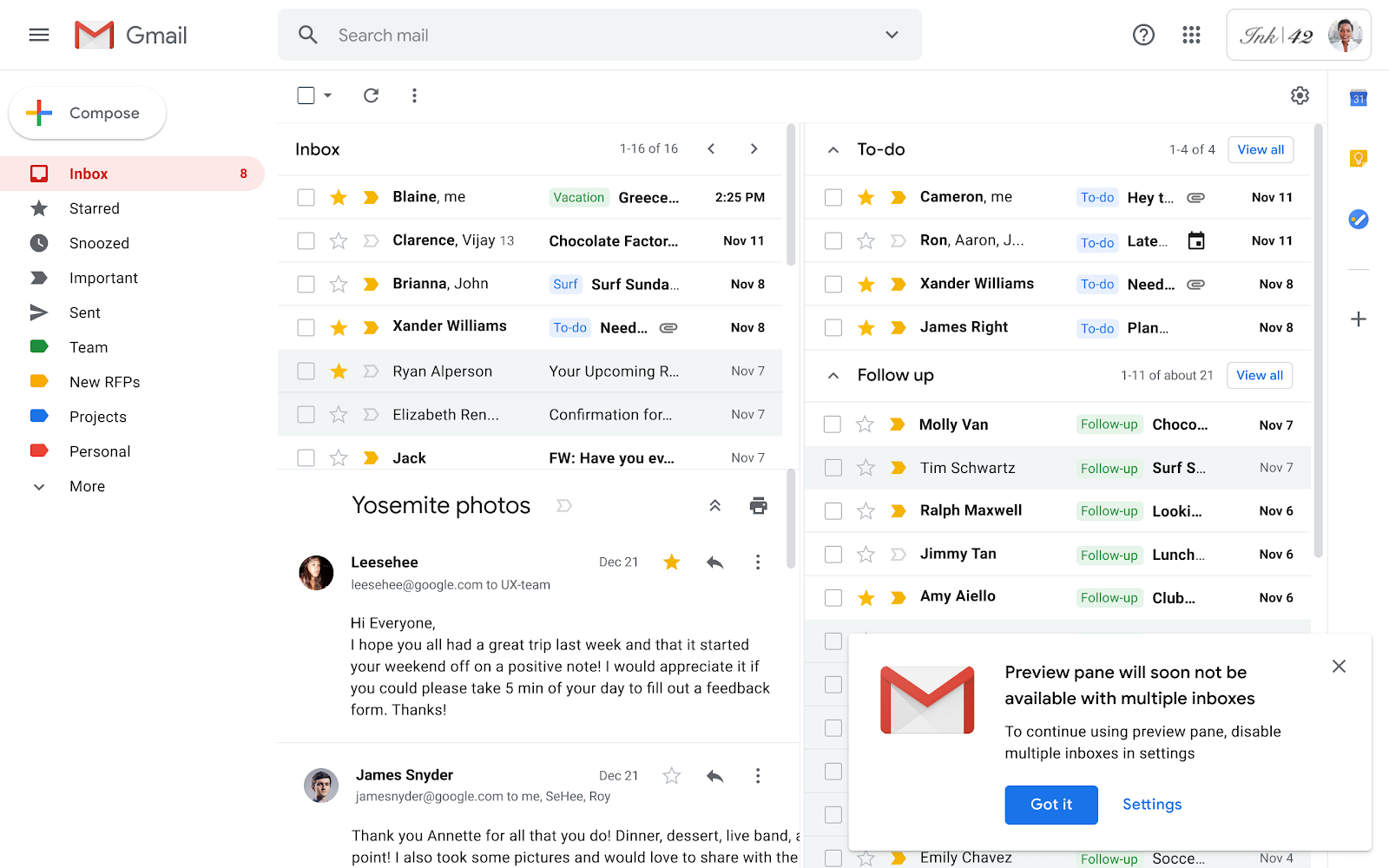
Gmail web’s Multiple Inboxes creates search-based sections inside one account. It is not the same feature as mobile All Inboxes across added accounts. Screenshot source: Google Workspace Updates; configuration details: Gmail Help, checked 20 August 2026.
That distinction matters if you live in Gmail on a laptop. Mobile may show you the list together; the web app still asks you to choose an account or work within one account’s search-based panels.
Why Gmail’s old web consolidation path is disappearing
Gmail previously offered Gmailify and POP-based Check mail from other accounts, which could pull third-party messages into a main Gmail inbox. Google is retiring Gmailify and this POP fetching feature: new users stopped being accepted after the first quarter of 2026, while existing users can continue until January 2027.
That does not mean Gmail stops working in other email clients. Google says Gmail access through third-party apps using IMAP or POP remains supported. It does mean the old “make Gmail fetch everything into one web inbox” workaround is not the durable answer for new setups.
When switching stops working
Switching is fine when you have two accounts and only one matters at a time. It breaks down when you keep doing the same loop:
- Check work Gmail.
- Switch to personal Gmail.
- Switch to the client account.
- Search each account because you cannot remember where a thread landed.
- Repeat after lunch because any account may have received something that needs you.
At that point, the problem is not creating accounts. It is that your decisions are scattered across them.
When a unified layer makes sense
A unified layer leaves the Gmail accounts intact but changes the working view. Each message stays tagged with its source account, so replies can use the correct address. The difference is that search, triage and rules can operate across the set.
| Approach | Best for | Price | Honest gap |
|---|---|---|---|
| Gmail account switching | One or two accounts, light volume | Included with Gmail | Every inbox, search and rule context remains separate |
| Gmail mobile All Inboxes | Reading several accounts on a phone | Included with Gmail | Does not solve the web workflow, rules or cross-account triage |
| Separate Chrome profiles | Strong personal/work browser separation | Included with Chrome | The inboxes themselves remain separate |
| MorningZero | Several work, personal or client accounts | Solo $19/month for 5 mailboxes | Provider ownership and sender identity stay separate; no iOS app or team assignment |
MorningZero connects Gmail, Google Workspace, Outlook.com, Microsoft 365 and supported hosted IMAP accounts in one working stream. It sorts incoming mail, lets you write rules in plain English, and gives Search, Ask Zero, Triage, Sweeps and calendar access across the connected set.
The honest boundaries matter: there is no iOS app, it is not a team/shared inbox, and custom or self-hosted IMAP requires an account-level request rather than automatic self-service. If a team needs assignment, ownership and internal comments, choose a shared-inbox product instead.
The practical setup for three Gmail accounts
For a personal, work and client Gmail account:
- Keep recovery details and two-step verification separate for each account.
- Use Google account switching or separate Chrome profiles when the roles must stay visibly distinct.
- Turn on All inboxes in the Gmail mobile app if you want one phone list.
- Keep sensitive client work in the account that owns it; do not forward mail casually just to reduce clicking.
- Add a unified layer only when the repeated switching, searching and rule copying becomes the real cost.
The goal is not to force every Gmail account into one address. It is to make sure you can see what needs attention without losing the identity and security boundary behind each account.
For a cross-provider companion, read What Is a Unified Inbox?. For the underlying product workflow, see the feature tour.
Frequently asked
Can I have two Gmail accounts?
Yes. Google lets you create and sign in to more than one Google Account. Each account has its own Gmail address, inbox, settings and storage. Use separate accounts when work, personal or client mail needs separate ownership and security boundaries.
How do I switch between multiple Gmail accounts?
On the web, sign in to each account, select your profile image in the top-right corner, and choose the account you want to use. Google keeps account settings separate, and it may use the default account's settings when it cannot tell which signed-in account you mean.
Can Gmail show all my accounts in one inbox?
The Gmail app for Android, iPhone and iPad has an All inboxes view for accounts added to the app. Gmail on the web provides account switching and Multiple Inboxes sections inside one account, rather than one live merged view across several accounts.
Can I put a work Gmail account and personal Gmail account in one place?
Yes. You can switch between them in Gmail, use All inboxes in the Gmail mobile apps, or use a separate unified layer. A unified layer is most useful when you need search, triage and rules to work across work, personal and client accounts at once.
Is it safe to have multiple Gmail accounts signed in at once?
It can be, provided each account has its own strong password and two-step verification. The practical risk is sending from the wrong address or applying the wrong setting, so check the active account before you act and use separate Chrome profiles when you need hard separation.
Can I create many Gmail accounts without phone verification?
This guide does not cover bypassing Google's verification or bulk account creation. Create accounts only for legitimate personal, work or client needs and follow Google's current signup requirements.